
- Title: Carliv Touch Recovery
- Listed: June, 2014
- Last modified: 07/23/2014 2:28 pm
- Version: Android 4.2 & 4.4
You must be logged for ROM download.
36199 total views, 2 today
4 Total favorites

 Member Info
DESCRIPTION
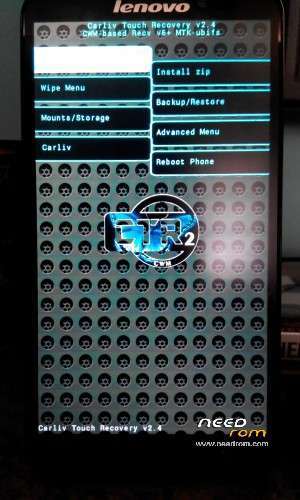
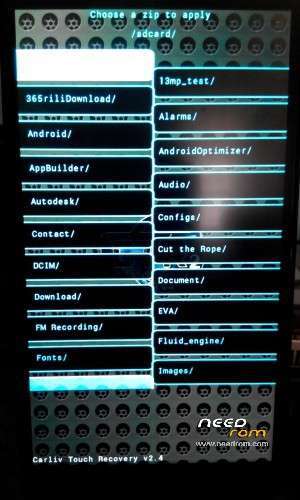
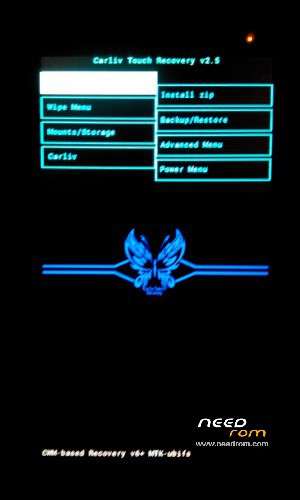
Alternative for CWM Recovery,here is Carliv Touch recovery ported to Lenovo S939 by JM(me).Fully touch function and mount usb storage.
INSTRUCTIONS:
Flash with SPFlashtools or install recovery with MobileUncle Tools(need root).
Update to v2.5:
- cleaned up the source code
- removed "wipe all" option from wipe menu
- rearanged menu order in root menu to restore CWM order
- added a "nvram backup/restore"
update to v2.4:-
Fixed catastrophe screen pixel  before entering recovery.
INSTRUCTIONS:-
—————————————————————
With SPFlashTools–
1)Need to install driver and software below in PC
- SPFlashTools v5.1352.01
https://drive.google.com/
- PdaNetA4150- https://drive.google.com/file/
- MTK65xx Drivers- http://
- MT6592 ADB VCOM Driver- http://www.chinamobilemag.de/
2)Off phone>Run SPFlashTools>Click options-options>Download>mark DA DL All with checksum>Click scatter loading>find and choose MT6592_Android_scatter.txt>Cli
3)Off your phone>pull out battery>connect usb…….wait till the dialog OK appear
4)Pull out usb>put the battery>and reboot to recovery by pressing and hold power+vol up+vol down…after you see a boot splash,release power n vol down but keep pressing vol up repeatly until enter recovery mode.
With MobileUncleTools–
1)Install MobileUncle on your phone- https://play.google.com/store/
2)Download and extract Carliv Touch and copy recovery.img to root of sdcard (not in any folder)
3)Run MobileUncle and give it root permission
4)Touch Recovery Update
5)Look at Recovery file in SDCard and touch recovery.img
6)When a dialog appear,just touch OK
7)Reboot into recovery mode>choose OK or cancel…and you're done
——————————
Credits:
JM
carliv
yuweng
※Please make a backup of your device before installing or updating ROM
Thank you, lets try how it's work
Thorbaik la brader JanMae! (y)
can't flash in 4.4.2 version..flash using Mobile uncle…
install mobileuncle from playstore
dah try bro Jan Mae…guna Mobile Uncle…still x boleh le..ada cara lain x?
kalau xleh kena flash carliv atau cwm recovery dgn spflashtools
cara guna sila kesini
Ok Bro…i'll try…terima kasih bro…nanti dah berjaya i'll inform..thanks..
in spflashtools…options>options>tick DA DL
scatter file>choose scatter in s939_recovery folder
in option box at home screen spflash…choose download…then click download icon
pull battery out then insert battery….connect usb…wait till 'download' finished…close spflash>disconnect usb and enter recovery by press n hold power+volup+vol down…wait till u see a word lenovo then release power+vol down but keep pressing volup repeatly
terbaikk…selesai…thanks bro..skrg nak try miui v5 plak
alhamdulillah
beberapa hari lalu saye upgarde my lenovo s939 to 4.4.2 tp lepas saye upgarade tu tak leh pula install playstore knape ye,.???
install gapps 4.4.2 via custom recovery
Jan mae mcm plak klu nk flash gapps dan su..
Bro JanMae, where can i find rom version s125/ s126 for lenovo s939?can u give me the link? i flashed version s129 but it cannot root.
sory i dont have it…sure u can root any version….just install custom recovery>flash update supersu>reboot….and reroot with vroot for full root access
try search4roots dude it might help here https://www.search4roots.com/
salam bro… aku nye s939 version s122 cmne nk up n root?
guna vroot dan install cwm/carliv via mobileuncle…atau terus flash cwm/carliv via spflashtool