
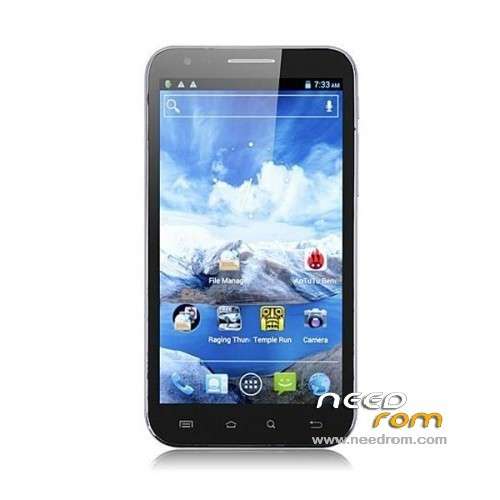
- Title: CHANG N8100
- Listed: May, 2013
- Last modified: 05/05/2013 2:55 am
- Version: ROM Android 4.2.1
You must be logged for ROM download.
20947 total views, 5 today
175 Total favorites
 Member Info
DESCRIPTION
ROM CHANGJIANG N8100 – ROM Android 4.2.1
Based on CHANGJIANG N8100 version : N8100.130401.JB42.V12.HD.EN.COM.8P32_MT6589_Cam3H2
Features ROM:
1. Add completely ROOT only
2. Other optimization
Language support : Multi Lang
Install ROM :
1) Copy the rom onto your external sdcard
2) Boot into CWM recovery
3) 3 wipe (data / cache partition/ dalvik cache)
4) Install upate from sd-card
5) wipe battery state
6) reboot system
or
Flastools
Select a the in MT6589_Android_scatter_emmc.txt in Recovery with Flashtools
Click Flash_tool.exe interface Firmware-> Upgrade
Phone after taking the battery in put something
Connect the data cable
Brush finished with green circles appears
INFO of : maddog007 (thx to you)
used it on my THL W7, using flashtools, change nothing.
THL W7 is the same as CHANGJIANG N8100
got root, all google apps, both camera works, wifi works.
let me know anyone need help.
※Please make a backup of your device before installing or updating ROM
maddog007 can you help me please?
i have THL W7
i followed the guide bellow but when i open the ZIP file from the recovery in the phone it says installation aborted
Install ROM:
CWM
Step 1: Download the custom ROM copied to an external SD card root directory
Step 2: the shutdown state. While holding down:
– Power button + volume button up, to enter the recovery mode.
– Wipe Data / Factory Reset -> delete all user data
– Wipe Cache Partition -> Wipe cache
– Advanced -> Wipe Dalvik Cache
Step 3: Return to recovery main interface Install zip from sdcard -> choose zip from sdcard -> Select your ROM
Step 4: Brush complete, restart the phone Patience required – first boot takes a while
Hello,
I try to do this method with my thl w7 on the sd card the only message than I have ” is file corrupted…”
for mtk6577, or mtk6589???
hola me gustaria saber si tienes la rom original sin rootear del changjiang n8100?
la rom original sin rootear es que lo he escrito mal