
- Title: Cheetah 2 TWRP
- Listed: December, 2016
- Last modified: 12/05/2016 11:17 pm
- Version: TWRP 3.02.1
You must be logged for ROM download.
10888 total views, 1 today
1 Total favorites
 Member Info
DESCRIPTION
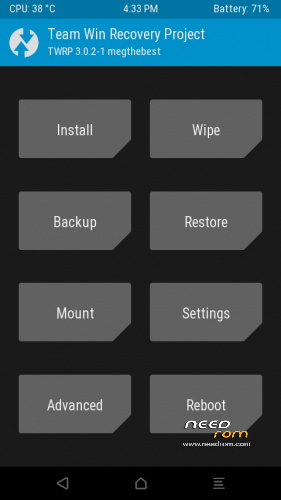
TWRP 3.0.2-1 for CUBOT CHEETAH 2
Download and Install correctly Mediatek Preloader drivers before using Flashtool
( Take care on Windows 8.1/10 drivers, you need to disable driver signature before install:)
https://www.youtube.com/watch?v=50pD0mONm44
http://laurentiumihet.ro/technology/windows-10-mtk-vcom-usb-drivers-for-32-64-bit-drivers-installation-tutorial/
https://thebroodle.com/microsoft/windows/install-mediatek-mt65xx-usb-vcom-drivers-windows-8-8-1/
1- With flashtool load MT6753_Android_Scatter.txt
2- Push download and connect smartphone to pc (smartphone must be powered off)… in few seconds will start the process and the new TWRP will be flashed (if you experienced an error like Brom etc etc.. don't worry.. go ahead)
P.S after flashing, remove cable, enter immediately recovery mode at boot using POWER and VOLUME+ keys at the same time until text menu appears, select Recovery with volume+ and confirm with volume- and wait for TWRP loding.
answer Yes to the request of system files modify swiping on the right (if not the script will revert back to stock recovery after boot again)
TO Have root, please before starting flashing with flashtool, put into internal memory and flash in TWRP latest Supersu ZIP from Chainfire 2.79 SR3 or newer:
https://mega.nz/#!SAlyVKhA!XWiZoQ6NXyF5yA-ZnJ0UC7W-y6zm_YjuEJlgjj8cfrM
Consider donate if i help you!
And please rate me 5 stars
※Please make a backup of your device before installing or updating ROM
Could not get it to work with SuperSU SR4 so checked and new SR5 worked perfectly
Followed " http://laurentiumihet.ro/techn.....ation-tutorial/ " to install drivers.
Thanks.