
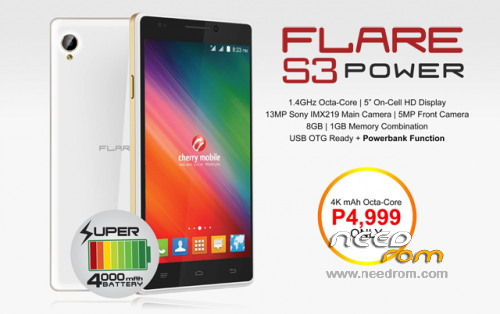
- Title: Cherry Flare S3 Power
- Listed: April, 2016
- Last modified: 04/04/2016 1:46 pm
- Version: 4.4.2
You must be logged for ROM download.
20348 total views, 2 today
6 Total favorites
OFFICIAL
 Member Info
DESCRIPTION
password: thefirmwarehub
- Create a new folder in your desktop and move the files that you have downloaded inside that folder then extract everything.
- The first thing we are going to do is to install the MT65xx USB Preloader driver for Cherry Mobile Flare S3 Power. I made an article with a detailed instruction how to install the MT65xx USB driver. For Windows 7 see “Install MT65xx USB Preloader driver in Windows 7” and for Windows 8 to the latest, see “Install MT65xx USB Preloader driver in Windows 8/8.1/10”.
- Assuming that your device has been successfully recognized by the computer. Unplug your device and proceed to the next step.
- Open SP Flash tool folder and find flash_tool.exe, right click and choose run as administrator.
- From the main menu of SP Flash tool, click scatter loading button and browse the scatter file inside Flare S3 Power stock ROM folder.
- After the files have been loaded, click Download button.
- Now turn off your device it must be completely turn off or better wait for 5 to 10 seconds until the screen has turned into black.
- Grab the USB cable, while holding volume up, connect your device into the computer.
- After the computer has recognize your phone, you will see a progress bar from the SP Flash tool, it should be in different color such as violet then yellow and so on. In some case that you encountered BROM Error, don’t panic it only means that your Flare S3 Power is not yet completely recognize, just wait for the driver installation to finish. Note you don’t need to install anything; it will automatically install since you already installed the required USB driver. Once the driver has completely installed. Remove your phone from the computer and repeat the process from Step 7. Make sure to plug it in the same USB port.
- The flashing process should start now. Wait it to finish. Once you see a green circle icon and a check inside it, you can now unplug your phone from the computer and turn it on
Still boot loop?
- Boot into recovery mode.
- Do a factory data reset.
- Reboot your phone.
The boot time may take several minutes, if you follow the guide correctly you should restore your phone without a problem. By flashing the stock ROM or firmware your problem will be fix right away.
※Please make a backup of your device before installing or updating ROM
Sa mga nkpagtry nito ask ko lang if pwd sa flare s3 power v2 n wlang warning sa battery