
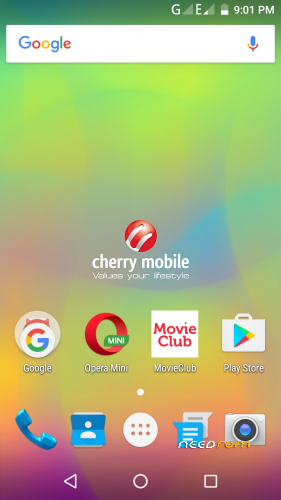
- Title: Cherry Mobile Flare 5
- Listed: April, 2017
- Last modified: 04/19/2017 4:01 pm
- Version: 6.0
You must be logged for ROM download.
14672 total views, 2 today
4 Total favorites
 Member Info
DESCRIPTION
ROM Mobile Cherry Flare 5 – ROM Android 6.0
ONLY MT6753
_______________________________________________________________________________________________________
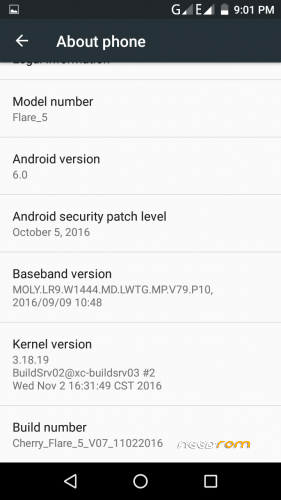
ROM 1 – Official Cherry Flare 5 version: Flare-5_V07 6.0
Gapps include – No Rooted
ROM 2 – Flashable In Custom Recovery (TWRP)
Gapps include – Rooted – Remove Cherry Apps (bloatware)
Language support: Multilang
Install ROM :
- Unpack FlashTools, and Click on Flash_tool.exe
- Select "scatter-Loading" and search MT6753_Android_scatter.txt in ROM
- Wait file to be added into Flash Tool
- Select "Download Only" or if upgrade "Firmware upgrade"
- Turn off your phone, remove the battery (if the battery is removable) and replace it after some seconds (and don't turn on the phone).
- Press “Download” button to start
- and connect your phone into the computer via USB data cable.
- The process will start and a red progress bar will appear after color purple, yellow.
- And green circles display
- Finish !
- You can now safely disconnect your phone and turn it on.
by- Daniel Pajantoy
※Please make a backup of your device before installing or updating ROM
Boss daniel pwede po bang gamitin ung scatter file na nasa rom 1 para maiflash ko ung rom 2 via sp flash tool?
boss kailangan ko pa bang iwipe ung system bago ko iflash ung rom2?
Anong password ng zip?
walang password ang zip… Flashable sa twrp yun.. yung scatter file flashable sa spft.
how to use twrp kasi walang cherry mobile sa TWRP App eh
nag stock ung FLARE 5 ko sa FAST BOOT
new link pls. stock always at 45%
D ko madownload ung rom..help plz
Na update ko ung phone ko using TWRP gamit po yung CherryMobile Flare 5(v7) (FLashable via TWRP). So ngayon gusto ko sana gamitin yung Link2SD. Pero nasubukan ko na ata lahat ng options pero hindi makita yung 2nd partition.
Bale 3 partitions ginawa ko:
1st – Fat32
2nd – ext2/ext3/ext4/f2f2
3rd – swap
Nagagamit nya yung 3rd (swap) pati yung 1st partition. Marami akong sinubukan na pang partition sa pc pati sa android:
Mini tool partition (PC)
AParted (android)
Parted4Android (android)
Parang di supported ng phone yung ext? Ang suggestion na nakita ko sa ibang forum baka hindi supported ng kernel. Sinubukan ko din sa iba ibang SDcard (SanDisk Ultra, Samsung EVO)
Meron po kayo suggestion? Thanks.