
- Title: Chuwi Vi8 Plus
- Listed: December, 2015
- Last modified: 12/29/2015 2:02 am
- Version: ROM Windows 10
You must be logged for ROM download.
23256 total views, 2 today
17 Total favorites
OFFICIAL
 Member Info
DESCRIPTION
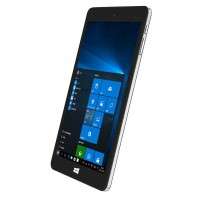
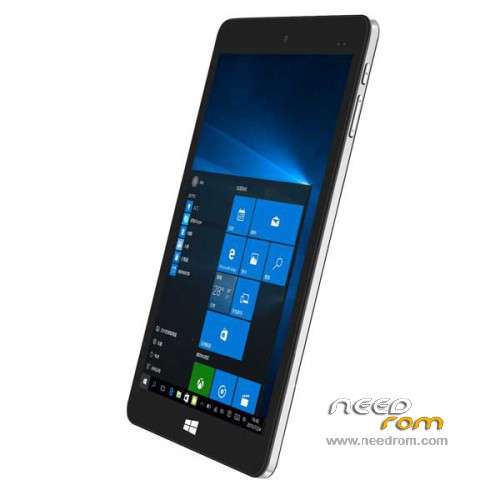
ROM Tablet Chuwi Vi8 Plus – ROM Windows 10
ROM Official Chuwi Vi8 Plus version: VI8 PLUS WIN10.CHUWI.S.10.TH2.1212.V200 – Bios CHT-P03_C806_108_20151211
Language support: Multilang
Install ROM :
See in the rom " Tuto windows vi8 "
※Please make a backup of your device before installing or updating ROM
For the ones not seeing the secure boot option go at the last page of your bios/uefi settings and select "enabled" on "show all item". You will then see all the options. Secure boot is in the Security tab and should already be disabled. As for me, i successfully reinstalled Windows 10 and all the drivers. You should all do like I did. Download windows 10 from Microsoft website (mediacreationtool), choose the 32 bits ISO. Then copy the drivers in a folder named "DRIVERS" at the root of the USB key you just made. Then install Windows 10. You will then need to check all the drivers, they are not all in the package abillio found us (thx again), you will install some with Microsoft update) at the end you will have 2 remaining. I searched and found one on the web, the last one is still missing. You can find the first one by looking at the hardware id in its properties. The last one that I too need is a device called in French "controlleur de codage/décodage pci".
Last thing, don't forget to install what is the BT folder of the driver package, this is the power management settings, very important if you want to be able to check your battery status and manage the energy plans.
I lersonally then use avast and apply a little hack to disable spying things from MS. I use "Disable WinTracking", it's efficient. I don't use "Destroy Windows 10 Spying" from kmspico.org because it disables the Windows Store and you can't do anything else than reinstall then, trust me I tried every hacks everything to recover it, you can't revert. Tou can in Disable WinTracking, don't tick the "block tracking IP addresses" if you want to keep the store.
You should be ready, good luck and let me know if you need more details.
Os: I am currently working on running Ubuntu and Remix OS (Android beautifully desktopified), find my posts under alloxrinfo or Guillaume at techtablets.com on the vi8 forum. This device is amazing for the price, I thought it was gonna be a toy but it is way more.
So if I get it right to make an clean installation you extract the ISO from microsoft to an USB stick and put the map "DRIVERS" there?
Can the map "DRIVERS" has subfolders or does each file need to be placed in the root?
Further will these drivers automaticly be installed while windows is installing ?
I tried a several times to install 1511 build of Windows 10 but the only problem what I still have is getting WIFI all the rest is working.
I only get it working with the original ISO from Chuwi.
Waiting for your answer
Hi alloxrinfo,
if i understand this correctly, what u r trying to say is
1. Create a Bootable WIN10 32bit ISO Flash Disk
2. Enter BIOS and disable Secure Boot
3. Boot into Flash Disk
4. Install WIN10 32bit
5. Boot Into Windows
6. Install Driver
7. Do Windows Update for missing Driver
am i correct? if so, then i have a couple of question. the stock ROM have somekind of stock ROM that will be installed if i do a RESET under update & security > recovery. Will i lose this stock ROM if i install the win10 using ur method? and will i be able to activate the win10 using stock rom license key?
Thanks.
cuz ive been having the same problem like h3ct0r, my wifi got crashed if i do win update through stock windows. Wanted to see if theres any different if i do a clean install and do the update.
as for the drivers, is it possible if i use DoubleDriver to backup my current Drivers and restore it after doing clean win install?
Sorry for the typing mystakes, i was on my phone but it's understandable i hope.
where/ witch driver did you use for the touchscreen ?
I do not install anything(on market or .exe files) on my Vi8 Plus. Windows 10 came as installed and I did updates. What can I do?
My chuwi as broken windows :S
Hello
It is possible to dual boot os , windows an Android on this tablet.
Thanks
Rui
Hallo.
Can I install android on this tablet?
I need..
Please, help me..
Hi everyone!
I recently got one of these, so I thought I'd write a little note to easily solve the problem for those who got stuck in a dead end, since the package does not include the "Tuto Windows Vi8" guide.
So:
Rufus on at least an 8GB USB drive: "Non-bootable", "GPT", "FAT32" and most importantly "Volume label: Winpe"
(The script in ScriptsMain.cmd in the package only treats the volume named "Winpe" as an exception, which is why it deleted the contents of many people's USB drives and then there was nothing left to install, because it found the Removable device before the Chuwi storage)
From here it’s a piece of cake. Once Rufus has completed creating the volume, we simply copy the contents of the "VI8 PLUS WIN10.CHUWI.S.10.TH2.1212.V200" folder to the USB drive.
We will also need a keyboard to press "F7" when starting the tablet.
This way, the installation will run without any problems.
I ran Double Drive and I’m putting it here for you if you need all the drivers (except for Intel HD Graphics because it took up too much to upload here but even a simple Windows update can fix that.)
Windows 10 Home 32bit Drivers:Download file