
- Title: Chuwi VX1 with GApps & de-bloated
- Listed: May, 2014
- Last modified: 05/17/2014 5:54 pm
- Version: Android 4.2.2
You must be logged for ROM download.
20863 total views, 2 today
2 Total favorites
 Member Info
DESCRIPTION
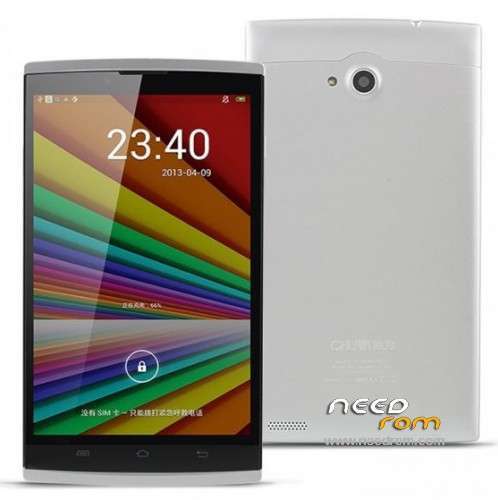
Chuwi VX1 – Android 4.2.2 with Google Apps, rooted & de-bloated
Hardware : MT6582 (MT8382 is Fake!)
Model : VX1
Build number : HV7.CV718.DTE.VX11.WXGA.B125.16G.1G.MIPI.FREEME.0307.V0.01
Build date UTC : 20140310-045709
Android v : 4.2.2
Baseband v: MOLY.WR8.W1315.MD.WG.MP.V15.P3, 2014/02/10 19:28
Kernel v : 3.4.5 (rd1-sw1-server3@rd1-sw1-server3-desktop) (gcc version 4.6.x-google 20120106 (prerelease) (GCC) ) #1 SMP Mon Mar 10 12:53:11 CST 2014
LCD Driver IC : 1-s6d7aa0x01_wxga_dsi_vdo
Modifications:
- Rooted
- GApps added
- Chinese stuff removed, see list below:
/system/app/AnzhiHD_ChiWeiHD_VER_1_1.apk
/system/app/BaiduInput.apk
/system/app/BaiduSearch.apk
/system/app/BaiduMap.apk
/system/app/Market.apk
/system/app/gfan.chuwi.pad*.apk
/system/app/iReader.apk
/system/app/TydLauncher.apk
/system/app/TydDeskClock.apk (replaced by Android DeskClock)
/system/app/SecurityHelper.apk (solves the flashing battery symbol in notification bar)
and some others more.
Updated to rev. 20140310-045709 from BBS Chuwi forum.
Replaced USB driver by VCOM driver here.
TydThemeManager readded.
Installation:
Install the USB VCOM driver for preloader (W7 use device manager and add legacy or use the driver install tool), than use the SP Flashtool and Download function. Shutdown the device and connect via USB. Wait until flash procedure succeeded.
Use it on your own risk. A backup of your NVRAM (IMEI, MAC numbers..) and your Stock-ROM before this flash procedure by using root (in framaroot choose the 3rd option) & MTK Droid tool is strongly recommended.
※Please make a backup of your device before installing or updating ROM
I'm unable to install the vcom drivers. Windows 8.1 shows YunOS ACB Interface driver (by Aliyun) and when I try to update this driver and point it to the VCOM driver folder Windows says the YUNOS ACB interface is the best, most up to date driver for this device. I've tried uninstalling YunOs driver, but it re-installs itself automatically as soon as tablet is plugged in again.
I've successfully connected with MTKDroid and rooted it with Framaroot. My question is it safe to proceed flashing this rom with SP flash with the YunOS acb interface driver, instead of the vcom one? or is there another way to get the vcom driver installed in its place?
Hi,
It works fine, I have the same Windows 8.1 and YunOS driver. Updated with no problem.
Klaus
i've flashed and it work, the only thing, he does not recognise the sim! is that possible?
Hello,
Is there any problem with SIM card in this ROM ?
Hi Patsar, I have running here two SIM cards, no issues.
thank you.
wow. i dont even know where to start.
what do i do with the inf files
i use the sp flash tool. it wants a file.. i dont know what to give
i use mtk droid for back.. push all buttons and nothing gets done
thanks! finaly got rid of that stupid bloadware!