
- Title: Classic v2mod
- Listed: November, 2014
- Last modified: 11/28/2014 3:02 pm
- Version: Classicv2 mod rbt
You must be logged for ROM download.
22388 total views, 2 today
1 Total favorites
 Member Info
DESCRIPTION
Classic ROM v2 by iv2012 mod rbt
Classic ROMs comes from excellent russian author Dimid/iv2012 (see below to his pages on russian forum). Dimid still made three classic ROM - V1, V2 and V3. Version no. 1 and no. 3 contains only 4 languages - english, russian, ukrainian and italian. Only version no. 2 is really multilanguage.
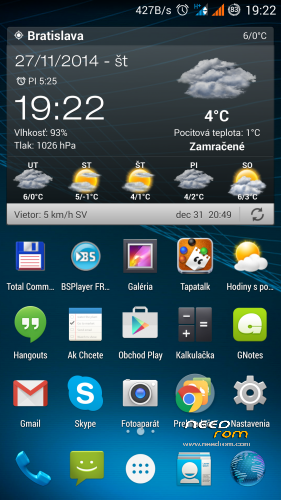
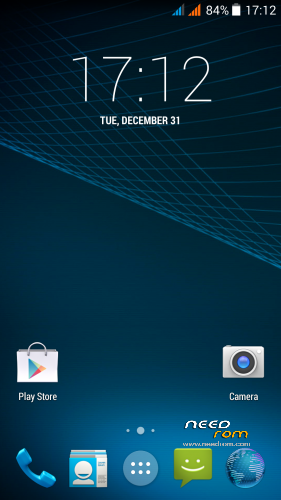
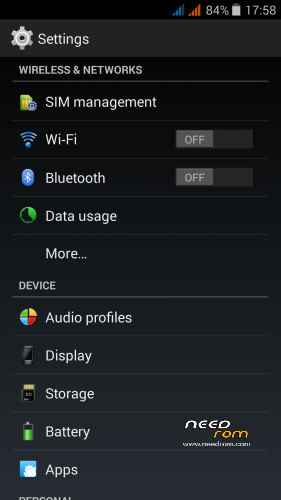
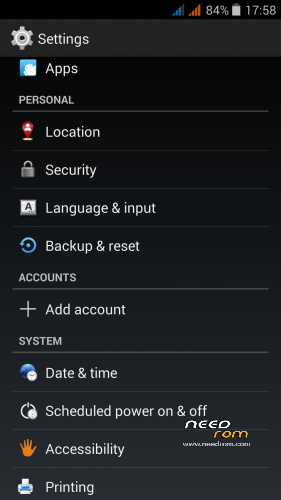
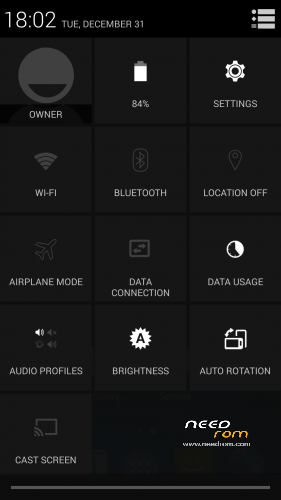
Version no.2 is a pure Android 4.4.2 + drivers using hardware THL5000. The basis is from the original ROM 1.0.7 / 1.1.0 + added functions from the phone ROM Philips I928. Author leave the original launcher in the ROM, but he recommend to install Nova launcher, with it ROM works perfectly. To conserve battery power, turn off unused frequencies in the Engineer menu. Gapps are integrated. Integrated Power Fix Patch also. The first picture shows a screen with Nova Launcher and Wearher & Clock Widget.
Dimid is Russian, so the default language in original version of ROM is Russian. Many people can not speak Russian and have problems with the installation. That is why I have prepared my modified version. In this version the default installation is in English.
Multi-language support: Afrikaans, Bahasa Indonesia, Bahasa Melayu, Catala, Czech, Dansk, Deutsch, English, Spanish, Filipino, French, Croatian, IsiZulu, Italian, Kiswahili, Latvian, Lithuanian, Hungarian, Nederlands, Norwegian, Polish, Portuges, Romanian, Runantsch, Slovak, Slovenian, Suomi, Svenska, Tiet Viet, Turkish, Greek, Bulgarian, Russian, Serbian, Ukrainian, Arabic, Chinesse and many more…
I made these small changes:
* Default installation in english
* Removed boot sound
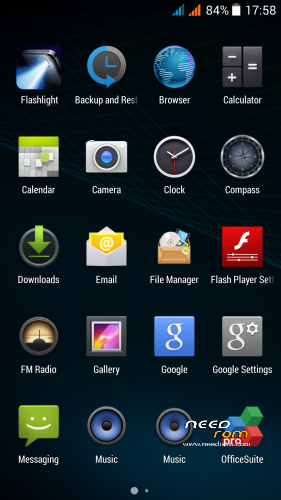
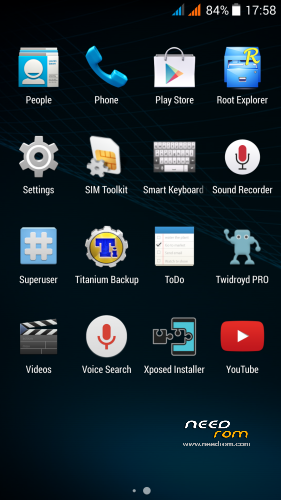
* Added some usefull applications (Smart keyboard, Weather, Titanium Backup and more..)
* Added Xpossed framework (can install Gravity Box KK)
ROM patchs (install it from TWRP):
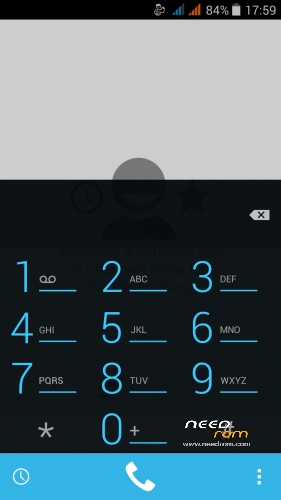
Dialer.zip - correct the displaced graphics in Dialer
Modem_900.zip - 3G modem on 900/2100MHz frequency
Modem_850.zip - original 3G modem on 850/2100MHz frequency
FM_32_favor.zip - run FM radio without earphones (only for stations with a strong signal)
FontChooser1.zip - remove russian language form System font setup
SystemUI_st101.zip - task killer through the HOME button
Boot_Uboot_111.zip (from original ROM 1.1.1.) – set gama for new displays
Boot_Uboot_110.zip (from original ROM 1.1.0.) – set gama for old display
There are two ROM versions:
THL_KK_Classic_v2_rbt1a.zip - not include any of the above patches
THL_KK_Classic_v2_rbt2a.zip – includes all of the above patches except Modem_850.zip and both Boot_Uboot_XXX.zip
(Versions are interchangeable, you can install one over the other.)
If you do not like any of the patches integrated in version THL_KK_Classic_v2_rbt2a.zip, install first version THL_KK_Classic_v2_rbt1a.zip and then install only patchs that you like. E.g. who does not like task killer, let him not install. Task killer is patch SystemUI_st101.zip.  Simple and quick solution.
Installation:
- save the ROM ZIP file on the SD card
- jump to TWRP recovery, if you haven't it, install it (installation instructions are here, sorry in slovak language only,use Google translator):
http://androidforum.cz/twrp-2-7-1-0-root-pre-thl-5000-t57731.html
- click Wipe and select items: Dalvik Cache, System, Cache, Data, Int.SDcard and Android Secure
- click Swipe to Wipe
- click on Install, choose ROM ZIP file (install it)
- restart the phone
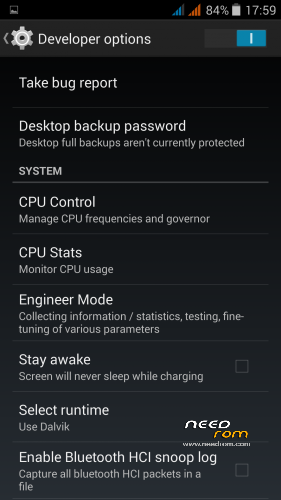
- In Settings / Developer options set this three items to ".5x"
a) Windows animation scale
b) Transition animation scale
c) Animator duration scale
(Notice: this is necessary for proper function of Dialer.apk)
- recomend to install Nova Launcher and Weather & Clock Widget from Google Play
Dimid's web page: http://4pda.ru/forum/index.php?showtopic=592576&st=2320#entry35564791
Original Dimid's ROM on NEEDROM: https://www.needrom.com/download/classic-rom-v1-0-by-iv2012-thl-5000/
※Please make a backup of your device before installing or updating ROM
Thanks!! It`s good to see THL 5000 owners help with more options and ROM to try
Any lags or problems with battery?
I do not have any problems with the battery. My phone usually lasts 5 days stamina.
Rbarat all the mods are already includea in the seco d version of yours mods?
Yes, will upload second version here soon…
Strange character appear when typing after flashing fontchooser. It appears when you type “h” followed by letter “e”.
Nop, no strange character on my phone.
Use Standard font - other font may not contain all national characters. It's not my fault, but Dimid.
Was now thinking of reverting back to v2 amended by your good self but also noticed from your pictures no developer option in settings. I can't find mine in v3 and would wish for it, so wondered if this an issue or where to fnd it.
athlonoc
System setting / about phon / build number, click more time on, 5-6 times and then appears gray text, say, you have devloper option.
Vladimir
Thank you – too simle for words and I am very grateful
Great ROM, works really good so far.
One question though: How do I update Titanium Backup?
thx
Standard uninstal old version and install a new version. There in ROM is modified version…
nope, that didn't work. that's why I ask. when I deinstall the version which comes with your rom and I try to install a new version from playstor or an apk it tells me, that I should deinstall the old version first (which I did already do), and sth about sth not beeing signed (not sure about that). maybe you can try that out. I had to reflash the rom, cause I couldn't install TB again.
thx
Try this version - http://uloz.to/xK9UeYX8/titani.....patched-pro-apk
I tried it: uninstall the old version and install the above version and everything works.
Or try this, it is newest - http://uloz.to/x4iZNpK1/titani.....pro-6-2-0-1-rar
downloading now…will install tonight.
finally a rom without all kind of patches.
great work
thx
powerfix is also in the rom?
Yes…
Labrom
Desinstall old titanium backup, reboot recovery- advaced- fix permission, restart phone and insal titanium from adresse wich rbart geves.
I tryed, it works.
http://uloz.to/x4iZNpK1/titani.....pro-6-2-0-1-rar
Maby renom system / vendor / operator / app / titanium backup.apk – titanium backup.apkx. The last operation (renome) i'm not shure. I did it, but maby not needed.
thx you rbarat and Vladimir for your help, I will try it like you suggested.
great rom!
I've done it like you said and it worked. The old Titanium Backup.apk has to be renamed after uninstall though, without that it didn't work.
thx again mate!