
- Title: CM 13 V5
- Listed: June, 2017
- Last modified: 03/17/2017 4:25 am
- Version: V5 (6.0.1)
You must be logged for ROM download.
14884 total views, 4 today
1 Total favorites
 Member Info
DESCRIPTION
Updated CM13, created new post because old post was full
From Russian forum by fekz115
Whats new:
- Updated rom date
- Installation via recovery (Flashable) [Tested on TWRP 2.7.1.1]
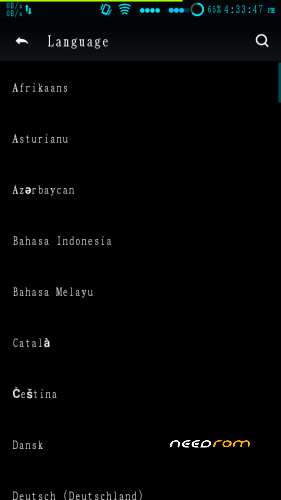
- Multi-language
Installation steps:
1. Apply lollipop ROM first if not already
2. Make backups
3. Wipe cache, dalvik-cache, data, internal, system
4. Apply ROM, GApps, SuperSU, and Xposed if you want
5. Do factory reset
7. Reboot, done.
Note:
- If you got status 7 error while flashing, open updater-script (search on meta-inf folder), extract, open with notepad++,
delete first line (or find "assert" command), then put into zip back (let its default settings).
-. After applying rom and you're using TWRP, check your internal space first. You dont need to turn on device, see through TWRP.
If its about 1GB instead of ~5GB, just do format data, and check again. If it works then apply everything. Not working? Reflash again from 5.0 with full wipe (keep patience :v)
- It seems AOSP have updated ther security patch. Old xposed framework will not work anymore. See this discussion.
- Need gapps? Just visit this link, and find desired gapps (i recommend you to use pico modular).
- [Updated] IMEI missing? Rollback to 5.x rom, follow this instruction, backup with recovery, restore after apply this tom (tested, should work).
- [Caution] As times goes by, this rom may become unstable and doesn't support some new/updated apps (bootloop, crash, etc). Do with your wown risk.
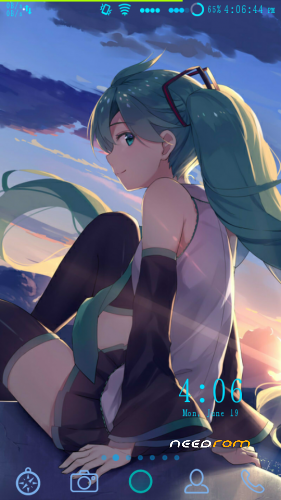
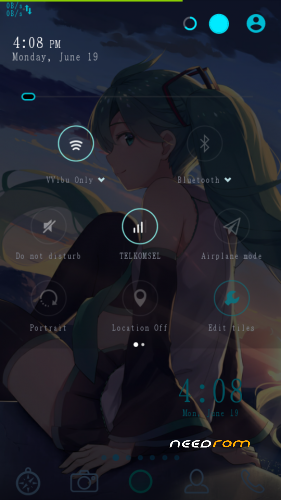
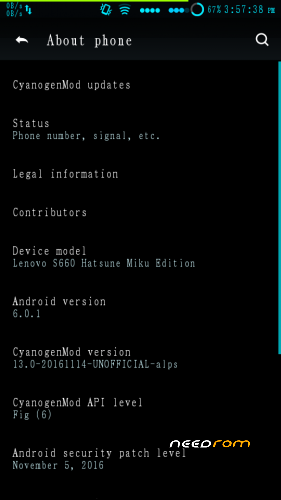
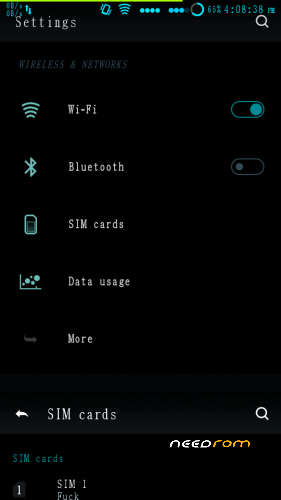
- Screenshots are my device using this rom after some tweaking and customized theme.
[Themes Used]
- Nova Launcher
- [Xposed] XQS Background
- [Xposed] GravityBox MM
- Wallpaper Source
- CyanogenMod Deep Darkness theme (old)
- Miku ft. Xperia packet and Miku x Android theme for CM
Thanks to:
- Rovo89
- fekz115 and 4pda team
- Chainfire
※Please make a backup of your device before installing or updating ROM
(try delete the first line on updater-script file using np++) im try but is not working still failed
can you tell me how to fix failed
did u got error on flashing? i said to delete it if u get error when flashing
Thank you dude i've been waiting for the 5th update ..keep up the good work your uploads are great ..!!
can i flash with twrp 3.0 on miui 8
no, this rom is for Lenovo S660
except that u mean ur s660 is running miui 8 rom, maybe it can
hi can i use this on my lenovo a536?
no, only for s660
If today I’m wearing a MIUI Rom 8. Do I get to directly install this rom
maybe can, at least u are running on 5.0
hi this is sai!buddy please help i need a clear instructions!!
can i install this from twrp ?
if i install from sp flash tool which one i need to download?
can i move sd card storage?
please i am newbie!!!!! help needed thnx developers and modders
install usng twrp
will use sdcard for files
hey the rom worked fine and smooth!! i deleted the upadte scripit first line now all okay!! but storage is 1gb i tried format data and reboot,nothing happens.,please help dude.,thanks.
after format data check storage again
no internal storage in file manager
yes, there is no internal storage in there
IMEI is Lost method in link not work
in my device work perfectly :/
BRO .. PLEASE HELP ME IMEI SHOWS BLANK AND NO SIM CARD ,,…..I HAD PROPERPLY DONE THE PROCEDURE FOR MISSING IMEI BUT NOTHING WORKS.IS THERE IS ANY PATCH TO FIX THIS
you need more patience….
- rollback to any 5.x rom and make sure it has valid imei
- on twrp backup that imei/nvram
- apply this rom again
- restore imei
hope this guide helps you…
sorry for late response