
- Title: CM13 XPERIA v2.5
- Listed: September, 2016
- Last modified: 09/22/2016 9:10 pm
- Version: 6.0.1
You must be logged for ROM download.
15156 total views, 2 today
3 Total favorites
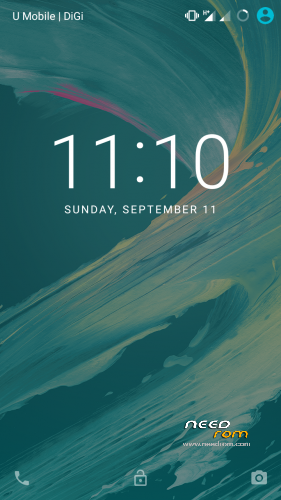


 Member Info
DESCRIPTION
v2.5 UPDATE
http://mymadteam.blogspot.my/2016/08/rom60rows930stablecm13-xperia-edition-v2.html
Fixed (HOME) button
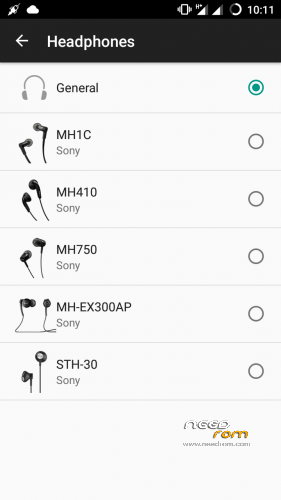
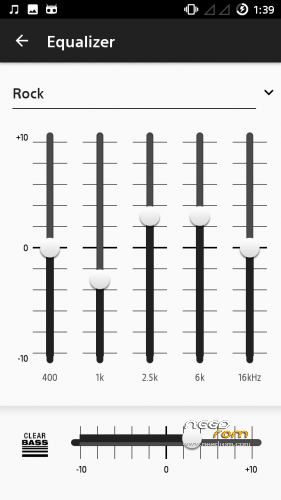
Fixed sound to bring the best in music for our device!
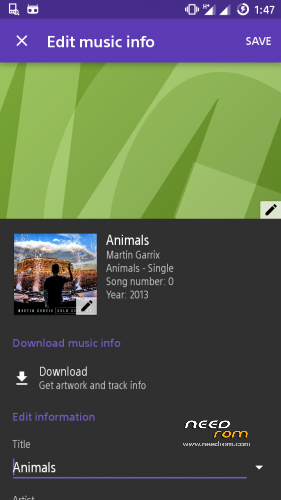
Added Full Sound Enhancement Music Experience
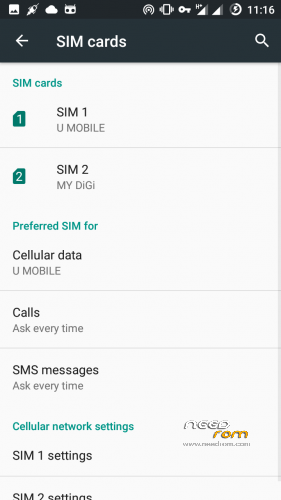
Stable 2G/3G switch
v2 UPDATE
Fixed (RED) Camera
Screen Recording
Radio FM
Preloaded Gapps
ADB Connection
Memory Optimization

ROW Based
CM13 based
All Cyanogen Functionality
Xperia Apps
Dolby Atmos
Dual SIM
BUGS
YOU TELL ME
ADVANCE WIPE DALVIK CACHE DATA AND SYSTEM
CHEERS!
FOR UPDATE LINK PLEASE GET IT HERE
http://mymadteam.blogspot.my/2016/08/rom60rows930stablecm13-xperia-edition-v2.html?m=1
-THANKS TO-
ALLAH S.W.T
ADMIN AND USERS FB GROUP LENOVO ROM MADTeam Malaysia
MY FAMILY
LIKE MY WORK? CLICK BUTTON DONATE…
DONATION ARE MOST WELCOMED 
※Please make a backup of your device before installing or updating ROM
Thanks for this update V2.5. I've just installed it. Sound in headspeaker is very good. But Volume sound in speakers are not completly solved : volume 1 be quite and volume 2 very loud. :-/
Thank you for flashing this rom and your feedback… I used a lot of time making adjustment on sound system which I believe this is suiteable for both situation (headphone/speaker) Maybe you can try this… After adjust sound via volume button try also the slider.. I hope that will fix your issue…
Xperia apps get lot of memory. This rom is good but xperia rom is not very suite for lenovo s930. Memory ram is very occuped by xperia apps 60% on start. Apps need to be disabled.
Myloverboy you can remove any system/xperia apps using x-plore/root explorer/titanium backup then the memory will be free more…
Zuell ] I don't know witch xperia apps can be removed (disabled) safely without interfering the system.
How to fix VPN on this Rom Bro??
What type of VPN that you need to fix Syaifa
online video got problem :/
Get flashable update which fixed online video(green) in mymadteam web later…
In my case, online video run fluently, no green screen or pixel straight like in other cm13 rom on needrom.
v2.5 has problem with sound, it become loud then become quiet itself when playing music or watching youtube
Myloverboy Im agreed with the video issue
Antoncm my device got no sound issue with music or watching youtube… CURRENTLY
i have no sound issue with another cm13 rom, can i copy sound driver from other cm13 rom?
Yes you can copy from other cm13′s lib file
bro after flash cm13 xperia V2.5 , the system ui keep showing then reboot to homescreen..
Thanks for the rom , will try it out cause still looking for the best rom to flash to my phone.
Btw, is the vpn working, vpn apps recommend?
By far this is the best rom on my phone, but still unable to detect my sim card properly, i.e at sim management: it manage to detect my main sim card carrier (one and only rom that detect) but not my hp number and unable to read my contacts in the sim. KitKat 4.4 have no problem in detecting it. 3G/2G select is not working too, but if I could get both at 3G will be better cos 2G is phasing out in my country.
Will try it further to find out whether vpn is working or not, cos all of other roms that I've try is not working.
Thanks for the ROM again.
I put another modem firmware(S930) and it cannot read my sim.. Then I put modem firmware from stock S215 now it can read but was poor in data connection then I put modem firmware from JellyBean rom it working flawlessly…
For those who encountered data/3G switch/no sim issue please try to replace firmware folder from the rom that suite/best for your data connection
Replace 1st this 2 files
modem_1_wg_n
cacher_filter_1_wg_n
MAY THE FORCE BE WITH YOU…
Cheers!
*VPN is working in this rom
cellular is not working in this rom..
Cellular is working..
You need to replace NVRam from the rom that best for data connectivity helmy….
bootloop after flash tov2.5 i came from vibe2.0ui any help?