
- Title: Color OS v2.3 by PMehra – Only for Indian Framework
- Listed: August, 2014
- Last modified: 09/04/2014 3:46 pm
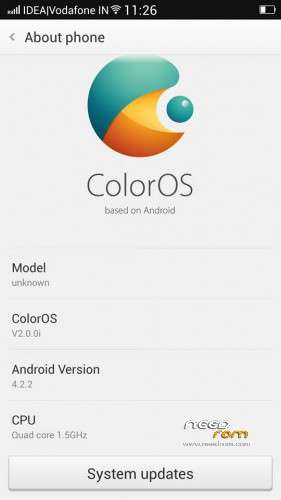
- Version: 4.2.2
You must be logged for ROM download.
24960 total views, N/A today
CUSTOM
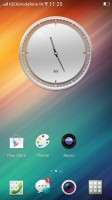



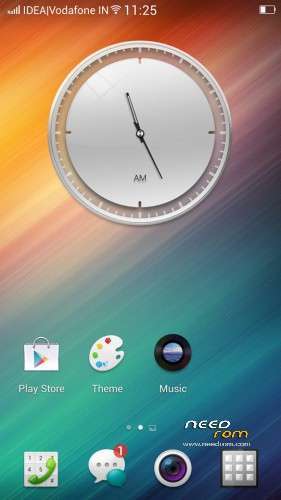
 Member Info
DESCRIPTION
Color OS v2.3 by PMehra – Only for Indian Framework
Original Dev: Chirag Jain and Manish Singh
Credit to: Monish Verma (Previous Porter)
Credit to: Monish Verma (Previous Porter)
Special Thanks to: "Un Named" for great help in bugfix.
Thanks to: "Piply Adhikary" & "Gautam Govind walunj" for motivation.
*************FEATURES***********
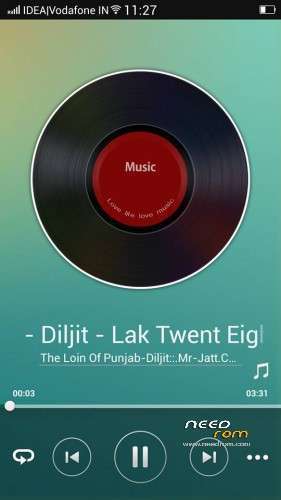
*Android 4.2
*Pre-rooted
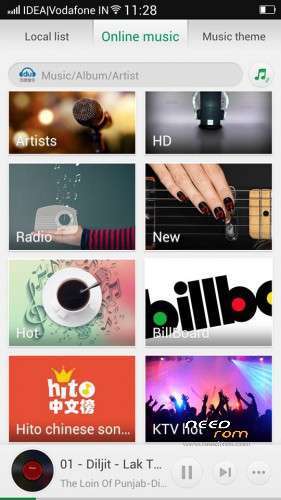
* Color OS UI v.2
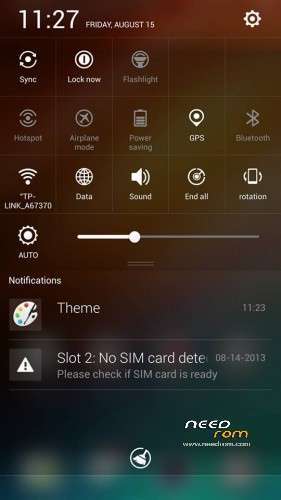
* Quick Gesture from bottom (no more from status bar)
* Whole new experiance
* 13mp camera patched
* 3G supported
* 5 lockscreen types (Inbuilt)
* QuickBoot
* Pre-Rooted
* Brighter Flashlight
* Brighter Camera Flash
*Rom uses hibernation to boot up almost instantaneously next time
* Gapps Included
* Performance Tweaks
* Better Responsiveness & Speed
* Themes Supported
* Battery Tweaks Added
*Android 4.2
*Pre-rooted
* Color OS UI v.2
* Quick Gesture from bottom (no more from status bar)
* Whole new experiance
* 13mp camera patched
* 3G supported
* 5 lockscreen types (Inbuilt)
* QuickBoot
* Pre-Rooted
* Brighter Flashlight
* Brighter Camera Flash
*Rom uses hibernation to boot up almost instantaneously next time
* Gapps Included
* Performance Tweaks
* Better Responsiveness & Speed
* Themes Supported
* Battery Tweaks Added
*New Charging % in lock screen
*inbuilt iFont – Piplu cheers!!
*inbuilt iFont – Piplu cheers!!
*Built in swift key keyboard
*New Theme app
* Live wallpaper in Theme app
*************Sensor And Motion Features*************
* 2 Finger slide up and down manage Volume Control
* 3 Finger slide screenshots
* Quick Gesture Added from bottom
* Quick gesture to Shutdown
* Easy call,dial, Auto answer All r working
* Pinch 3finger over screen to launch camera.
* 3 Finger slide screenshots
* Quick Gesture Added from bottom
* Quick gesture to Shutdown
* Easy call,dial, Auto answer All r working
* Pinch 3finger over screen to launch camera.
*Notification LED is working fine.
*************FAQ *************
1. Long Press Home Button : Recent apps
2. Double Tap on Home Button : Lock
3. Open Gesture Part : Pull upper side ur finger from the middle of home button on touchscreen to get gesture
4. Many more hidden stuff…….
2. Double Tap on Home Button : Lock
3. Open Gesture Part : Pull upper side ur finger from the middle of home button on touchscreen to get gesture
4. Many more hidden stuff…….
*****How To Flash *****
Agreement : I am not responsible for whatever you do with your phone or pressure cooker.
( You Should Take CMW/TWRP Backup for Revert back to your old system. i recomend you to keep 1 working rom zip in your storage )
1) Download ColorOS_v2_By_PMehra
2) Put into Internal SD Card
3) Go To CMW/TWRP Recovery
4) Wipe Data/Factory Reset
5) Wipe Cache
6)Wipe Dalvik Cache
7) FORMAT SYSTEM
 Select Intall From Internal Storage and Select file And Click YES
9) Select ColorOS_v2_By_PMehra And Select YES
10) Reboot
11) Congrats You have Color-OS V2 Rom now….Report if you find bugs
*No major Bug*
*************Small Bugs *************
*Xposed framework doesn't work
*3G sim switching doesn't work (dial *#*#4636#*#* go to "Phone information" and select GSM (2G) or WCDMA (3G) manually"
*Xposed framework doesn't work
*3G sim switching doesn't work (dial *#*#4636#*#* go to "Phone information" and select GSM (2G) or WCDMA (3G) manually"
*************WORK IN PROGRESS*************
*Visitor and Holiday Mode
*MaxxAudio
*Voice to capture Photos
*Visitor and Holiday Mode
*MaxxAudio
*Voice to capture Photos
*************WARNING: *************
* DO NOT APPLY THEME from Launcher>menu>themes .Launcher will go into Applying theme loop and then you will have to force stop the launcher. So better use the Theme app
* DO NOT APPLY weather lock screen otherwise u have to change it with pop ups. launcher will crash & u have to reboot your phone. "Un Named" is working on this bug
NOTICE:
1. IF U FEEL LAG (ACTUALLY IT IS DUE TO ANIMATION )
DO THIS STEP:
1. GO TO SETTINGS>POWER MANAGER>POWER SAVER SETTINGS>DEEP POWER>DISABLE ANIMATION
2. GO TO SETTINGS>DEVELOPMENT (TAP 7 TIMES ON BUILD NO. TO SHOW DEVELOPMENT)>DISABLE THESE 3
WINDOWS ANIMATION SCALE (OFF)
TRANSITION AND DURATION
1. IF U FEEL LAG (ACTUALLY IT IS DUE TO ANIMATION )
DO THIS STEP:
1. GO TO SETTINGS>POWER MANAGER>POWER SAVER SETTINGS>DEEP POWER>DISABLE ANIMATION
2. GO TO SETTINGS>DEVELOPMENT (TAP 7 TIMES ON BUILD NO. TO SHOW DEVELOPMENT)>DISABLE THESE 3
WINDOWS ANIMATION SCALE (OFF)
TRANSITION AND DURATION
Update-2.3 – 2.4 (OTA)
OTA Update – Version 2.3 to 2.4
*Notes app added.
*Backup and Restore working.
*Holiday (No disturb) mode working. *Security Manager Added.
*Notes app added.
*Backup and Restore working.
*Holiday (No disturb) mode working. *Security Manager Added.
Bug in 2.4
*Guest Mode crashing.
*Auto location in weather is still bitch
*Guest Mode crashing.
*Auto location in weather is still bitch
At Last : Official color os v2 is in Beta (Development) stage. its a port of beta ROM, so dont expect it to stable as like OS V1
※Please make a backup of your device before installing or updating ROM
This rom is not booting
Sorry for last Repy . rom is working
PLZZ HELP ME SAME PROMBLEM LIKE U MY ROM ALSO NOT BOOTING..
only bugs i found , magntic sensor dosent work
dinumumbai: no custom ROM will support all sensors..for all sensor working please use official ROM of Gionee E6 or official ROM of all view x1 soul.
he is another idiot buddy :3
Who gave me only 1 star…?? its very unfair.. i almost worked 4 days without much eat, drink only smoke…and got 1star without knowing the reason..
Just dont giv a fuk about that matter
Sorry for 1 star. I have tryed to change it sorry again. This rom is awsome..
For getting more ROMs and quick response "join our group in face book named "Gionee Elife E6 [Development Group]"…….Note: we release every ROM first at our facebook group after testing we put it in needrom..
where?
Just flashed this, and I keep getting crashes as soon as the phone boots. Need to flash another ROM now.
manik_k can you please tell me which apps are crashing…
https://www.facebook.com/group.....neeElifeE6Devs/
can you do one favour for me ,I am from Kerala India. I have used xperia dark rom for my gionee e6. then i decided to go back to my stock rom. But After that also sony logo is apperaing before Gionee logo comes Now i am afried that it may create problems for warranty .Is there any way to avoid sony booting logo.?..[please help me
Can you tell how you flashed its stock ROM? I am unable to do so using SP Flash Tools.
flash your stock rom using spflash tools, though backup ur important data and aaps to your pc…as flashing through spflash tools, will erase all your data n u will get your phone as new and unrooted.
Manik_k i will surely help you.. but tell me first what apps are crashing… i am using this ROM and many of my FB group members no budy complaint me about crashing any other than which one i write in introduction..
Thank