
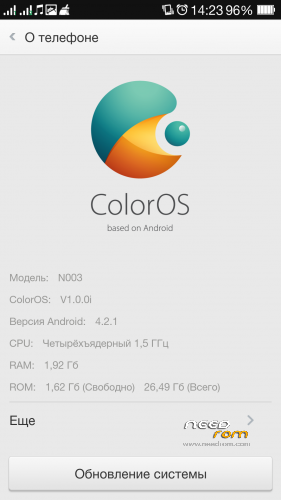
- Title: ColorOS v3.0 for NEO N003 all revision
- Listed: June, 2014
- Last modified: 06/01/2014 2:49 pm
- Version: based on android 4.2.1
You must be logged for ROM download.
18942 total views, 2 today
CUSTOM


 Member Info
DESCRIPTION

ROM is multilanguages
※Please make a backup of your device before installing or updating ROM
Don't work, i try at 1.1 – 1.2 and 1.0 and nothing. Only Oppos logo…
try this:
1 install off ROM with Flash tools
2 after in CWM wipe data/factory reset
3 install ROM
Como puedes instalar las ROM con el flashtool sin tener el archivo scatter.emmc.txt???? THX
ROM need install from CWM, don't from flashtool
I have the old motherboard of the Neo N003 Premium 2/32, the revision I have to choose is E0? I've tried with E0, 1.0 and 1.1 and it worked all less Google Maps. When I open Google Maps it closes with the message "Google Maps has stopped". I had ColorOS 2.1 and I hadn't this problem, do you know why?
sorry, but I don't use this ROM and I don't know how need fix this problem. I ported and tested only gps, bluetooth, camera, wifi and went install miui. I stayed miui
young ok our not ok¿…….
you need try choose your revision
I have V1.1 version of the phone.
Wiped everything and installed this os – id doesn't boot, stuck on oppo logo.
Try again or choose another revision
OR
redownload ROM
My phone with network 2g or 3g is not work, i live in Mexico, and try with mobile uncle to fix it, but it is not work, with the version 2 works fine. Frecuency 850/1900 MHz. Do you have some idea to fix it?
try copy folder in v2.1 to v3:
systemetcfirmware
systemetcmddb
OR
install another modem on spoiler "Радиомодули"
Thanks, it fix!
My Connection always drops (No Service) can you help me?