
- Title: crDroid 4.7 – Android 8.1.0 for Lenovo Tab3 8 Plus (Lenovo P8, TB-8703 R/F/X/N)
- Listed: September, 2018
- Last modified: 10/09/2018 7:10 pm
- Version: crDroid 4.7 - Android Oreo 8.1.0
You must be logged for ROM download.
13550 total views, 4 today
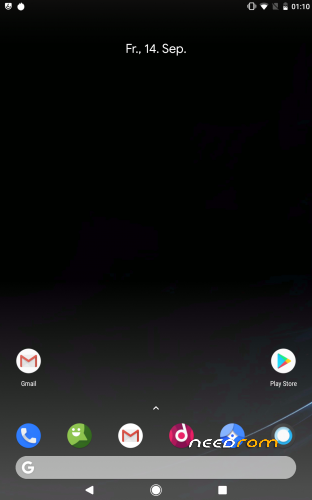
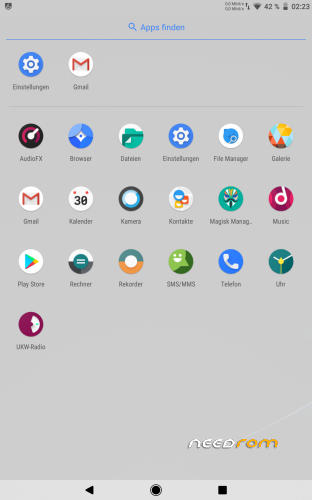
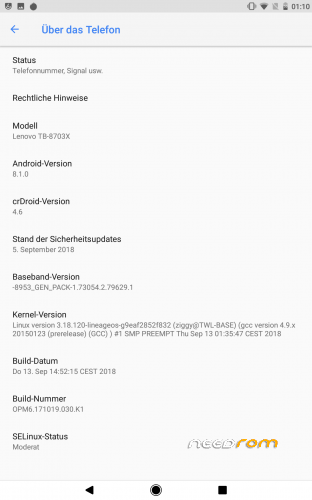
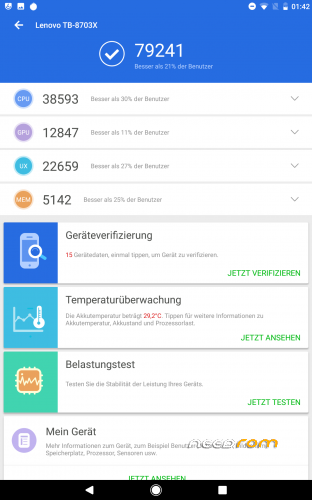
 Member Info
DESCRIPTION
crDroid 4.7 – Android 8.1.0 for Lenovo Tab3 8 Plus (Lenovo P8, TB-8703R/F/X/N)
As always make a Backup before doing anything else.
Use special TWRP Version with boot signing from Highwaystar_ru
Instructions :
Install TWRP via QFIL or if you already have TWRP installed update your Version with the one from the Archive.
Make a complete wipe (Data,System,Cache,Dalvik)
First install crDroid, followed by the GApps you want to use (ARM64-8.1 tested with pico and aroma version), Magisk(tested with Verison 17.1) if you like. After you installed everything click on "Sign boot", if you dont do so you will get stuck after the Lenovo Logo. But dont worry you can always go back into TWRP, go to advanced and do a sign boot from there.
The sign boot is necessary because we cant unlock the bootloader on this Device, sign boot simply signs the boot Image with the original keys so the bootloader does not care we are using a custom one.
Known Bugs:
none
Update (09.10.2018):
RTC clock fixed!
Kernel Update to 3.18.123
Tons of crDroid fixes, see Settings/crDroid/about crdroid/changelog for them
Update (07.10.2018):
Special thanks to highwaystar_ru for the TWRP and the original Device/Vendor tree!
※Please make a backup of your device before installing or updating ROM
Hi ! I have installed this version, really nice ! But I have a problem with 4G and 3G, sometimes even with 2G (cannot make calls). Is there a fix for this ?
In other words, 4G and 3G do not work.
Any solution ? Thanks !
I am replying to myself. Just solved my problem. I installed a chinese stock ROM (6.0.1) via QFIL and then this one (crDroid 4.7) through custom revovery and everything works fine, 2G, 3G and 4G.
After a second reboot, everything is working smoothly. Many options of configuration… Really great
Only one probblem: I could not connect my remote via bluetooth. May be could be solved?
Like Rajesh, I answer to myself
The Bluetooth bug with my remote occurs with other terminals, so nothing to do with the ROM.
Apart from hundreds of very nice and useful options, there's an addblock!¡
Big thanks to the devopper!
Many thanks Ziggy — the RTC is indeed working! –> I don't need to manually set the time after each reboot (or get it from the Internet), good job!
Although I could not figure out why the shell command `hwclock -r` (executed as root) still returns 7th+ January 1970 — do you use some time offset in rcDroidAndroid? I have noticed the same behaviour in TWRP-3.2.1, where date/time are also OK…
Another question — Why is SELinux set to Permissive? –> it causes a warning at OS startup.
After Magisk is installed, SELinux can stay permanently Enforcing, or am I missing something?
Anyway, I found a simple fix — I've just added the line " write /sys/fs/selinux/enforce 1" as 1st line in "on init" section in file /system/vendor/etc/init/hw/init.target.rc - now I get no SELinux warning on OS startup…
I am using your release crDroidAndroid-8.1-20181124-TB8703-v4.7.1 + open_gapps-arm64-8.1-pico-20181129 + Magisk-v17.3.
Hi there,
the "problem" with the hwclock is that Snapdragon Chipsets dont allow the hwclock command to set the time itself, there is a time-deamon running what works as some kind of bridge between the system and the chipset. Dont ask my why QCOM handles it like that.
SELinux is simply set to permissive because i did not had the time to make good policies where everything works, for example if you set is to strict in this version, the cam wont work. Same for the Dolby if i set it to strict it wont work.
If i have some more free time i will try to make the changes needed.
But you can simply turn off the warning in trust.
Installed this successfully on 8703F (wifi). The problem I am facing is – I cannot enable wifi. After turning it on, it turn off automatically in a few seconds.
Clean install and using the attached TWRP
Hi deathstrike1, I have tried to connect to my company WiFi today, and it worked fine (but I had to click some [Accept] button on their logon page first).
Have you really installed crDroid after doing complete wipe via TWRP (Dalvik,System,Data,Cache)?
So what you can do now is to investigate this issue — first, try to connect to a different WiFi network (ideally one not requiring visiting a logon page); then watch kernel logs via adb shell (run as root before the issue occurs):
dmesg -wIf nothing helps, you can also do a complete wipe via TWRP, install plain LineageOS and try WiFi again: https://forum.xda-developers.c.....8-plus-t3830177
@ziggy_815
I've installed the latest version from androidfilehost.Most of the stuff is great but, there's an issue with a bit of static noise coming from the speakers only while playing any kind of audio (ringtone/music/video/etc). If I set the volume to low or mute and I can hear it quite clear.
wi fi dost work
the link is died re up please
no way