
- Title: CUBETOOU NOTE (Oneplus One)
- Listed: October, 2014
- Last modified: 10/27/2014 3:04 pm
- Version: Stock Rom
You must be logged for ROM download.
17392 total views, 1 today
20 Total favorites
 Member Info
DESCRIPTION
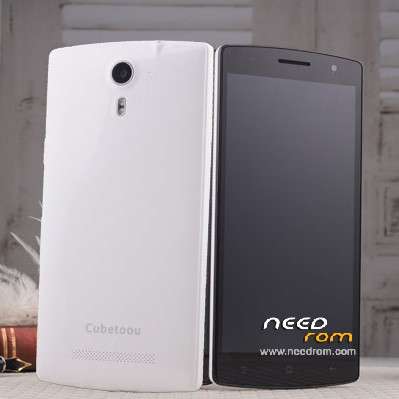
CUBETOOU NOTE (OnePlus One)
Dear Friends,
I recently had a problem with this device , I flashed a wrong Rom into my Note Oneplus and i brick it.
I've searched the original rom everywhere but i didn't find it. But one day i've decided to send i e-mail directly at Cobetoou factory ….and THEY RESPOND TO ME!!!!!!
Step ONE
Download Rom with .rar link
STEP TWO
Choose your rom :
If you have Cubetoou Note (S) choose —-> rom S Type
If you have Cubetoou Note (Z) choose —-> rom Z Type
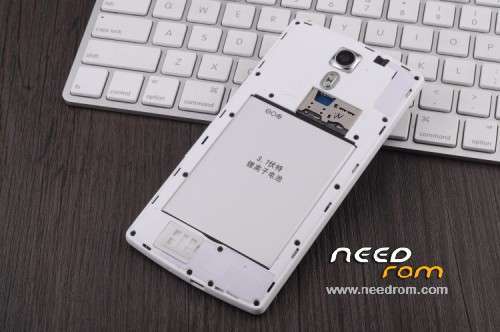
(The type of device is write in the battery box)
STEP THREE
Turn off your device and install the Flash Tool software
STEP FOUR
Open your flash software and load the scatter file present in your rom file
STEP FIVE
Take off your smartphone battery and click on DOWNLOAD button
STEP SIX
Put your battery again in your Phone and connect it to your PC
STEP SEVEN
Wait wait wait… When the PC has finished , disconnect your phone and ENJOY.
N.B … IF YOU HAVE THE PHONE IN SOD mode (state of death) enter in META MODE:
press the Download button at SP Flash Tool first then only plugin USB cable… Or maybe you should try pressing the Volume Up button too while plugging in USB cable.
SORRY FOR MY ENGLISH
※Please make a backup of your device before installing or updating ROM
hello is changing to stay with 2g for applications
If you think that my rom are useful …please give me a rating stars .
Thank you guys
Hello,
I tested the ROM everything works.
Thank you.
thanks
i tested and not work for mine tipe is z
with my installation guide , have someone the same problem with z type??
maryustbgx, have you followed every step of my guide????