
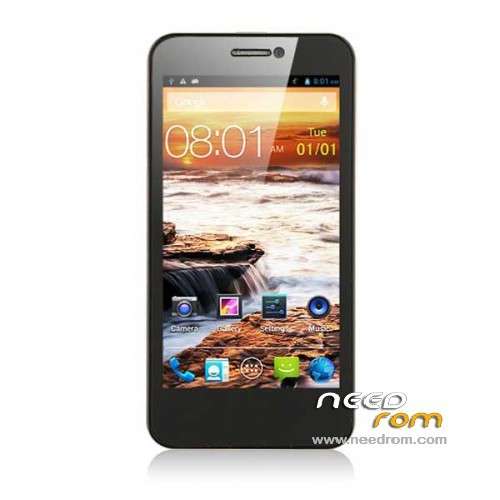
- Title: Cubot GT99
- Listed: November, 2013
- Last modified: 11/17/2013 6:11 pm
- Version: ROM Android 4.2.1
You must be logged for ROM download.
41933 total views, 1 today
8 Total favorites
 Member Info
DESCRIPTION
ROM Mobile Cubot GT99 – ROM Android 4.2.1
Official ROM Cubot GT99 Version: Z18IC_CQ_89_W_H1.00_V04_09292013
Gapps include – No Rooted
Language support: Multilang
Install ROM:
- Unpack FlashTools, and Click on Flash_tool.exe
- Select a the MT6589_Android_scatter_emmc.txt in ROM
- Wait file to be added into Flash Tool
- choose Option->USB Model,click USB Model
–> Choose Option->DA DownLoad All->Speed->High Speed, click High Speed
- Turn off your phone, remove the battery.
- "Press F9 (hit Download button)" OR " if upgrade ROM Firmware->Upgrade "
- and connect your phone into the computer via USB data cable.
- The process will start and a red progress bar will appear after color purple, yellow.
- And green circles display
- Finish !
- You can now safely disconnect your phone and turn it on.
※Please make a backup of your device before installing or updating ROM
can't get to install this rom
Why ? error flashtools ?
Concerning the file name it seems the old september release!
It's V04 instead of V03.
I haven't seen a newer version than V04.
working fine now.
Hello. I have question. Is this completely clean and official ROM? And also is this NEWEST official ROM for this phone? Thanks
It worked great for me. I did a full wipe through clockworkmod recovery and then followed the steps provided here. Everything is smooth like a charm!
i dont get it how this work. what is the point with phone connceted in PC without battery. i trayed this and nothing happens when i connect the phone
the same problem – nothing happens when i connect the phone. WIN Vista
be sure that the needed drivers are properly installed on your computer. so that when you connect your phone it will automatically be detected. been doing this for (i think) 50 times already. no problems at all.
dumb incomplete instructions, how must it booted, loader, cwm or normal, tried all of them none seems to be working, instead make a CWM recovery
hi all, you will need this driver to install first:
http://www.mediafire.com/downl.....COM+drivers.rar
LOL, you need to remove the battery and than INSERT it again.