
- Title: CUBOT NOTE S
- Listed: January, 2017
- Last modified: 01/20/2017 2:50 pm
- Version: 6.0 v6
You must be logged for ROM download.
21111 total views, 3 today
9 Total favorites
OFFICIAL




 Member Info
DESCRIPTION
FIRST INSTALL M800 V3 VERSION, THEN GO TO SETTINGS, WIRLESS UPDATE, LOCAL UPDATE AND CHOSE FIRST FILE V4,
THEN WHEN FINISH CHOSE V5 AND LAST IS V6. U NEED TO COPY V4, V5 AND V6 UPDATES ON INTERNAL STORAGE.
WHEN YOU FINISH, FACTORY RESET PHONE AND ENJOY IN MARSHMALLOW. BATTERY BUG IS FIXED, ALL IS WORKING. 
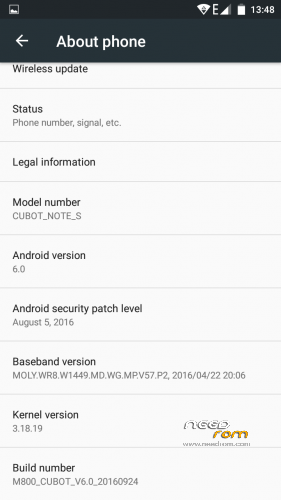
VANILLA MARSHMALLOW WITHOUT ANY MODIFICATIONS. THERE IS NO PICTURES BECAUSE IS STOCK ROM. P.S M800 V3 INSTALL TROUGH SP FLASH TOOL, IF U GOT ERROR, CHOSE FIRMWARE UPGRADE NOT DOWNLOAD AND TRY AGAIN. IT WILL WORK THEN
※Please make a backup of your device before installing or updating ROM
1. What is a problem with the battery?
2. when i am in sp flash should i select download or firmware?
battery is good, no problems, it had problems on 5.1
choose firmware upgrade
How to rooteo rom this? Steps to install root and links please
Install supersu with twrp
http://www.supersu.com/downloa.....d
downlad latest recovery flashable.zip, boot in twrp and install it
Which twrp version is the right one for this stock rom v6?
problem con los links
Which twrp version is the right one for this stock rom v6? pls someone
help link dead
Hello there,
I think my cubot wants to meet the hammer. It is on 11.07.2016 5.1 version and i downloaded the 6.0 v6 version from cubot.net….give it "play" from local updates….restarts, show me the green android working, restarted…and SURPRISE!!!!! It is still on 5.1. I can't understand why.
Hi guys great Job,
i was in 5.1 and i install without Sp the 3 + 4 + 5 + 6 with no problema
All i do enter the zip file to SD and u know: settings/update/local update from SD card.
Your battery should be at least 50% whe u do all this !!