
- Title: Cubot S308
- Listed: September, 2014
- Last modified: 09/19/2014 12:13 pm
- Version: ROM 4.2.2
You must be logged for ROM download.
31863 total views, N/A today
144 Total favorites
OFFICIAL
 Member Info
DESCRIPTION
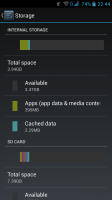
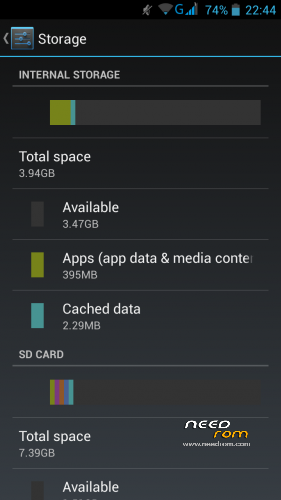
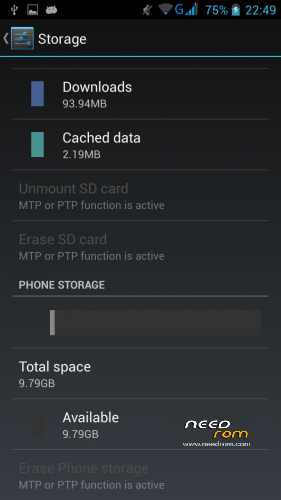
ROM Cubot S308 4.2.2 including CWM and partition 4GB internal storage
Just flash using MTK FLASH TOOL regulary
after your flash goto recovery than wipe data + wipe Dalvik than done
you have now rom with CWM + 4GB internal storage
※Please make a backup of your device before installing or updating ROM
Has someone make the update with this new firmware? the update is only for the partition size or is there some update to reduce the battery drain?
Hello, I can confirm that with this update we have 4GB instead of 1GB internal memory? thank you
Hello, I see the sp to be mobile without battery plug point to the file and give you download it and let it install and is complete when it leaves the green circle is complete and the phone is removed from the computer and re-LAUNCH already installed and the room … After that you have to do something or have to flash the room with another program? someone explain to me step by step please as you see I am a bit mlo in this,
thank you
Dear Bangbang,
did you installed the new version? how did you proceed? did you use MTK flash tool or SP flash tool?
did you notice any other improvement?
thanks in advance
bye
Hello, I did the sp flash tool, and I have the 4GB of storage, when you finish with tool flas first is to enter the recovery and do as partner after your flash goto recovery than wipe says data + wipe Dalvik than done and everything perfect
Hi Bangbang,
thanks for the reply. I didn't understand what you mean when you say:
"do as partner after your flash goto recovery than wipe says data + wipe Dalvik"
can you explain better, please?
did you notice any improvement for the battery life?
let me know
thank you
Hello, I see the sp to be mobile without battery plug point to the file and give you download it and let it install and is complete when it leaves the green circle is complete and the phone is removed from the computer and re-LAUNCH already installed and the room … After that you have to do something or have to flash the room with another program? someone explain to me step by step please as you see I am a bit mlo in this,
thank you
Hi Bangbang,
thanks for the support. In the next day please tell me how the battery is working.
my device still about 16 hours but with a not intense usage.
let me know about yours
thanks
Hola, a ver yo se instalar el sp se que hay que enchufar movil sin bateria señalar el archivo y darle a descargar y eso y dejar que se complete y cuando sale el circulo verde esta completo ya es retirar el movil del ordenador y volver a inciar y ya esta instalada la room… Despues de eso hay que hacer algo o hay que flashear la room con otro programa? alguien que me explique paso por paso por favor como veis soy un poco mlo en esto,
gracias
Hello, I see the sp to be mobile without battery plug point to the file and give you download it and let it install and is complete when it leaves the green circle is complete and the phone is removed from the computer and re-LAUNCH already installed and the room … After that you have to do something or have to flash the room with another program? someone explain to me step by step please as you see I am a bit mlo in this,
thank you
Yeah!!1 nice job!! it's works!!
buena room ya he puesto los 4gb
HOLA CUANTO TIEMPO TARDO LA ACTUALIZACION DE ESTA ROM
HOLA. Soy nuevo en esto y todavía no tengo experiencia. Me podrías indicar los pasos para instlara la ROM?