
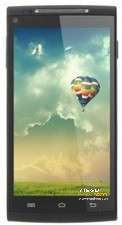
- Title: Cubot X6 1.0
- Listed: June, 2014
- Last modified: 06/13/2014 1:18 am
- Version: CUBOT V1.0
You must be logged for ROM download.
36874 total views, 2 today
5 Total favorites
 Member Info
DESCRIPTION
Official ROM Cubot X6 Android 4.2.2 version: G807_C1_D1_CUBOT_V1.0
Gapps include, No Rooted, multilanguage
Install:
- Install MTK VCOM driver (search google for instuction)
- Unpack the rom in a directory (example on desktop)
- Start SP Flash Tools (flash_tool.exe)
- Select from the rom's directory MT6592_Android_scatter.txt
- Wait file to be added into Flash Tool
- Turn off your phone, remove the battery.
- Select "firware upgrade" from the menu and click download
- Put the battery back and connect your phone into the computer via USB data cable.
- The process will start, if goes fine will appear a green circle window (you can close)
- Disconnect your phone and turn it on.
WARNING: it will erase the memory so make a backup
If the download process doesn't start when you connect the phone, you doesn't have installed vcom driver correctly. To do this:
- Disable driver signature check
- Turn off the phone and remove the battery
- Open windows device manager
- Connect the phone
- When appear a device named "mediatek preloader" update this with the usb vcom driver
- You can download from this page http://forum.xda-developers.com/showthread.php?t=2206421
The rom works fine on my device, there are not many changes, but finally facebook doesn't crach anymore.
I'm not responsible for any damage to your phone!
※Please make a backup of your device before installing or updating ROM
I had two problems with the 0.9 ROM, the Facebook crashes and the fact that it wouldn't thread the first SMS reply (really minor problem). This ROM seems to fix both problems.
Metal sound in the phone?
Actually, it didn't fix the text thread issue, which really isn't a big problem. However, it also seems that I cannot get any GPS at all after this upgrade
Works perfectly. Fixed a problem with my magnetometer (unstable signal).
Thank you!
It still has a metallic low sound during phone calls. But when using skype the audio from the earpiece is normal.
Tried other roms but the in call audio is the same.
Viper4AndroidFX
You can fix the touch issue
1. Get a file explorer
2. Create calibration.ini on the root of both SD cards, or if you haven't inserted another SD card, then just the main.
3. Reboot (Don't touch the screen while rebooting, may cause worse touch issues)
4. Optional: Remove/delete the calibration.ini, but you need to put it back whenever you reboot.
5. Can be left on the SD card(s) root, but then whenever your reboot, you have to avoid touching on startup.
Can you explain this better please? I mean ….what must be inside the ini and is it safe procedure?
there is 1.1 version , its the one I got on my phone
Hi, kikka2411.
Could you tell us where to get version 1.1 from?
Thanks
In v1.0 not work OTG
It works on my phone, but not with NTFS. Pen drive must have Fat32 fotmat.
It works on my phone, but does not recognize NTFS. Pendrive must have FAT32 format.
hi
the whole process finishes fine but when i reboot the same old rom loads like nothing happeneded. Tried formating everything and didn't help.
Any idea?
thanks!