
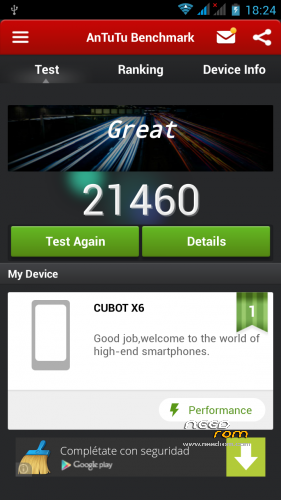
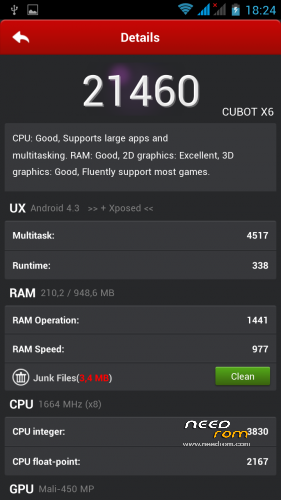
- Title: Cubot X6 Android 4.3 + Xposed
- Listed: August, 2014
- Last modified: 08/19/2014 11:03 pm
- Version: 4.3
You must be logged for ROM download.
34085 total views, 8 today
5 Total favorites
CUSTOM
 Member Info
DESCRIPTION
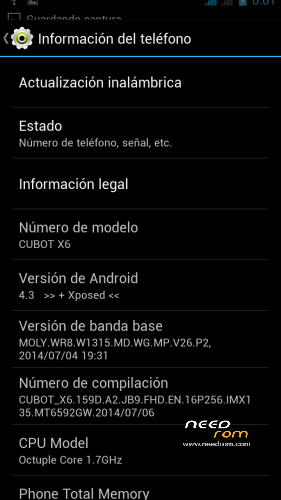
The 4.3 Android version of Cubt x6
Android 4.3
Support Xposed
Multilag
Installation with Cwm recovery:
-> Wipe Menu -> wipe Data Factory Reset
-> Wipe Menu -> wipe Dalvik Cache
-> Install
More info: http://4pda.ru/forum/index.php?showtopic=569548
※Please make a backup of your device before installing or updating ROM
normally you can install without problems ^^
for the Italian language logically no problems either, because I'm using the French language ^^
Thank you friend!
you're welcome
Can someone expand internal primary partition at least 7gb? Thank you.
I think this is the best Rom here maybe after the Official. The main advatage over the official rom is it support xposed and gravibox.
I did tested it out and could not find a single issue, everything works like on the official. I did noticed a bit of battery drain but with a battery manager software (I am using green power) this can be resolved.
For me the touch is slightly better then on the official but lanscape typing is still a challenge sometimes. I did not have any sound issue so I could not confirm it will fix any sound issue to anyone.
Thank you guys release this rom, keep up the good work!!
everything is perfect except that it reads more the 32 gb microsd that first reading
Works fine, but 3G does not connect…
I am getting this error:
Can't open /sdcard/X6-4.3+Xposed.zip
(bad)
Any idea? thanks
Have you done a factory wipe and dalvik and cache wipe before the flash?
I would reflash the rom. Xposed working fine for me. I had some issue with gravibox but I managed to fix it.
kalakiny
3g works fine but you may have to change the settings if you have a pay as you go sim, depending you service provider google 3g settings. I am using o2 payandgo sim as my 2nd sim and I had to change the 3g settings.
very nice rom work perfect
shadow708
Settings / Mobile Networks / 3G Service / Enable
The line falls, as you can see in the picture below:
Turning it off, it connects again:
The two lines I have 3G support
Regards
It is under Access Point Names after you have selected your service provider.
As I said please google your service provider`s 3g settings and they normally provide you enough information to change it. Exaple: http://www.geeksquad.co.uk/art.....o2-apn-settings
I hope this will help.