
- Title: CUBOT X6 CWM CUSTOM RECOVERY
- Listed: August, 2014
- Last modified: 04/28/2014 7:01 pm
- Version: 6.0.4.4 FULL TOUCH
You must be logged for ROM download.
29120 total views, 2 today
3 Total favorites
CUSTOM

 Member Info
DESCRIPTION
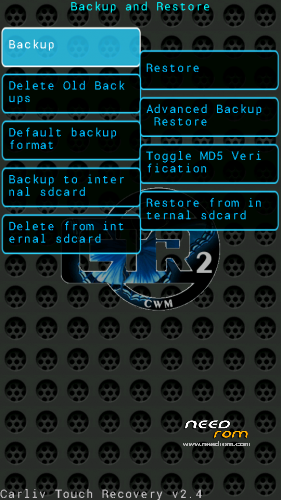
CUBOT X6 CWM 6.0.4.4 CUSTOM RECOVERY FULL TOUCH
Install it with MOBILEUNCLE MTK TOOLS after rooting the phone with FRAMAROOT 1.91 bahahir method!
Enjoy your new CUSTOM RECOVERY!
※Please make a backup of your device before installing or updating ROM
It can also be loaded using the SPFlash tool as follows:
"The file .IMG must be in the main folder of sdcard.. " I did that correctly but left me with no cwm recovery at all.Perhaps because I used MKDroid Tools to create custom cwm recovery when I first got phone and had to use it again to restore cwm 5.x.x.x
After you go in recovery update (from mobile uncle menu) you chose the recovery.img file who is in the list…
And update
works great
unzip this file and copy "recovery.img" to your sdcard
install framaroot by downloading the .apk and selecting it in file manager (find it at xda-developers.com)
(now you have root privileges)
install SuperSU from play store
(now you can give other apps superuser privileges)
install mobileUncle MTK tools from play store (when you run it, allow it SuperUser privileges)
from the mobileUncle menu, select "Recovery Update", and select the CWM recovery.img which should have been automatically discovered
(now you can reboot in to CWM recovery mode, much more powerful than stock recovery mode)
With CWM recovery, you can install / update your phone's ROM, in case you want a new official rom or to try out CyanogenMod or MIUI