
- Title: Cuoco92 3.1 1610 VIBEUI
- Listed: March, 2016
- Last modified: 03/02/2016 5:51 am
- Version: 6.0
You must be logged for ROM download.
27527 total views, 5 today
8 Total favorites
CUSTOM
 Member Info
DESCRIPTION
smile emoticon
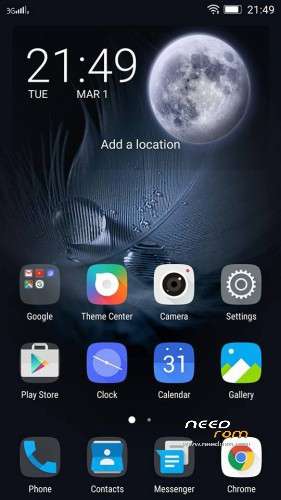
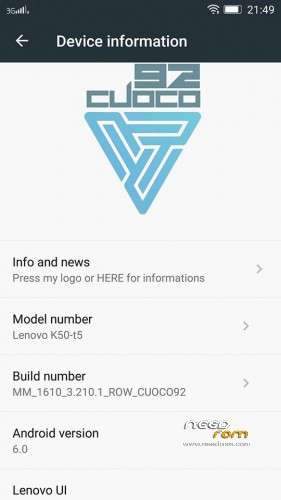
- Based on last OTA update 1610
- Multilinguage support
- Updated Italian translation
- Fixed camera issue with poor light
- New lenovo gallery
- Google Dialer, Contacts and Messanger
…more
- For those who wish to get back the Lenovo stock Dialer " contact manager ", I've prepared a flashable zip:
Install instructions
- Install custom recovery (TWRP All version working ).
- Boot into recovery mode.
- Now select wipe ( factory rest ).
- Advance wipe ( button blue ) & select partitions , dalvik cache, system , cache , user data ( select just first user data )
- Select install & select downloaded zip file.
-
Install success.
Enjoy
Credit to Cuoco92
※Please make a backup of your device before installing or updating ROM
kanyikan shibushihaodongxi
Does it work with cwm recovery?
Camera not working after update from cuoco92 1608
My camera actually works better after the update
@helnandez, camera is working – do Clear data for app SnapIT in App manager and all will be OK
It has gapps?
Great ROM, fixed NVRam error, Good battery backup, minor acceptable bugs
Dear ahmedtaj,
please provide Google Drive link for contact manager as mega.nz link does not work for me.
idea friend not working in this rom
Flash the zip will work then!
There is a 1610 only version available, I have seen it on a down load site but cannot find it again.
The 1608 version probably does not work
Anyone have a link for amitpgi8
so far the best rom for me after tried so many of them. after one day, the battery life is good. very smooth. i dont use fm radio , all others are working fine. i suggest to back up you apps ( using Titanium ), then do a clean install. after that, log in your google account, then do a play store update first. finally, use Titanium to restore all your apps. the rom is fully rooted, so it is a good idear to install greenify for battery saving…. for me, i also installed exposed framework….
data is switching on anutomatically!
Considerc these on the next update.
Stock browser crashes on some mobile sites (needrom and others)
Also keyboard cannot be disabled so if you install Google keyboard also Aosp still appears when changing languages
. everything else works fine for me
Thanks a lot