
- Title: CWM recovery
- Listed: December, 2014
- Last modified: 12/01/2014 3:31 pm
- Version: v5.5.0.4
You must be logged for ROM download.
23280 total views, 2 today
3 Total favorites

 Member Info
DESCRIPTION
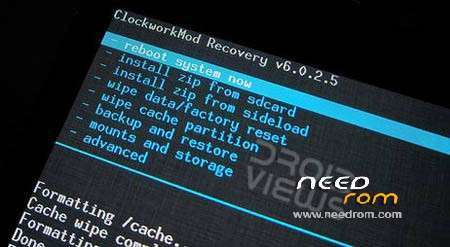
ClockWorkMod custom build recovery image for Elephone G6. Created by MTK Droid Tools – many thanks to the authors of this awesome tools.
If you don't know what ADB stands for, you never used any command line tool etc., please, scroll down to the OPTION D and follow the tutorial of the ClockWorkMod recovery installation. It contains pictures, so it should be very easy to follow.
HOW TO INSTALL:
option A:
Install app "Flashify" from Google Play and use it to flash the recovery.img
option B:
- Flash using SP Flash Tool
option C (EASY, but doesn't work on some configurations):
- Install using MTK Mobile Uncle Tools:
- Copy the IMG file to your SDCARD
- Run Mobile Uncle Tools > select "Recovery Update" > follow the onscreen prompts
- Done!
AFTER MANY QUESTIONS I RECEIVED, HERE'S ANOTHER TUTORIAL HOW TO USE MTKDROID TOOLS. MTKDroid Tools could be obtained there: http://forum.xda-developers.com/showpost.php?p=38320254&postcount=1
OPTION D:
1. Run the tools and wait a second, the initial screen will load up will look like this, if you have correct drivers installed:

2. Click on the ROOT button (that’s where the arrow points to), on the confirmation dialog click on YES
3. The app will look like this:

4. Switch to the “root, backup, recovery” tab (where the arrow points to)
5. There, select “To use boot from phone” as below:

5. Click on the “Recovery and Boot” button
6. You’ll receive a prompt asking “To make CWM automatically”, please, click YES there.
7. Read the promps carefully, next one will read: “If phone isn’t loaded, it is necesarry to flash this file through Flash Tool! Install patched boot to phone?” Again, click YES there.
8. And next prompt: “Install created recovery to phone”, select YES one more time..
9. And, final prompt: “To reload phone to recovery?”, click YES and your Elephone will reboot to newly installed ClockWorkMod recovery..
Disclaimer: Use at your own risk and always do backups!
If you want to report a bug, send me an e-mail: honzikd+g6+cwm@gmail.com or, contact me at the official Elephone forum: http://bbs.elephone.hk/?fromuid=2951
※Please make a backup of your device before installing or updating ROM
Fantastic! Option D is THE BEST!
You are the Master of Known Universe!