
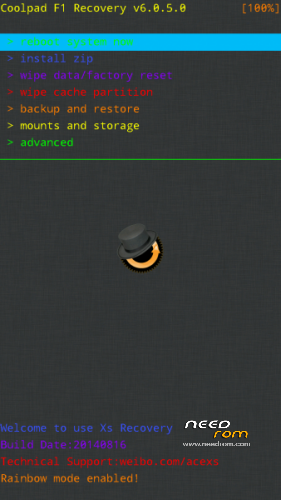
- Title: CWM Recovery – 6.0.5.0
- Listed: September, 2014
- Last modified: 09/09/2014 6:25 pm
- Version: 6.0.5.0
You must be logged for ROM download.
27456 total views, 1 today
2 Total favorites
 Member Info
DESCRIPTION
Now link is correct!
You need to have root before flashing this recovery!
1. Install mobileuncletools from here https://play.google.com/store/apps/details?id=com.mobileuncle.toolbox
2. Download and save the "recovery.img" into the root of the SD card, do not put it inside any folder.
3. start Mobileuncletools
4 Go to "Recovery Update" and choose the file called "recovery".
5. Recovery installed!
To enter ecovery mode: you have to go to settings / accessibility / and remove fast start, then turn off the phone and hold the volume up button and the power until the coolpad logo appears.
※Please make a backup of your device before installing or updating ROM
TWRP bro? maybe?
+1
as other comments….. not CWM.
yeah, I uploaded the wrong file, sorry! Now it's ok!
Working good, thx!
Link is inc0rret.pliz other link
How can I change the recovery? I already have TWRP. I install the CWM through mobileuncle tools but when it boots in recovery it boots in TWRP again
link to its recovery IMG???
can working in samsung s2 gti9100g