
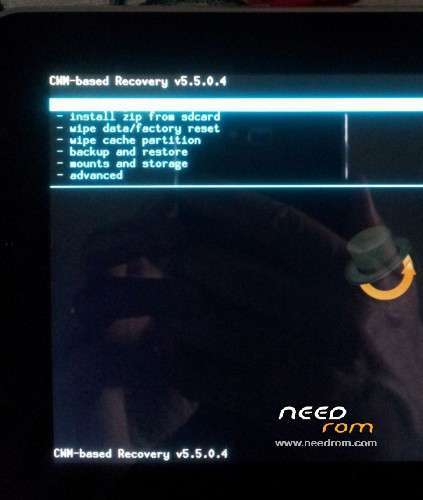
- Title: CWM Recovery for DG800 Valencia
- Listed: December, 2014
- Last modified: 12/23/2014 8:32 pm
- Version: CWM 5.5.0.4 for 4.4.2
You must be logged for ROM download.
21924 total views, N/A today
3 Total favorites
 Member Info

DESCRIPTION
1) download recovery image archive and unzip in a folder on desktop
2) power off the phone, remove battery but leave the phone connected to pc
3) run flash_tool you can find in other links needrom section doogee dg800
4) Load scatter file inside the folder crerated in step 1
5) select "download only" and click on download or hit F9
6) insert battery and wait green circle
7) remove battery, disconnect phone from pc , put battery
 push vol + plus power on to enjoy the CWM recovery functions
Pay attention;
There are TWO version of recovery.
1 for August 2014 rom
2 for November 2014 rom
※Please make a backup of your device before installing or updating ROM
pay attention, seems to doesn't work on the last build november 2014 rom.
added version for November rom, try it and give me feedback
work very well for the new rom thanks.
Fine! Thanks, megthebest!!!
Hi,
I am trying to root the for the november rom
I followed the instructions but I get: brom error s_fthnd_file_is_not_loaded_yet (5007)
Appreciate help
Try other version of flashtool, sure the procedure is correct and tested .
it work for last 2015 rom ?
The November CWM file doesn't work
what version of flashtools you used?
Tried 3 different flash tools, but none worked with 4.4-2014_11_18
rename the DG800_recovery_CWM.img to recovery.img and select download only on flash tool and select only the recovery option
Thanks for the solution dannys827, works fine for me.
Unfortunately, there seems to be no suitable recovery image for the latest Doogee firmware (based on Android 5.0). The image is named 15-05-14 z869h-oq-k44-dg800-qhd-wg850p2100-emmc-64g8g-Android-5.0 外文归档(道格).rar
That's a real pity