
- Title: CWM Zopo ZP998 _V1.07
- Listed: January, 2014
- Last modified: 03/06/2014 2:36 pm
- Version: 4.2.2 05.03.2014 BASE
You must be logged for ROM download.
68813 total views, 7 today

 Member Info
DESCRIPTION
custom rom for ZP998
Â
NEW UPLOAD MADE SO SHUT WORK NOW
Â
REMEMBER TO MAKE BACKUP BEFORE FLASHING THIS ROM
NOW I HAVE REMOVED FORMAT BEFORE FLASHING I WILL WRITE THAT IT DOES BUT IT DONT SO DONT WORRY
 BUT REMEMBER U NEED TO WIPE DALVIK CACHE/CACHE/SYSTEM OTHERWISE U WONT BE ABLE TO GET ROOT PERMISSION
CHANGELOG 10.03.14
NEW ROM IS UNDER THE HOOD
WITH MORE SMOOTH NESS
BETTER WIFI
BETTER GPS
BETTER FLOAT
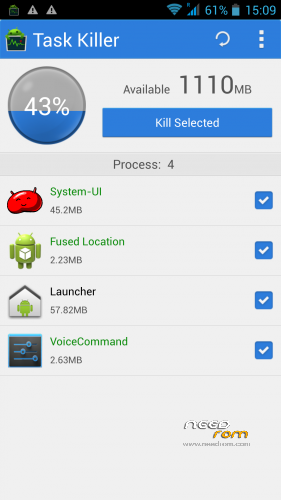
LESS RAM USE
S-VIEW WORKS
Â
u may use my work just remember to ask
an give prober credit
Â
an fore wipe please use twrp recovery there u can wipe cache/dalvikcache/factoryreset/system
Â
based on new base 05032014
new camera
new libs
new moduels
deodexed
zipalig
————————————————
TO ENABLE ADVANCE SETTINGS
GO TO SYSTEM/ABOUT PHONE
NOW DOWN TO VERSION NUMBER
HIT IT 5 OR 6 TIMES
U HAVE NOW ENABLE ADVANCE SETTING
Â
BASED ON LATEST RELEASE FROM ZOPO
THIS IS STOCK WITH SOME SMALL TWEAKS
FOR NOW
STILL WORKING ON BLACK SCREEN OPTIONS
Â
rooted
removed china app
put zip on sdcard
reboot into recovery
wipe cache/ dalvik cache/factor reset/Â an system
flash zip from sdcard
Â
an for last
why do people qoute bad stars insted off stating there problems
so dont give bad stars remember we are only doing this in our sparetime
Â
※Please make a backup of your device before installing or updating ROM
Mikajlo, which recovery did you install? Depending on that the answer is different. Anyway, you copied the file you downloaded on your SD card, just as it is (no unpacking!). Now when you start recovery and you want to install this file you have to navigate to this file (internal or external SD, depends on the tweaks in your current OS) and click or press power on this file. Then the process starts.
Have done like you said and got this message. Maybe i should try the flash tool?
1_:are u rooted
2:what recovery are u using
Well i wrote im new to android
Got the phone 3 days ago, stock rom, no apps installed. I put the phone in recovery mode by booting with vol+ and home button presed. Any help appreciated, would like to get this rom on it.
Before u can install mine u need custom recovery like cwm or twrp
Mikajlo, you must install a custom recovery (there is recovery and tutorial here on needrom), then you copy the fluffy’s rom on sdcard, you reboot into recovery, choose install, select the zip, and install it…
Mikajlo, you should install this rom before : https://www.needrom.com/mobile.....h-automade-cwm/ by flashtool, (there is tutorial), then you will have root and recovery, and after you will can install any rom you want (if it is a zip) by recovery. (when a rom is a zip you install by recovery, if not a zip you use flashtool).
You should perhaps also read some tutorial and/or explications about android, root, recovery,…if you are very new in android system. Just before doing some errors or bricking your phone…
Ok, thx. Have no time today, will try it ASAP.
Hello Fluffy,
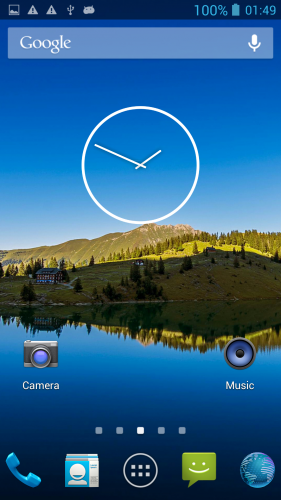
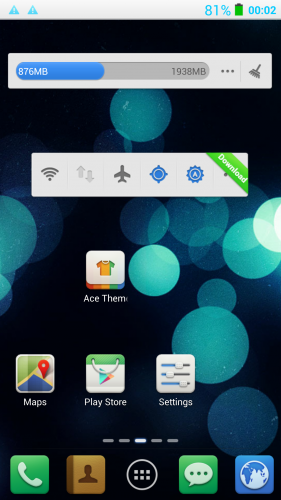
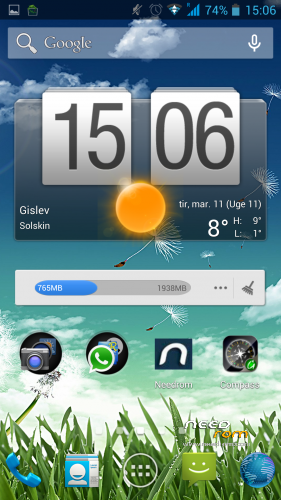
I have installed this ROM thanks to the recomendation of AP756 and due to I could see, in the screenshots, at the begining of this page, that the background of the phone enviroments was black and the text in white. To be honest I don´t like the white enviroment, the installation of the ROM (v1.03) was performed perfectly, without issues but my enviroment continues in black, please someone can tell me if it is possible change it?
Thank you in advance.
PD: I can tell you that the ROM works properly and superSU without troubles.
U need to change theme in apps there is a app called theme chooser
Excuse me, but I´m trying to find it but without success. I will continue trying it.
Thanks.
Ahhhh Ok, you mean in PLay Store, sorry I was trying to find it in the settings. OK thanks.