
- Title: Cyanogen Mod 11
- Listed: April, 2014
- Last modified: 04/09/2014 5:52 pm
- Version: 4.4.2
You must be logged for ROM download.
27111 total views, 2 today

 Member Info
DESCRIPTION
ROM Description:
Please use the custom recovery – TWRP or CWM
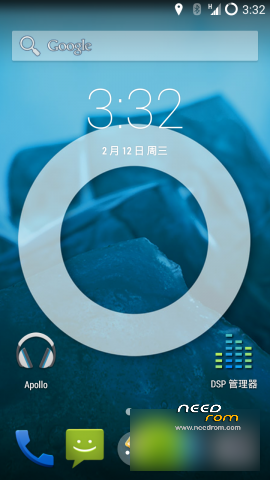
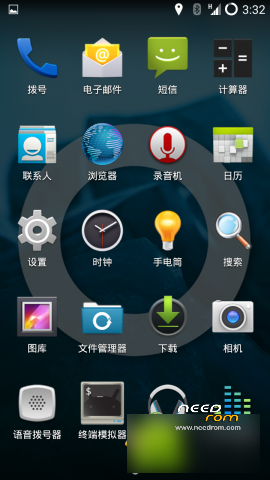
First global Nubia Z5S mini CM11 4.4.2 rom
Comptaible with all networks supported by hardware. SMS Bluetooth wifi, etc. are normal.
Simiar issue to all 4.4.2 ports to this device, where up to 4 cell signal is displayed, but the actual signal is not a problem. Asthetic fix being worked on. Give us some time.
CM11 based on the source code and compiled from the source code of our own, it can be seen as our own And OS systems.
Note that it is necessary to manually set USB mass storage mode if this is desired for connection to a computer.
At present, input method is Iflytek. Please support for at least one day. Other keyboards can be installed.
UC browser present, please use for at least one week.
English images to be updated soon
※Please make a backup of your device before installing or updating ROM
Can you explain the process and all the files needed to install this ROM?
I have a little problem with installing of this rom through CWM 6.0.4.5,
after wiped data, cache and dalvik i try to instal the zip file "cm-11-20140213_nx403a.zip"
but i always have this error:
"set_metadata recursive: some changes failed
E:/storage/sdcard1/ROM/cm-11-20140213_nx403a.zip ###chinese words###
(status 7)
Installation aborted"
Here a screenshot:
http://www.mediafire.com/view/.....on%20Failed.JPG
I have found a post where say that is a CWM recovery problem, say that, to instal KitKat, i need to upgrade a version of CWM greater than 6.0.4.5 or use an alternative bootloader, is true? how i can do it?
Here the post
http://android.stackexchange.c.....-changes-failed
Thanks Matteo (Italy)
I have read that i must install TWRP Recovery instead of ClockWorkMod,
but now i have the phone that reboot always to CWM Recovery, i have not possibility to lunch the Stock Recovery and do a reset to use the phone,
Anyone can help me?
Thanks Matteo
Now RED light is flashing
Now phone don't turn on
Sorry for multiple messages, can be deleted by administrator.
Anyway now i have returned to the first problem:
i have the phone that reboot always to CWM Recovery, i have not possibility to lunch the Stock Recovery and do a reset to use the phone, i would instal the TWRP, i have the .bat but i need turn ON phone before, right?
Anyone can help me?
1) put a standart rom on your sd card (like miui or zte rom)
2) put the twrp.img on your sd card
3) boot into cwm, wipe everything and install standart rom
4) boot into android, root rom and install Rashr flash tool
5) rashr flash tool -> install recovery, twrp.img
6) boot into twrp, wipe everything, install cm11.
For further questions reply me ^^
Thanks to herzlbutnord .
.
I have solved in this way:
I have installed a standard ROM after i have repeated installation of TWRP trough "-ó+Ùrecovery.bat" more times (setting differents USB options) and finally TWRP has been installed on my phone as defoult recovery mode
After, by TWRP interface i have had some problem with external SD to install the ROM (i have tryed with 5 different microSD cards, only the 5th microSD has been detected and read by TWRP, I advise to install the .zip files on the internal memory and flash from internal memory)
Now i have my CyanoGenMod 11 KitKat 4.4.2
but there is a MAJOR BUG on this rom, when i tap on "Mobile networks" to configure them, i have this error "Unfortunatly, the process com.adnroid.phone has stopped."
I can't configure APN and mobile internet.
Sorry for my English, I´m Spanish.
You can solve this issue following this:
1.- Download this apk. bit.ly/17b3nET
2.- Install the apk on your phone.
3.- Get into airplane mode. (Very important)
4.- Open the apk, and you will be able to configure the APN.
5.- Enable 3G mode and you will enjoy your internet connection.
You can see the manual here (but is in Spanish) http://www.htcmania.com/showth.....ad.php?t=654080
Here some screenshots
Actually you are right,i never used this setting so i havent noticed this bug, but besides of this this rom is really the most stable and really bugfree, but if you really need this settings its of a no go for you. Maybe you can contact the developer or try to “correct permissions” under recovery
Ah and try an apn app like “tweakker apn internet mms” from playstore
Hi, i have tried "tweakker apn internet mms", good but mobile internet function anyway doesn't work. This app allows me to access to profile setting and APN configuration (otherwise impossible with this BUG)


but mobile internet function has a problem, i'm not online.
hmm, try another one, in the playstore are a lot of differend apn apps, otherwise cant help, my mobile internet is just working without any apn configuration ^^
Solved!
thanks to "tweakker apn internet mms" mobile network works perfectly.
Last time i have made an error in the profiles configuration.
everything works for now, excellent ROM.
Thanks herzblutnord for the help and support.
Hi guys, see you soon
Matteo
Any one get battery drain with this ROM,with com.CyanogenMod lockclock ?