
- Title: HUAWEI G525-U00
- Listed: November, 2014
- Last modified: 11/11/2014 3:36 pm
- Version: Andriod Kitkat 4.4.4
You must be logged for ROM download.
39353 total views, 2 today
34 Total favorites

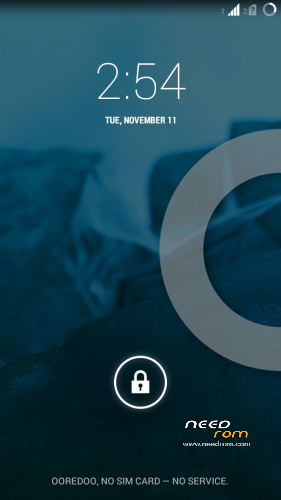

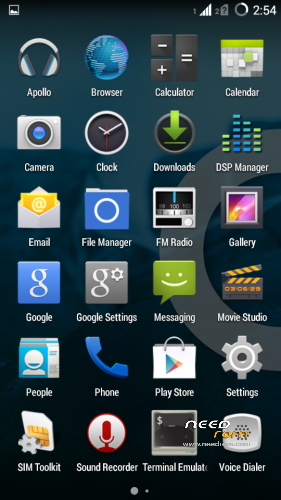
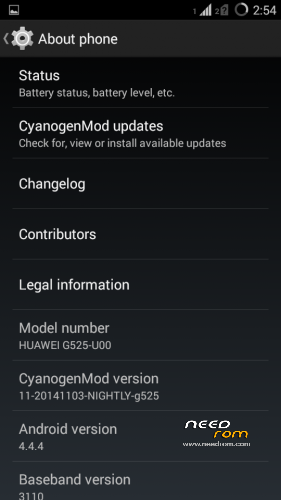
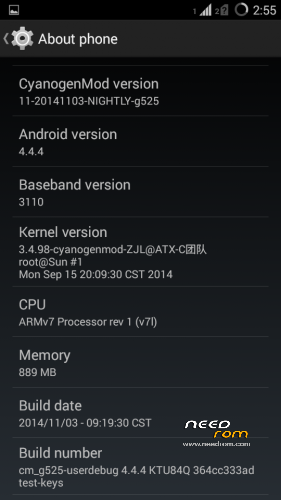
 Member Info
DESCRIPTION
CyanogenMod 11 for Huawei Ascend G525-U00
ROM Version: Andriod Kitkat 4.4.4
CyanogenMod Version: 11-20141103-NIGHTLY-g525
Build Number: cm_g525-userdebug 4.4.4KTU84Q 364cc333ad test-keys
Language Support: Multilang
Google Apps Included
Before You Begin:
1.Make sure that you Unlock the Device Bootloader.
2.Install the Above Custom Recovery.
3.Backup Your Data.
Installation:
1.Place ROM zip on the root directory of INTERNAL MEMORY SDCARD0
2.Power off the Device
3.Power ON the Device by pressing VOLUME UP key simultaneously
TO get in the Recovery Mode.
4.In the Recovery Mode Choose English as Language.
5.Use VOL UP,VOL DOWN to Navigate and POWER Button to Click OK.
6.First off all, Click Wipe data/factory reset AND Wipe cache partition.
7.Then navigate to Install Zip and choose zip /storage/sdcard0
8.Click POWER Button to Proceed.
9.Wait for the Installation Process to Complete.
※Please make a backup of your device before installing or updating ROM
hi,
I found a bug, sometimes mobile restart by itself
pz..fix it
It's a good rom. the only problems I've had with it were occasional reboots and some lags while charging. Btw you people need to work on your English
Not Bad ….
خوب
Any update ?
Everything good unless battery charging
I can't Installed
Unfortunately this ROM has a massive wakelock issue with SystemUpdateService when the latest Google Play Services (>7.x ?) are installed
Could you port CM12 to this device?
This rom is realy good,fast, saving battery but it have some problems. for exaple app Link2sd does not work with this rom.
I have a problem with Link2sd. I have installed many apps into sd card, and I use some link of this app in the widget's page.
When I reboot the links disappear!! but the app in the menu works however.