
- Title: CYANOGENMOD PROJECT
- Listed: December, 2015
- Last modified: 04/27/2016 12:15 am
- Version: CM12.1 (5.1.1)
You must be logged for ROM download.
89079 total views, 18 today
81 Total favorites
CUSTOM


 Member Info
DESCRIPTION
Installation ROM:
- Download ROM
- Make full wipe in recovery (TWRP)
- Install ROM in recovery (TWRP)
- Reboot device
- Done.
Installation Update:
- Download Update
- Install Update in recovery (TWRP)
- Reboot device
- Done.
Update 06.01.2016 :
Update 09.01.2016 :
Update 23.04.2016 :
Update 27.04.2016 :
Bugs:
- Screen Recording
- FM Radio only plays headphones
- Miracast transmits green image
Thank you fire855, DerTeufel1980, ariafan, hyperion70
※Please make a backup of your device before installing or updating ROM
i have no access to my external sd card. well i think i have access but it seems to be empty. How can i fix it? Have I to format it ? or there are another solution.
thank you
I'm still on the Jan-06 release and I can access the external SD.
in adh shell, what is the output of the following commands:
mount
cat /fstab.mt6592
grep sdcard1 /init.mt6592.rc
ps | grep sdcard
From my "old":
root@G4S:/ # mountrootfs / rootfs ro,seclabel,relatime 0 0
tmpfs /tmp tmpfs rw,seclabel,relatime 0 0
proc /proc proc rw,relatime 0 0
tmpfs /proc/cmdline tmpfs rw,seclabel,relatime 0 0
tmpfs /dev tmpfs rw,seclabel,nosuid,relatime,mode=755 0 0
devpts /dev/pts devpts rw,seclabel,relatime,mode=600 0 0
sysfs /sys sysfs rw,seclabel,relatime 0 0
debugfs /sys/kernel/debug debugfs rw,relatime 0 0
selinuxfs /sys/fs/selinux selinuxfs rw,relatime 0 0
none /acct cgroup rw,relatime,cpuacct 0 0
none /sys/fs/cgroup tmpfs rw,seclabel,relatime,mode=750,gid=1000 0 0
tmpfs /mnt/asec tmpfs rw,seclabel,relatime,mode=755,gid=1000 0 0
tmpfs /mnt/obb tmpfs rw,seclabel,relatime,mode=755,gid=1000 0 0
none /dev/cpuctl cgroup rw,relatime,cpu 0 0
/emmc@android /system ext4 ro,seclabel,relatime,noauto_da_alloc,commit=1,data=ordered 0 0
/emmc@usrdata /data ext4 rw,seclabel,nosuid,nodev,noatime,discard,noauto_da_alloc,data=ordered 0 0
/emmc@cache /cache ext4 rw,seclabel,nosuid,nodev,noatime,discard,noauto_da_alloc,data=ordered 0 0
/emmc@protect_f /protect_f ext4 rw,seclabel,nosuid,nodev,noatime,discard,noauto_da_alloc,data=ordered 0 0
/emmc@protect_s /protect_s ext4 rw,seclabel,nosuid,nodev,noatime,discard,noauto_da_alloc,data=ordered 0 0
/dev/block/vold/179:8 /mnt/media_rw/sdcard0 vfat rw,dirsync,nosuid,nodev,noexec,relatime,uid=1023,gid=1023,fmask=0007,dmask=0007,allow_utime=0020,codepage=cp437,iocharset=iso8859-1,shortname=mixed,utf8,errors=remount-ro 0 0
/dev/block/vold/179:8 /mnt/secure/asec vfat rw,dirsync,nosuid,nodev,noexec,relatime,uid=1023,gid=1023,fmask=0007,dmask=0007,allow_utime=0020,codepage=cp437,iocharset=iso8859-1,shortname=mixed,utf8,errors=remount-ro 0 0
/dev/fuse /storage/sdcard0 fuse rw,nosuid,nodev,noexec,noatime,user_id=1023,group_id=1023,default_permissions,allow_other 0 0
/dev/block/vold/179:97 /mnt/media_rw/sdcard1 vfat rw,dirsync,nosuid,nodev,noexec,relatime,uid=1023,gid=1023,fmask=0007,dmask=0007,allow_utime=0020,codepage=cp437,iocharset=iso8859-1,shortname=mixed,utf8,errors=remount-ro 0 0
/dev/fuse /storage/sdcard1 fuse rw,nosuid,nodev,noexec,noatime,user_id=1023,group_id=1023,default_permissions,allow_other 0 0
root@G4S:/ # cat /fstab.mt6592
# Android fstab file.
#<src> <mnt_point> <type> <mnt_flags and options> <fs_mgr_flags>
# The filesystem that contains the filesystem checker binary (typically /system) cannot
# specify MF_CHECK, and must come before any filesystems that do specify MF_CHECK
/emmc@android /system ext4 ro,commit=1,noauto_da_alloc wait
/emmc@usrdata /data ext4 noatime,nosuid,nodev,noauto_da_alloc,discard wait,check
/emmc@cache /cache ext4 noatime,nosuid,nodev,noauto_da_alloc,discard wait,check
/emmc@protect_f /protect_f ext4 noatime,nosuid,nodev,noauto_da_alloc,discard wait,check
/emmc@protect_s /protect_s ext4 noatime,nosuid,nodev,noauto_da_alloc,discard wait,check
/devices/platform/mtk-msdc.0/mmc_host/mmc0/mmc0 auto auto defaults voldmanaged=sdcard0:8,nonremovable,noemulatedsd
/devices/platform/mtk-msdc.1/mmc_host/mmc1/mmc1 auto auto defaults voldmanaged=sdcard1:auto
/devices/platform/mt_usb auto auto defaults voldmanaged=usbotg:auto
root@G4S:/ # grep sdcard1 /init.mt6592.rc
/init.mt6592.rc: export SECONDARY_STORAGE /storage/sdcard1
/init.mt6592.rc: mkdir /storage/sdcard1 0700 root root
/init.mt6592.rc: mkdir /mnt/media_rw/sdcard1 0700 media_rw media_rw
/init.mt6592.rc:service fuse_sdcard1 /system/bin/sdcard -u 1023 -g 1023 /mnt/media_rw/sdcard1 /storage/sdcard1
root@G4S:/ # ps | grep sdcardmedia_rw 997 1 15308 2760 ffffffff b6f0b7e8 S /system/bin/sdcard
media_rw 1127 1 15296 1152 ffffffff b6f887e8 S /system/bin/sdcard
Sdcard works correctly because recovery is able to read it.
Command mount
/dev/block/vold/179:97 /mnt/media_rw/sdcard1 vfat rw,dirsync,nosuid,nodev,noexec,relatime,uid=1023,gid=1023,fmask=0007,dmask=0007,allow_utime=0020,codepage=cp437,iocharset=iso8859-1,shortname=mixed,utf8,errors=remount-ro 0 0/dev/fuse /storage/sdcard1 fuse rw,nosuid,nodev,noexec,noatime,user_id=1023,group_id=1023,default_permissions,allow_other 0 0
is missing. only appears sdcard0Command
ps | grep sdcardonly
media_rw 1059 1 15296 1768 ffffffff b6f887e8 S /system/bin/sdcardHow can i fix it?
thank you
is this ROM a branch out of the one linked here?
I wonder if the same init scripts are applied, I think it may be missing in /init.mt6592.rc (see below).
I pasted my /init.mt6592.rc into http://pastebin.com/Pr91cM0y, so that you dan compare them.
Dont just overwrite yours, changes may be in purpose, only add those lines that apply to sdcard1
root@G4S:/ # grep sdcard1 /init.mt6592.rc
/init.mt6592.rc: export SECONDARY_STORAGE /storage/sdcard1
/init.mt6592.rc: mkdir /storage/sdcard1 0700 root root
/init.mt6592.rc: mkdir /mnt/media_rw/sdcard1 0700 media_rw media_rw
/init.mt6592.rc:service fuse_sdcard1 /system/bin/sdcard -u 1023 -g 1023 /mnt/media_rw/sdcard1 /storage/sdcard1
btw. you could also extract it from the above linked ROMs.
How is the Wifi/Mobile Data Working in the new build? I had a brief look at what could be wrong, but didn't find an obvious fault so far.
Is there a thread in 4pda.ru on it??
i have just install all versions and external sd doesnt work. file is exactly the same to yours. i have no idea what is happend because if i install kitkat version all work. Did you install it from twrp or carliv?
PS: Double check whether you can read your SD on a Windows PC to make sure it's formatted to VFAT.
seems this rom comes from 4pda.ru
http://4pda.ru/forum/lofiversi.....84988-1420.html (use google online translation)
thread suggests to set APN manually (as I did).
wifi and data mobile works fine except wifi button( that not always works)
seems I have bricked my /cache (/dev/block/mmcblk0p6) partition, can anyone please give me a printout of
fdisk /dev/mmcblk0
then 'p' for print and 'q' for quit ?
thanks.
CM_PROJECT-G4S-20160106 (658 dls)
CM_PROJECT-G4S-20160109-UPDATE (583 dls)
download these one https://yadi.sk/d/Hy78mYoko2EH.....g which is the latest.
in fact there are other choices in the link (4pda.ru, use chrome online translation!) I posted earlier which sound a bit more pomising, I haven't checked myself due to lack of time or rather time intervals in which I can miss my working phone. One is called Exodus, on FlyMe OS and CM12 (still different from this one). All of those seem to be more recent in terms of bug patching.
The ROM we're duscissing here: http://4pda.ru/forum/index.php.....#038;p=45287364
Exodus: http://4pda.ru/forum/index.php.....0#entry46669277
FlyMe OS: http://4pda.ru/forum/index.php.....0#entry46757676
Even a CM13 port is available:
http://4pda.ru/forum/index.php.....0#entry46724696
Hello morkva2102, thank you for your work and bringing Lollipop to all G4S users. I really love this ROM but I've noticed that mobile does not power on for alarm. It is a common bug? It can be solved?
muy buena rom!!!!!!!! bravo!!!!!!!!
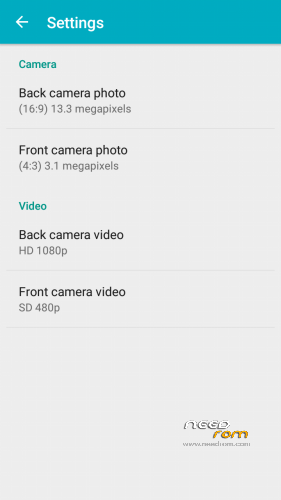
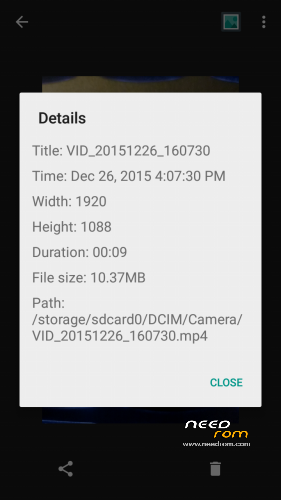
Great ROM. If YouTube will be working on 720p, it can be the best ROM than I ever had. Plese fix it quickly man! . Very good and fast ROM, recommend! Otherwise I have a feeling that camera app reduces the quality. Can you fix it?