
- Title: CyanogenMod 12.1 for Cubot Note S
- Listed: July, 2016
- Last modified: 07/01/2016 12:25 pm
- Version: 12.1 beta 0.8
You must be logged for ROM download.
18124 total views, 2 today
10 Total favorites
CUSTOM




 Member Info
DESCRIPTION
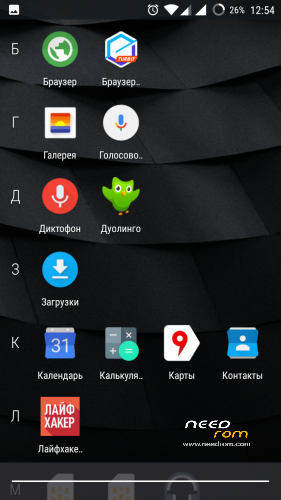
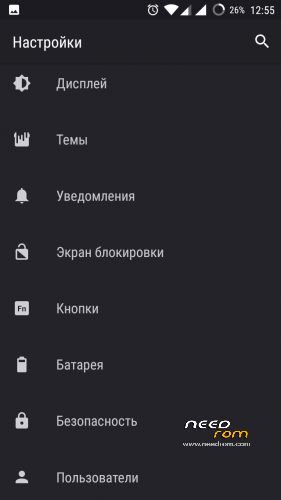
Unofficial port Cyanogenmod 12.1 for cubot note s
All is working
No Gapps
Bug: It is doesnt record video in the other cameras.
※Please make a backup of your device before installing or updating ROM
You have TWRP installed, right? – I made a backup with TWRP before I flashed this CyanogenMod-ROM. So I think it's no problem to go back. If you didn't do that, you have to flash the stock ROM with the SP-Flash-Tool.
Sorry Dragos, once you left stock there's no way back!
Well, you 'can' go back to stock, but it will be difficult. The flashing of the stock rom is easy and trouble free, but living with stock after you tasted freedom is as hard as it can get.
To go back to stock, download the 02/16/2016 official rom here on NeedRom and download the flashtool which is linked on the same page. Extract the rom to a folder. Open the flashtool and on the 'download' tab click the 'download agent' button. There you select the file 'MTK_AllInOne_DA.bin' which resides inside flashtool's folder. Then click the 'scatter-loading' button and select the file 'MT6580_Android_scatter.txt' which resides in the rom's folder.
Now that you have set the correct files, connect your phone to using usb and have it powered on, then press the 'download' button in the flashtool and reboot your phone. When your phone reboots, the flashtool will take over and flash the phone. Don't disconnect or mess with your phone or computer until a window appears on the computer with a green checkmark. After that, disconnect your phone and reboot. The 02/16/2016 rom is an official release, so when your phone is booted you can go to Settings->About->WirelessUpdate. There you will be presented with the most recent official firmware, which isn't available here on NeedRom.
In the flashtool you can uncheck 'recovery' if you want to keep TWRP, however if you update your firmware to the most recent using WirelessUpdate, the recovery will be reverted to stock and needs to be flashed back to TWRP –if that is what you want.
I tried to flash like you said, but i get an error when i click "Scan all": "The memory buffer for loading image verification fail!"
I flash my Handy with SP_Flash_Tool_Win_v5.1548.
It work 100%
PlayStore is working for me but I'm not sure, how I did it.
I flashed either gapps-lp-20150314 or open_gapps_arm_5.1_nano, backed up my google account with TitaniumBackup. After starting playStore I got "RH-01" error. I used "System Apps sicher entfernen" (app) to remove PlayStore and google services framework, installed playstore apk (6.8.20) (found on apkmirror) and reinstalled google services framework via "system apps sicher entfernen". Then I removed /system/etc/host file and updated host-file with AdAway. After restarting my device playstore is working I'm not sure which step solved the error..
That sounds fantastic. I will try later today. But maybe, just maybe, you could create a backup with TWRP so you can always revert to the rom with working PlayStore and see if you can redo the steps with a fresh installation.
https://play.google.com/store/.....mapp&hl=de
^– This is the app you used? The free or the paid version?
I find the part about TitaniumBackup interesting. It backs up and restores Google credentials? I couldn't even add a Google account on Cyanogenmod, so I guess TB force-adds it? Can you try adding a second account trough the normal way (Settings->Accounts->Add->Google) and see if that works or that it throws an error?
I will try that later
I couldnt get cyanagonmod working with google apps but I have made some progress regarding a working custom rom.
Firstly using this cynagonmod kernel as the base I was able to get a crDroid rom from Infinix Hot 2 to boot and the google account adds fine and I can download from the playstore but I cannot sync anything. When I try and install gmail it asks me to sync manually but pressing it does nothing. Simiarly if i go into accounts and google account i says Sync is off and I cannot do anything else.
On my second attempt I used the CM12.1 kernel as a base and booted Blisspop rom from Infinix Hot 2 and with this rom google services works with no problem I can sync and download and everything is fine HOWEVER there is another big problem with this port because RIL does not work. the sim cards are not recognised. I will try and fix it but i'm not sure whats wrong at the moment.
EDIT: Since then I have fixed RIL. on Blisspop testing other features now and if it all goes well will upload.
@Comadude I tried adding a second account and it's working so I think we don't need TitaniumBackup.
@ Fab, good. That's one less variable.
The gapps you installed, as written in your message you weren't sure which you flashed, openGapps or gapps-lp-20150314. OpenGapps uses the latest Google releases by default. When toying around a few days ago –before your message– I noticed different error messages between the newest *.56 versions of the PlayServices and older versions, so there might be something there. 'gapps-lp-20150314' is from TeamAndroid?
I'm sorry I ask so much, it's just that I'm growing old of reflashing my phone ten times a day to try stuff.