
- Title: Cyanogenmod 13 G4S
- Listed: May, 2016
- Last modified: 05/04/2016 8:08 pm
- Version: cm13 6.01 - beta 1
You must be logged for ROM download.
23679 total views, 2 today
9 Total favorites

 Member Info
DESCRIPTION

DISCLAIMER:
This rom comes as is and fixes will be added later with the valuable help of the contributors mentioned below. It is the first time real marshmallow on G4S.
INSTALLATION:
Flash my recovery zip from your existing recovery. https://www.needrom.com/download/twrp-2-8-4-1-jiayu-g4s/
Tested with 2.8.4.1/
Reboot into it.
Wipe cache and data.
Flash rom zip and then gapps zip and reboot system normally. After entering rom reboot once more for full function.
Opengaps from here http://opengapps.org/ arm , 6 , stock
Big Thanks to:
CREDITS:
Cyanogenmod Team
OMNI Team: (specially XpLoDWilD and Dr-Shadow).
@fire855: For first bootable CM12.1.
@DerTeufel1980: For GPS and SN inject.
@axet: For his device tree base.
@ferhung: for his device tree
@chrmhoffmann: For his RIL base.
@mr-illusionist: For some help about mtk blobs.
@ariafan: For help in several ways.
@Al3XKOoL: for his various 6582 improvements and fixes to the code
[ROM]CYANOGENMOD 13 [6.01][UNOFFICIAL][Jiayu G4S][6592], ROM for the Android General
ROM OS Version: 6.01 Marshmallow
ROM Kernel: Linux 3.4.x stock
Based On: CYANOGENMOD
Version Information
Status: Beta
Current Beta Version: BETA 1
Beta Release Date: 2-5-2016
Created 2-5-2016
Flash updatelogo.zip for fixing startup logo. No wipes just flash and reboot
※Please make a backup of your device before installing or updating ROM
Good direction, but several errors in it:
- data connection only work after the switch on-off airplane mode,
- 2G network not work, after losing the 3G network no data connection,,
- haptic feedback not work.
Thanks for your job, go for it!
This rom is for g4 not g4s..
Instalation is inpasible
read the instructions…… use MY recovery! 2.8.4.1. Simple
not install or according to the instructions
Installation end with error but i can boot on CM13. Thanks
Give me the exact error please to check the install script
Updating partition details......doneFull SELinux support is present.MTP EnabledWiping Dalvik Cache Directories...Cleaned: /data/dalvik-cache...-- Dalvik Cache Directories Wipe Complete!Updating partition details......doneInstalling 'sdcard/cm-13.0-20160502-UNOFFICIAL-g4s-test.zip'...Checking for MD5 file...Skipping MD5 check: no MD5 file foundTarget: jiayu/cm_g4s/:6.0.1/MOB30D/0346b27df4:userdebug/test-keysdetected filesystem ext4 for /dev/block/mmcblk0p5detected filesystem ext4 for /dev/block/mmblk0p5assert failed: write_raw_image("/tmp/logo.img", "logo")E:Error executing updater binary in zip '/sdcard/cm-13.0-20160502-UNOFFICIAL-g4s-test.zip'Error flashing zip '/sdcard/cm-13.0-20160502-UNOFFICIAL-g4s-test.zip'Updating partition details......doneAfter that i installed open gapps pico arm 6 and reboot.
good the logo.img instuction needs to be re-wrote for this update binary , nothing serious
got this installation error too, but the system works good. Just having one issue – there's no block screen :O. Unblock button unlocks the screen immidiately! It doesn't suppose to happen, right?
yep , wipe your cache and data and dalvik (default wipe) from twrp without re-installing and try again.
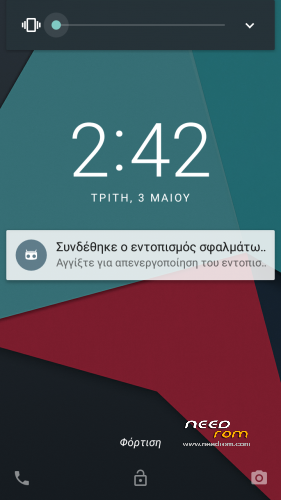
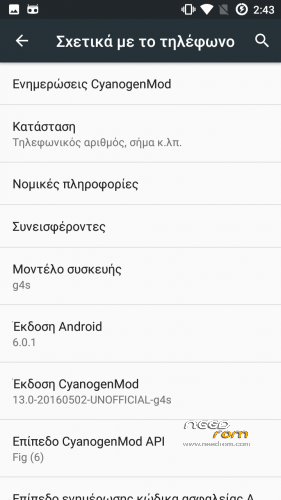
On first screenshot you see locker
Is it possible to see/import SIM contact on this rom ? Because i can't.
Not sure , I think cyanogenmod contacts don't suport this , but you can put your sim in another phone and extract the contacts to a vcf file and then import them.