
- Title: CyanogenMod Update
- Listed: January, 2016
- Last modified: 05/20/2016 10:15 am
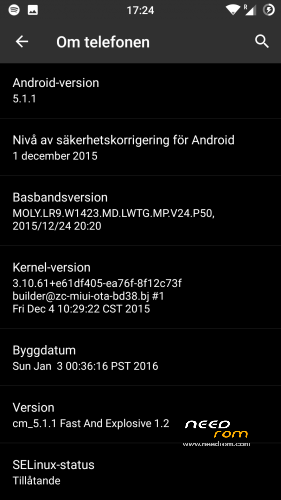
- Version: CyanogenMod 12.1
You must be logged for ROM download.
227771 total views, 45 today
243 Total favorites

 Member Info
DESCRIPTION
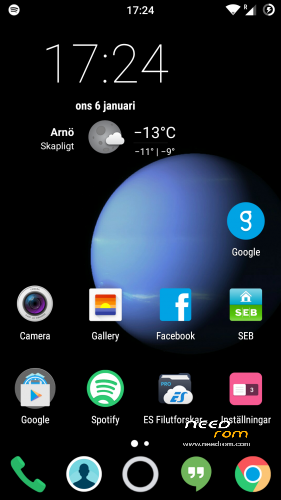
This is CyanogenMod 12.1 for xiaomi redmi note
Change log Fast and Explosive Update 5.2 Clean CM (Latest)
New build and a stable one 
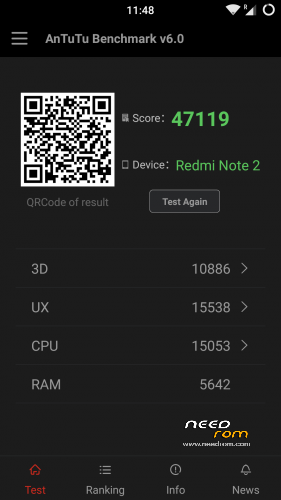
Battery friendly rom and kernel
Latest Gapps
FM-Radio (You need to factory reset your phone for it to work or just start music player once and push play then close the app and open FM-Radio and it should work.)
Clean CM
security patch update
This is the best build so far
Change log Fast and Explosive Build 4.0
New build 2016-03-14
new camera libs
Gapps updated
4G/LTE Optimized
New Modem
Camera apk moddded
Change log Fast and Explosive Build 3.7
Settings is now fixed so all the buttons are working
Maybe more, but i don´t remember
Change log Fast and Explosive Build 3.6
New libs for whole ROM @Coremainia ROM is now even faster!!
faster focus in camera
xposed deleted
uploading separate install for xposed framework
Change log Fast and Explosive Build 3.5
New Build 2016-02-21
kernel optimized by @Coremania
4G lock implemented
Faster and more explosive
Change log Fast and Explosive Build 3.2
New kernel and again optimized by @Coremania
added intelli3g.apk for xposed
added disable su idicator for xposed
some installer faults removed
some camera libs updated, can´t see any difference  Working on it..
Change log Fast and Explosive Build 3.0
New Build
The new kernel for this build has been optimized by @Coremania for battery and snappines (It`s a merged boot.img and it`s for testing)
Also @Coremania managed to do some magic so we can enjoy gestures in future updates
Busybox updated
Different framework
I did my best trying to fix the crazy bluetooth bug. If it`s not working now i can`t do it!!
I can recomend the DEEP DARKNESS theme by Manuel Moellmann
Enjoy
Install
Download zip file to sd
Reboot to TWRP
Factory reset
Wipe cash
Install zip
done
Enjoy CM!!
※Please make a backup of your device before installing or updating ROM
oh i just ask.. On my previous phone (samsung galaxy s ii plus) i had that problem too, but only on first builds, it was something that fixed later and was a issue on rom with ext -sd. On miui rom ext-sd is recognized, but unfortunately not on cm 12.1 roms. Miui isnt as cool as cm, i dont like the design, so i ll stay here eitherway thanks Daniel!
I see! I try solve the external SD problem. It’s seems the app itself don’t have option to chose external SD in settings. Do you mean that all apps or CM itself going to save to external SD? Like in stock miui.
i mean i want to save some files, that is extracted from apps, directly to ext sd and i cant. For example on smart voice recorder ->settings-> recording location i can only see internal sd, besides on miui i had two choices intern/ext sd, and on my previous phone(s 2 plus) with cm 12.1 but only on later builds. Also im facing the same problem on nova launcher on backup, i cant backup directly on ext sd, i have to backup in internal and then transfer it via es file explorer on ext sd card. Weirdly i can restore directly from ext sd on nova. Same on all cm Roms on our phone. If you could fix these issues, that would be perfect,
sincerely,
Nick!
OK! I did an XML hack on a ROM. If I upload it and you install it for me on your phone. Can you try it and tell me if it works? I name the ROM Nick!
OK I tried it myself now and its a little confusing cause the built in voice recorder app you referring to don’t have a choice to chose any SD ext or int. Do you mean some kind of third part sound recorder?
yes the issues have to do with third party apps! As i said smart voice recorder and nova launcher. Usually in smart voice recorder had 2 choices internal/external, now i can only choose internal. And on nova launcher i cant backup directly to ext sd, but i can restore directly from it. I think its something that is missing and in some third party apps cant choose to save on external i dont think its only nova and smart voice recorder, any suggestions,instructions whatever you need tell me,
thanks again Daniel,
Nick
I have uploaded a new build. Please try it and give me feedback.
Ok i ll test and tell in a few hours!
Great work Daniel,
Nick
Well done Daniel thank you very much problem solved!
Another thing I have noticed today is that Viper4Android does not install properly. It asks me to install the driver everytime I open the app, even after being granted root. When I say yes and reboot, it asks me again next time.
That’s my bad. I fix it right away. Sorry!!
Dual SIM on this ROM doens't work properly. You can't turn off one of sim card, even if you do, it's still working. Also, I'm using SIM 1 for calls and sms and SIM2 for internet, so I would like to use LTE on second SIM but I can't do that. I can't use my second SIM as default for internet because both sim cards will not work and there will be "x" icon on signal. When I switch internet to SIM 1 it will connect properly to tower and internet will work from SIM 1.
Dual SIM is the most important feature for me. Is it possible to fix it?
Also, in my Samsung Galaxy S Plus and CM with android 4.4.2 I was able to change more options on status bar. One of them was style how I want signal to be displayed: bars or text in dBm. Where did that option go? Is it super hidden somewhere or it was removed? I don't want to use widgets since it's more power consuming than simply switching style on status bar.
The dual sim card thing I can’t fix right now, but the bars and stuff you can chose in theming different cm styles. In 4.4.2 what version of cm?
I was using this one:
http://forum.xda-developers.co.....d.php?t=2579431
On my Samsung Galaxy S Plus before I bought Redmi Note 2. At the beginning 4.4.2 and then 4.4.4. It was CM 11.0. All I have in status bar options is where I want time to be displayed (left right center) and how I want battery to be displayed (battery, circle, text or no text). No option to modify how signal is displayed.
If you cant fix dual sim card thing, can you at least give me hint how to force LTE mode? I can swap SIM 1 with SIM 2 in slots so it is okay. But in MIUI I was able to enter Enginer Mode by calling *#*#ENGMODE#*#* and then uncheck all signal and left only USA signal allowed so my phone won't connect to any towers because there is no USA-standard signal anywhere near me, so I forced LTE this way. Is it possible to do something similar?
Not right now, try manual instead automatic in sim settings and chose 4g only if your provider supports it. We need the mtk enginer mode ported properly to our phone.
Actually I have only "preferred mode" option, which lists: 2G, 3G, LTE (preferred). Nothing about "X mode only".
Bug: Wake up by volume buttons some time not work
Please be more specific, what build are you using. When and why ? Is it just random!! There are tons of bugs in this build, but I can’t test them all cause it could be your launcher! ? Your keyboard installed or your hardware keys.
Lastest build: when i turn on wake up by volume buttons it work ok but some minute later it not work. Sorry my bad English
OK I try to fix it in next build
Cousteq OK I mean the network setting option, to chose manual or automatic. My settings is in Swedish. I hope you know what I mean, under APN settings I think.
Yes, I think you are talking about operator, the ISP. For me I can choose Orange, Play, T-Mobile and some other providers but nothing about 2G/3G/4G. I can only choose prefered mode.
Yes operator. I can choose between Telia,Telia3G and Telia4G.
Well I can't select that. I will try to find other method.
Hi Daniel101, does this build have MiraVision and ClearMotion enabled?
I've also noted another bug, the notification LED is assigned to the battery LED in settings.
No its not assigned wrong at all in my build 20 and Swedish language.
Thanks
Hi! I didn't find option to turn on reverse internet tethering (PC->phone via USB).
Thx for your port.