
- Title: CyanogenMod Update
- Listed: January, 2016
- Last modified: 05/20/2016 10:15 am
- Version: CyanogenMod 12.1
You must be logged for ROM download.
227783 total views, 57 today
243 Total favorites
 Member Info
DESCRIPTION
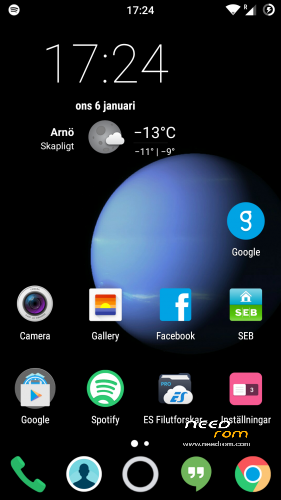
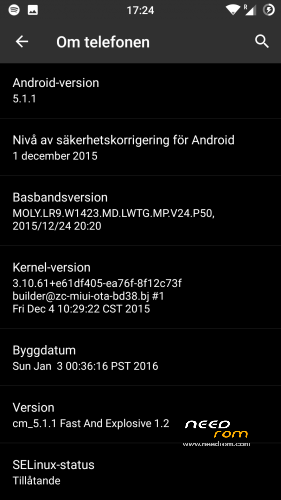
This is CyanogenMod 12.1 for xiaomi redmi note
Change log Fast and Explosive Update 5.2 Clean CM (Latest)
New build and a stable one 
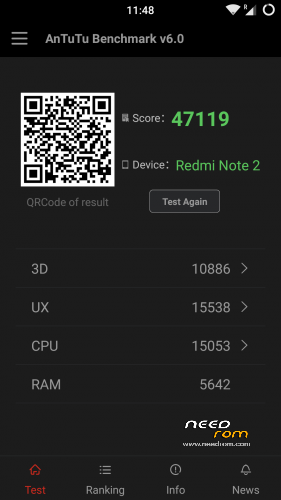
Battery friendly rom and kernel
Latest Gapps
FM-Radio (You need to factory reset your phone for it to work or just start music player once and push play then close the app and open FM-Radio and it should work.)
Clean CM
security patch update
This is the best build so far
Change log Fast and Explosive Build 4.0
New build 2016-03-14
new camera libs
Gapps updated
4G/LTE Optimized
New Modem
Camera apk moddded
Change log Fast and Explosive Build 3.7
Settings is now fixed so all the buttons are working
Maybe more, but i don´t remember
Change log Fast and Explosive Build 3.6
New libs for whole ROM @Coremainia ROM is now even faster!!
faster focus in camera
xposed deleted
uploading separate install for xposed framework
Change log Fast and Explosive Build 3.5
New Build 2016-02-21
kernel optimized by @Coremania
4G lock implemented
Faster and more explosive
Change log Fast and Explosive Build 3.2
New kernel and again optimized by @Coremania
added intelli3g.apk for xposed
added disable su idicator for xposed
some installer faults removed
some camera libs updated, can´t see any difference  Working on it..
Change log Fast and Explosive Build 3.0
New Build
The new kernel for this build has been optimized by @Coremania for battery and snappines (It`s a merged boot.img and it`s for testing)
Also @Coremania managed to do some magic so we can enjoy gestures in future updates
Busybox updated
Different framework
I did my best trying to fix the crazy bluetooth bug. If it`s not working now i can`t do it!!
I can recomend the DEEP DARKNESS theme by Manuel Moellmann
Enjoy
Install
Download zip file to sd
Reboot to TWRP
Factory reset
Wipe cash
Install zip
done
Enjoy CM!!
※Please make a backup of your device before installing or updating ROM
only swipe through the colors and look the lcd
Ok you mean look at the led light?
Sorry! It was my theme i dident see anything it was to dark.
lol, dark theme, i use the same
Yes you dont want to hurt your eyes
"Unfortunately google play services has stopped."
Firmware 20 and 45.
8 worked good.
How to fix?
Just download open gapps and install it from here.
Many thanks!
20 worked fine.
@Imad27
the sim fix for blisspop, is it for lte fix or for the deactivation bug of sim slot 2 ?
Sorry but not sure what exatcly fix, but this rom is the most stable on cm12.1 i did found and trust me i test a lot of um that's why i will be happy if dabiek101 can use it as a base, i just don't like the préinstalled apps cause you can't update em and the chinese language as default at the first launch.
and sorry for the bad english
Daniel I think the best is follow the CM way, take out of the rom the gapps and anyone flash it, because I give too the bug for play store stop working, flashing gapps again and fixed, so if i need to flash the gapps all times so is useless put into the rom, use only much space
For the leds you can find into the settings, I don't remember the position, I think in notifications, you have 3 options where u select the color (with a table colors), if you go to the blue the led not follow this color.
the sim fix in blisspop, is related to boot.img and build prop, so it would be nice to know what it fix, compare the prop
is easy, but i would take a look into the boot.img, if i know what it would fix, if its only lte, its timewaste. if it´s
sim 2 fix searching would be useful. sadly not much info in the net for blisspop.
so lte is working on blisspop, the fix shows up sudamod, and it´s older than the rom itself, but it´s flashable, stange ?
have to wait for my wife for second sim, and testing.
but i have to say it´s a very nice rom
the fix deactivates completly the sim menu and the second sim slot, why, i don´t know, so next pls