
- Title: CyanogenMod Update
- Listed: January, 2016
- Last modified: 05/20/2016 10:15 am
- Version: CyanogenMod 12.1
You must be logged for ROM download.
226655 total views, 26 today
243 Total favorites

 Member Info
DESCRIPTION
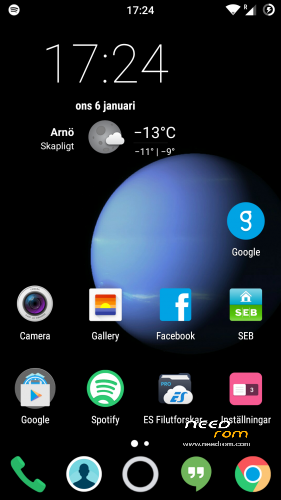
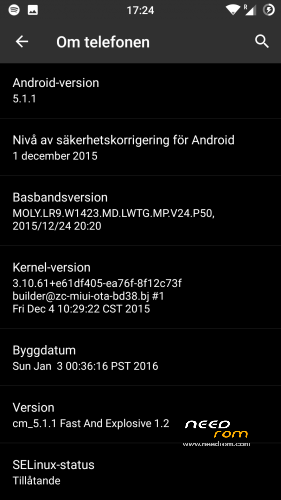
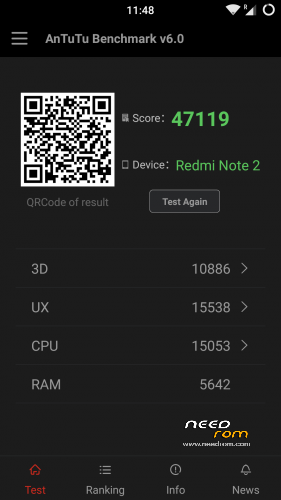
This is CyanogenMod 12.1 for xiaomi redmi note
Change log Fast and Explosive Update 5.2 Clean CM (Latest)
New build and a stable one 
Battery friendly rom and kernel
Latest Gapps
FM-Radio (You need to factory reset your phone for it to work or just start music player once and push play then close the app and open FM-Radio and it should work.)
Clean CM
security patch update
This is the best build so far
Change log Fast and Explosive Build 4.0
New build 2016-03-14
new camera libs
Gapps updated
4G/LTE Optimized
New Modem
Camera apk moddded
Change log Fast and Explosive Build 3.7
Settings is now fixed so all the buttons are working
Maybe more, but i don´t remember
Change log Fast and Explosive Build 3.6
New libs for whole ROM @Coremainia ROM is now even faster!!
faster focus in camera
xposed deleted
uploading separate install for xposed framework
Change log Fast and Explosive Build 3.5
New Build 2016-02-21
kernel optimized by @Coremania
4G lock implemented
Faster and more explosive
Change log Fast and Explosive Build 3.2
New kernel and again optimized by @Coremania
added intelli3g.apk for xposed
added disable su idicator for xposed
some installer faults removed
some camera libs updated, can´t see any difference  Working on it..
Change log Fast and Explosive Build 3.0
New Build
The new kernel for this build has been optimized by @Coremania for battery and snappines (It`s a merged boot.img and it`s for testing)
Also @Coremania managed to do some magic so we can enjoy gestures in future updates
Busybox updated
Different framework
I did my best trying to fix the crazy bluetooth bug. If it`s not working now i can`t do it!!
I can recomend the DEEP DARKNESS theme by Manuel Moellmann
Enjoy
Install
Download zip file to sd
Reboot to TWRP
Factory reset
Wipe cash
Install zip
done
Enjoy CM!!
※Please make a backup of your device before installing or updating ROM
Hi Daniel, if not too much trouble, appreciate if you can provide normal clock kernel as well, reason is, kernel auditor, rom toolbox, etc, numbers don't stick even if "apply on boot" is set & this is true for the previous roms as well… as soon as you play around with a few apps & go back to recheck, the min/max frequency has changed back… thanks bro.
Maybe you’re doing something wrong cause my kernel is locked to 1,9 mhz with kernel auditor.
Can I using Normalclock flash file for 1.7?
Yes you can, but better to use kernel auditor. At least for me.
Is there any way to tweak cpu frequency ? In this rom when screen is on; 4 cpu go to max frequency
My other phone when screen on; only 1 cpu on and it goes slowly to max freq
and the rest of cpu cores are stopped.
How to lock lte/4G only?plz help me
rom is perfect. very smooth e battery frendly. very tank
I jumped from version 1.2 to 1.7, great rom, thank you daniel
thank you for your work
Daniel, what about engineering mode and clearmotion?
new 1.7 already tweak clear motion enable? :)
thx
What version of TWRP do I have to use ? On the official website I can't find a version for the Redmi Note 2.
http://4pda.ru/forum/index.php.....#038;p=42912301 SP_Flash_Tool_exe_Windows_v5.1452.00.000.zip ( 49,44 МБ )", extract zip, then flash including TWRP by SP Flash Tool.
Dowload these: 2. "Скачайте SP-Flash tool -