
- Title: CyanogenMod Update
- Listed: January, 2016
- Last modified: 05/20/2016 10:15 am
- Version: CyanogenMod 12.1
You must be logged for ROM download.
227776 total views, 50 today
243 Total favorites

 Member Info
DESCRIPTION
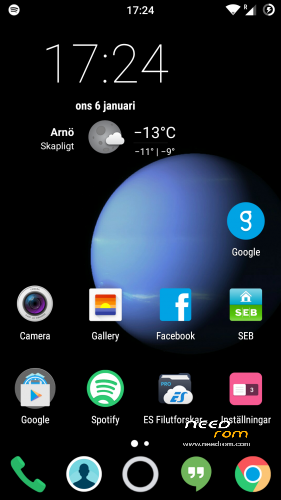
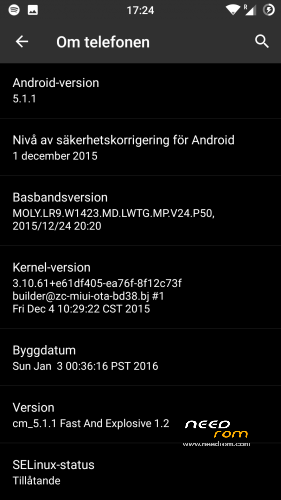
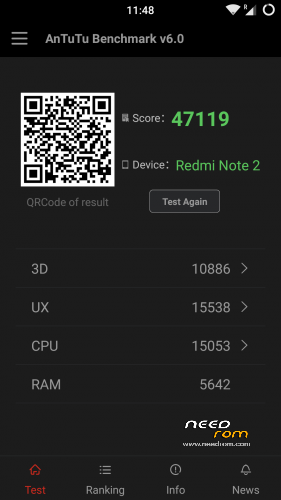
This is CyanogenMod 12.1 for xiaomi redmi note
Change log Fast and Explosive Update 5.2 Clean CM (Latest)
New build and a stable one 
Battery friendly rom and kernel
Latest Gapps
FM-Radio (You need to factory reset your phone for it to work or just start music player once and push play then close the app and open FM-Radio and it should work.)
Clean CM
security patch update
This is the best build so far
Change log Fast and Explosive Build 4.0
New build 2016-03-14
new camera libs
Gapps updated
4G/LTE Optimized
New Modem
Camera apk moddded
Change log Fast and Explosive Build 3.7
Settings is now fixed so all the buttons are working
Maybe more, but i don´t remember
Change log Fast and Explosive Build 3.6
New libs for whole ROM @Coremainia ROM is now even faster!!
faster focus in camera
xposed deleted
uploading separate install for xposed framework
Change log Fast and Explosive Build 3.5
New Build 2016-02-21
kernel optimized by @Coremania
4G lock implemented
Faster and more explosive
Change log Fast and Explosive Build 3.2
New kernel and again optimized by @Coremania
added intelli3g.apk for xposed
added disable su idicator for xposed
some installer faults removed
some camera libs updated, can´t see any difference  Working on it..
Change log Fast and Explosive Build 3.0
New Build
The new kernel for this build has been optimized by @Coremania for battery and snappines (It`s a merged boot.img and it`s for testing)
Also @Coremania managed to do some magic so we can enjoy gestures in future updates
Busybox updated
Different framework
I did my best trying to fix the crazy bluetooth bug. If it`s not working now i can`t do it!!
I can recomend the DEEP DARKNESS theme by Manuel Moellmann
Enjoy
Install
Download zip file to sd
Reboot to TWRP
Factory reset
Wipe cash
Install zip
done
Enjoy CM!!
※Please make a backup of your device before installing or updating ROM
can you show list of langoage?
what about double tap to wake?
@ spoof
wanam xposed is build in the rom, you only need to install the XposedInstaller_3.0-alpha4.apk
It's not wanam, but it's working good.
sry,
i thought wanam, same as on 1.7, because official one didn´t work
how to activate the clearmotion on build 1.8? i didnt find any setting to activate it.
How can i set 4g only on this rom?
in the settings, mobil you an set prefer lte, other option not given i guess
Why disappeared from version 1.8 so many options? where the setting buttons, notifications, status bar, etc.
I'm going back to version 1.7
everything's in place just dowload rom again wipe system, dalvik cache, cache and flash it ;P
setting > about phone > turn on advance mode
done
sorry, I see it, I have to turn on the advanced mode, upss
i like this rom very much, please add setting 4g only to this rom Daniel
How to change number of sim cards i dual sim wersion? When I change name of sim card, number of card below is not active.
How can i save apps data like asphalt on external sd?
Folder mount, link 2sd, does those apps don´t work ?
I don't want tou use link2sd to avoid creating partitions on my sd card
Foldermount just copies data files to external sd
That means that data files are stored at both internal and external storage
When i try to delete internal storage files to keep external only each app re-downloads it's files in the internal storage
Is there any other solution?
Do you use a certain app?
with folder mount, you should only keep the link on internal storage, the data
should be on the sd card, otherwise the app won´t make sense
I create the link but the app instead of moving the data to external it copies them
the app reads from the internal memmory instead of external
Is it working for you at this rom?
i tried sdcard fix, now in app info, i have the possibility to push to sdcard, but it doesn´t push the file,
seems to be a permission problem, could be in the framework (may not mounted correctly) or in the boot.img
i guess daniel should have a look, if he has time for this.
Sry, didn't try the App, i'm on 32gb version, don't have this problem
try use xposed with xinternalsd module
it phone will read your microsd as your internal memory
no need to partition anything
I tried it just now and it still downloads at internal storages
i used these settings:
http://en.miui.com/thread-8905.....4-1-1.html
Can you tell me how you made it work?
just follow the instruction in that link and you'll be fine
make sure the xinternalsd is activated (check) and path to internal sd card is /storage/sdcard1
check "enable for all apps", then open "enable for apps", check all app you want
dont forget to restart
v1.6-v1.8 very bad open the notification curtain.
Hello, did you solve this notification curtain problem? I have the same problem, but with all CM 12.1 roms, no problem with MIUI roms. What about you? thank you
Следующего запуска (4 pda.ru). Настройки >> настройки жест >> дабл даун действий >>уведомление.