
- Title: Cyber UI 6.0 Marshmallow
- Listed: July, 2017
- Last modified: 07/31/2017 6:43 pm
- Version: 6.0
You must be logged for ROM download.
11957 total views, 2 today
1 Total favorites
 Member Info
DESCRIPTION
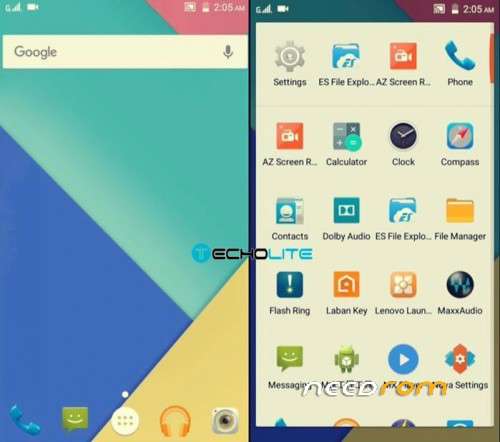
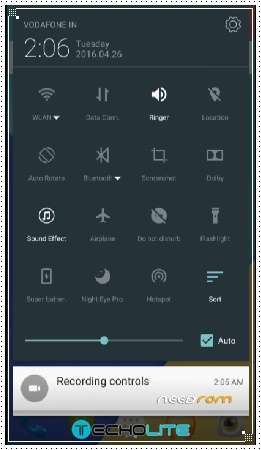
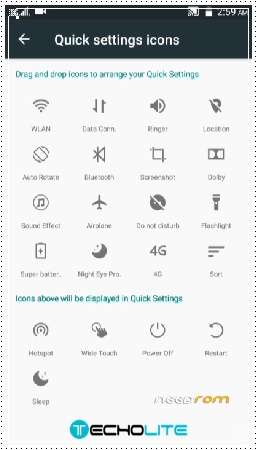
A new custom ROM for Lenovo A7000 named as Cyber UI which is based on marshmallow with in built features and rich app support. Lenovo A7000 Cyber UI 6.0 custom ROM has pre-installed apps and services like Dolby, Viper Audio, Max audio; it supports xposed framework, removed all the Chinese applications and bloat-wares. The most dominant feature of Cyber UI custom ROM is that it supports quick charging up to 1980 Mah, you can check the other features below. To install this ROM, you will require any custom recovery and flash it along with Google apps as well.
DISCLAIMER: Rooting or Flashing Custom Recoveries/Roms can brick your device. We at Techolite do not take any responsibilities if your phone doesn’t boots up, or your SD card is dead. It is your sole responsibility to root or flash custom ROM’s and recoveries and bear the loss if incurred in the process.
ABOUT THE ROM
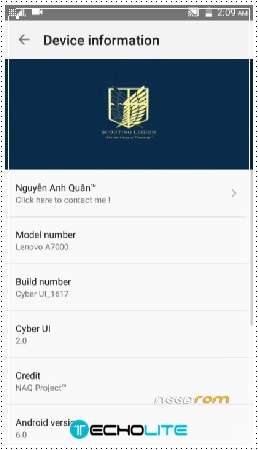
Type: Cyber UI
Rom Version: 1617
Android Version: 6.0 Marshmallow
Size: 673 MB
FEATURES
Multilanguage
Ultralight
Xposed framework supported
Custom themes
Added Labankey
Removed Chinese app
Improve battery life, quick charge ~ 1980mAh
Included many apps
Dolby
MaxxAudio
Viper
Snap 5.8
INSTRUCTIONS TO INSTALL
Step 1: Copy the ROM and the gapps on your SD card
Step 2: Boot into Custom Recovery
Switch off your device
Now press Volume Down + Power Button together for 2-5 seconds until you see the bootloader
Step 3 : Wipe Dalvik/cache/system/data
Step 4: Go to install and then select the ROM and flash
Step 5: Now flash the gapps as well
Step 6: Reboot (the first boot can take up to 2-5 minutes)
HOW TO FIX CH PLAY ON LENOVO A7000 CYBER UI
Before Flash Gapps, Please switch GPS to Device only
Go to TWRP Flash Gapp
Reboot > to Setting > App Manager
Google Play Store -> Permission > Set All
GG Service > Permission > Set All
Reboot > Login GG Play Store
If force close please use Link2sd or Titanium Backup delete cache and data of Google Play Store, GG Service –
Reboot
※Please make a backup of your device before installing or updating ROM
Hi there..
Is there any chance that you could make this work for a Lenovo a7600? As far as I know it has the same h/w as the a7000. The only difference is in the display analysis (a7600 supports FHD).
Thank you in advance and I am looking forward to your reply.
N.