
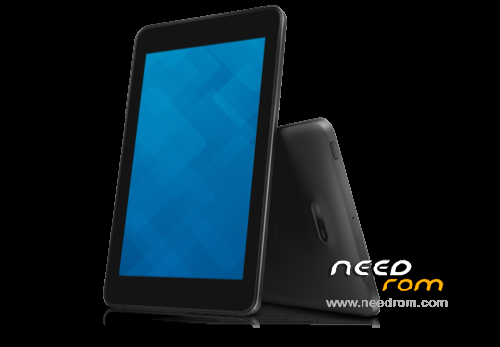
- Title: Dell Venue 7 3740 Merrifield
- Listed: August, 2016
- Last modified: 08/07/2016 3:51 pm
- Version: YTP802A119500
You must be logged for ROM download.
21753 total views, 1 today
3 Total favorites
 Member Info
DESCRIPTION
First determine your tablet version: Venue7 3740 and Venue8 3840 and choose correct archive ROM:
A195 Wi-Fi is YTP802A119500-2014-07-16-22.tgz (700M)
A195-LTE is YTD802A519500-2014-07-16-16.tgz (821M)
Requirements, preinstall (drivers and flashing tool):
all in FlashTool.zip archive
IntelAndroidDrvSetup1.5.0.exe
P708T_Driver_V1.0.0.msi
iSocUSB-Driver-Setup-1.0.4.zip
xFSTK_downloader_1.5.1.zip
fastboot, adb: drivers and libraries
Windows 7 (no win 8 or 10, because intel soc drivers won't work)
Flash / Unbrick Dell Venue Tablet
Download FlashTool (or requirements separately)
Download correct image and extract it to fastboot folder:
A195 Wi-Fi is YTP802A119500-2014-07-16-22.tgz (700M)
A195-LTE is YTD802A519500-2014-07-16-16.tgz (821M)
Run xFSTK-Downloader and choose "MRD AO/BO + MOOR AO + CRC" tab on the bottom.

Set GP Flag to “0×80000007” in “Options >Download Options”

Browse for firnmware files in extracted folder:
FW DnX= dnx_fwr_PRQ.bin
IFWI= for_product_ifwi_PRQ.bin
OS DnX= dnx_osr_PRQ.bin
OS Image= droidboot.img.POS.bin

Power off the tablet device (long press power key for more than 15 seconds).
Click “Begin Download” in Flash Tool, it will display waiting time is 60 seconds.
Long press the volume up button and then plug in the cable.
When flash process started, then release the volume up button. When firmware flash is done, Flash Tool will show Success: FW+OS Download Completed!

After flashing firmware, the tablet device will switch to fastboot mode automatically as
the following:

Double click file “P802_flash_device_wifi_only.bat” or “P802_flash_device_lte.bat” in SW
image folder. The following CMD window will show up, and begin to flash OS system
image.

After flash is complete, “press any key to continue” will shown in the cmd window.
Please click any key, and the device will reboot automatically.
Source: OSS_A195.pdf: http://opensource.dell.com/releases/Venue_7_3740_Merrifield/developer-edition/Doc/OSS_A195.pdf
OTA root and bootloader unlock
First flash / unbrick the rom then run OTA.
A195-LTE is YTD802A519600-f-2014-07-16-16_OSS.zip 789M
A195 Wi-Fi is YTP802A119600-f-2014-07-16-22_OSS.zip 684M
※Please make a backup of your device before installing or updating ROM
good work
how to download
nice work 1000000000000000 thanks to you
thanxxxx sir it's work perfectly
its working
how to flash ota
WINDRIVER ERROR : 0×200000015 , Timeout Expired , any solutions ? im on windows XP
it say error on cmd on me…
KADAK