
- Title: deodexed P3000S Stock Moded System v1 SP
- Listed: February, 2015
- Last modified: 02/28/2015 5:50 am
- Version: v1
You must be logged for ROM download.
19464 total views, 1 today
3 Total favorites
CUSTOM
 Member Info
DESCRIPTION
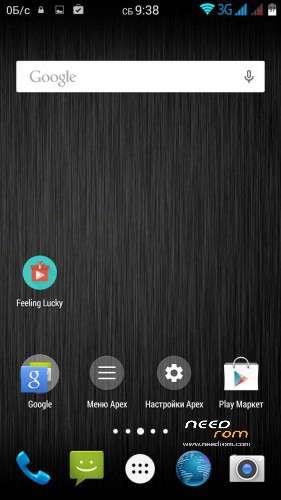
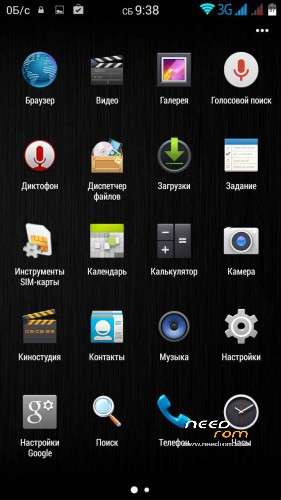
- init.d Support, Busybox, Deodexed system, ZipAlign system, Battery and Performance tweaks for all android devices, Fix write sdcard, EXPOSED Framework, host, GPS fix by Fraggel
※Please make a backup of your device before installing or updating ROM
sige siendo 4.4.2' y se soluciona el problema del altavoz eco el zom de la camara funciona?
Q: sige siendo 4.4.2' y se soluciona el problema del altavoz eco el zom de la camara funciona?
what problems Stoke, and the same problems remain
Hi deodexed,
thanks for the ROM, could you give more details about this ROM? I mean, it is like the original one plus those chages: init.d Support, Busybox, Deodexed system, ZipAlign system, Battery and Performance tweaks for all android devices, Fix write sdcard, EXPOSED Framework, host, GPS fix by Fraggel
What about the GESTURE_SENSING, camera any difference? Thanks
Hi,
Thanks for this ROM, but unfortunotly, che's not resolve the compass trouble, and can't have the double sim functionnality.
ndabar, Tyller
GESTURE work, 2sim work, compass no work – looking for a solution
Hello everybody !! Impossible for me to install this rom with flashtools !!! WTF
Multiple Errors with flastool !! After recovery with official rom = no imei in sim 1…. Grrrrrrr !!!! After recovery with my personal backup = OK
How to install this custom rom ??? I don't know !!
need screen error
First Method: -
1. Rooted your MTK Android phone
2. Download and install Mobile Uncle Tools from Google play store… or dial *#*#3646633#*#*
3. Go to Engineer Mode and Select Engineer mode (MTK)
4. Go to Connectivity Tab and Select CDS information
5. Select Radio Information after that Select Phone1 (for the first IMEI)
6. At the top there is a command line which begins “AT+” just type there “AT +EGMR=1,7,”IMEI_1? (Put your first IMEI number number)
7. Hit send command and you will / may get a confirmation that "sent to mSend".
8. Now go back and select “Phone2? (for the second IMEI number)
9. At the top there is a command line which begins “AT+” just type there “AT +EGMR=1,10,”IMEI_2? (Put your second IMEI number)
First install (current firmware update) the P3000S_20150120 OFFICIAL root. Turn on the phone … and then turn off the phone (only download !!!) deodexed stock P3000S modem System v1 SP. If both are successful installation and the device is not bad, it will work perfectly.
So far this is the best rom! Thank you very much! 2 sim work without breaks. I am sending a donation!
no funciona el NFC / NFC not working
Tiene los mismos ajustes que la rom stock?
Fingerprint? la particion de 11gb para aplicaciones? Gestos con la pantalla apagada?
Graaan aportee. Si todo funciona ok ,donaré
someone can give a tutorial on how to install this rom ? I had no clear steps of our colleague , who dial in flashtool devo choices when flashing the rom deodex ??