
- Title: DJROM GRAVITY v4.0
- Listed: December, 2013
- Last modified: 12/07/2013 8:27 pm
- Version: Android 4.2.1
You must be logged for ROM download.
26753 total views, 3 today
128 Total favorites

 Member Info
DESCRIPTION
Hardware: MT6589 and Turbo version
Model: UMI X2
Build number: DJRom Gravity v4.0 UMI X2 20131128-091649
Build UTC dates : 1382570130
Android v. 4.2.1
Baseband v: Moly.WR8.W1248.MD.WG.MP.v7 F2 , P1, 07/10/2013
Kernel v: 3.4.5 ( user @ linux -user) SMP Sat OCT 28 09 15:00 : CST 2013
LCD Driver IC : 1 – nt35596_fhd_dsi_vdo_truly
Features and Changes
* Tweaks Build -prop
* Added Gesture sensing
* Added new logo designed by the undersigned Umi
* Added app to calibrate your battery
* Battery Saver improved
* Improved quality preview jepg
* Improved connection for online games
* Improved Better Speed & Responsiveness
* Improved proximity sensor
* Enabled by default video acceleration and hardware debugging
* Improved Faster streaming videos
* Speed dial improved
* Reduced RAM usage
* Improved Wifi settings with the European
* Added multifix Masterkey for Android Xposed form as to enable the Gravitybox
* Jit Enabled
* Zipalign
* Fully Deodexata and Busybox
* Root SuperSu
* New Wallpaper
* Gapps preinstalled
* Removed app and sms Chinese
* Multilinguage
* Increased volume in both headphones in Speaker
* Increased the speed of browsing with Chrome
* Improved GPS with European providers
* Added many to Tweak build.prop for greater fluidity , network speed , sensitivity GPS , mobile data reception , picture quality , video quality
* Replaced the camera with that much better optimized , with the new HDR function
* New RDS
* New Photo gallery Xperia sile
* Gravity v.2.8.0 box . for the ultimate in personalization
* Xposed v.2.4.1
* New Compass with advanced magnetic sensors
* New Torch with light sensor ( in the dark when you turn to the return of the light will turn off automatically, handy as an emergency light )
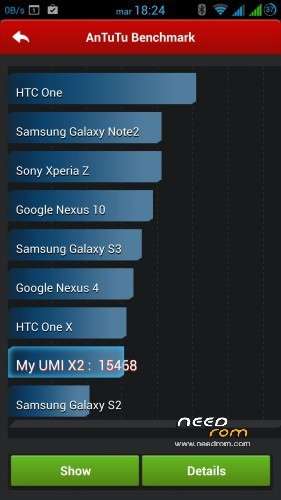
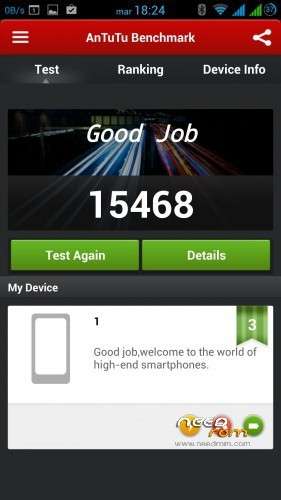
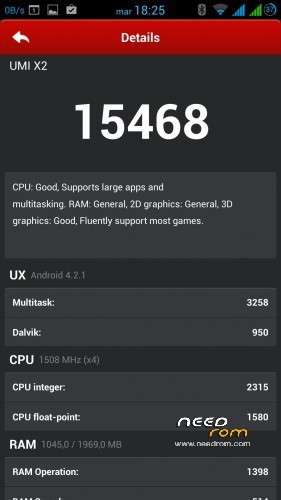
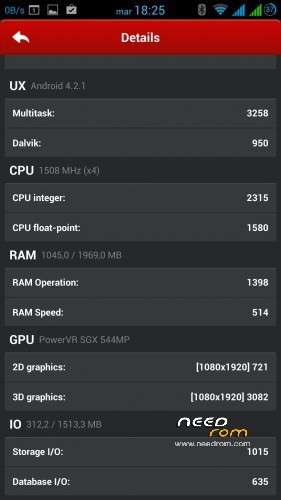
* App Antutu
* Adobe_Flash_Player_11_11_1_115_63
* Hangouts
* Maps
* Replaced stock broswer with Google Chrome
* Search by voice
* Mobileuncle
* ESFileEplorer
* Terminal App
* Youtube App
Installing from Recovery
DOWNLOAD
It is recommended to have a minimum of experience on what you should do …
After installing the rom always recalibrate the battery
instructions
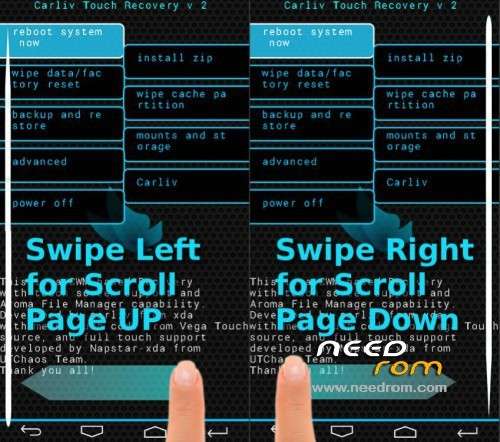
Download the Touch Recovery 6.0.4.4 Download
1 ) Make a backup of the rom
2 ) Reboot into recovery . (eg through the application tools for mobile or cell phone turned off , press volume up and power together and long )
3) Ask factory and wipe cache and advanced – . > Wipe Dalvik Cache
4) back to the factory settings – > Go into mounts and storage and carry format cache, data , system, EMMC ( the format the internal EMMC delete it completely, if you do not want to delete you skip this format)
Then always go into recovery mounts and storage in the entry to copy the rom you previously downloaded
5) choose install zip from sdcard and select the zip of the rom that you have copied to the sd .
Optional – >
If you have a sd memory card, you can copy the rom on both internal memory and external …
DOWNLOAD POST -INSTALLATION : – For the operation of GPS: – Turn on the GPS and enable EPO ( EPO Inside , make downloading and wait for the download data) and AGPS . – After testing with any program such as navigation with maps.
Despite this , I remind you that any work or modifications to your phone, you do so at your sole and full responsibility, nobody forces you to do it … : Wink :
Found small bug problem radio rds crash ..
Solution open obviously ESFileEplorer give all the rights to write and letturaOK but what I think you already know .. let's go forward in system / app and then cut out and glued under Radio.apk system / data and reistallate FINISHED now the radio and working perfectly … sorry guys ….
I hope you enjoy it and done a lot of work ….
Have Fun …
If you want to support this project and always appreciated a donation
※Please make a backup of your device before installing or updating ROM
Geodex please try to reboot. Mine works with reboot. And one reset to router
And for every else who has problems try to reboot.
For example I can’t connect to 3g after reboot (with mobile net ON) after that finally connecting
Every change in settings you do every time reboot. I try to change my keyboard but I can’t. after reboot I make it my default keyboard.
When I want to connect to a new wifi I always reboot.
Everything wants reboot
My English is not good pleas forgive any mistakes. Tell me if that I’m saying works
Thanks George. Considering I'm the only one with this problem I am reflashing and erasing everything. Start from scratch and see what happens.
Again thanks for this rom djroby
Hello ,
Great Congratulations djroby19 for this ROM , it's very good and great performance .
I just want to mention about network, that when I turn OFF the phone and turn ON again it doesn't search for network and it's not showing the Phone apk .I reinstalled the ROM but result are the same . It can only be fixed with Rebooting the phone only , It's ok for me though about that .
The only problem I have is that with GPS . I tried with gps test or gps test plus , it can find the satelites but want show any results or lock . I download the EPO successfuly but still the same .
Do you have any suggestions please ?
Thanks in advance …
Hello, I don't understand what
"If you want to make the sd 's seen as internal and internal and SD for data applications are in the internal flash this rom after flashing"
means!
Does it mean I can use the Phone-Memory as SD Card and save Apps on it? If yes: how??? What do I have to flash after flashing the ROM ?
Please CLEARIFY ! Thank you!
Downloaded an installed. Nice ROM.
First I didn't format cache/data/system and it was stucked at the blue Umi logo screen. Formatted all that was necessary (didn't format emmc though) and it installed w/o problems.
Pluses:
- fast
-pretty stable
-wifi seems to be better that official rom
- camera has HDR
Minuses:
- radio app crashes with or without headset. Volume
- volume level are (still) too low
Great work! Thanks!
For the radio and you know my mistake ehehehhe anyway I wrote the solution in the first page ok Thanks dear
Thank you so much
1.Dear i didn't understand installing this rom exactly can you explain more clearly please.I am scaring for any damage my X2.
2.Can i install this rom with CWM recovery??
3.I don't have SD cart can i install this rom with internal SD card if yes how?? i am using based ROM umi x2 i didn't change ROM.
4.How can i protect my IMEI number while installing this rom? I added an IMEI because i am living Europe.
5.I read from comments wifi does not working for a few Europe countries? How can i know that will work or will not work??
You install cwm recovery from any, before you do all the wipe and then format all then go to install from sd or internal or external sd does not matter ok
For imei facts before a backup with mtkdroid, if you follow the steps you should not miss the imei, I've never lost so many times reistallato the imei .. however, I repeat do yourself a backup
how I removed the first logo of this rom please ?
Thanks
If you read the previous posts we wrote …
I find this rom slow.
The wireless is really slow compared to the basic version.
The Swift Pro keyboard does not work.
Wireless and 3G HSDPA slower than the basic version.
Too bad, it could be a good choice.
I'm sorry for you that your phone gives you all the problems you listed are the only one who complained and strange …. maybe you have a different hardware?
Anyway thanks for trying it
I actually happen to have the same problem with the Lightning Rom V8: basically the network signal strength is excellent, but for some unknown reasons the phone takes ages to connect.
What's more, it easily loses the connection and there you again with the neverending wait to connect to the network… Maybe it's an issue with the new official ROM; I am thinking about a downgrade
Please answer my question!
Thank you!
This thread is not a repair service, but only if you have questions about the rom not to know how to repair or remove the logo etc. .. who wants to try the rom can freely do so if you are experienced ..
I do not answer questions outside of rom
This is the last time
For your problem, you can see here this guide
? what are you talking about, i was asking about what:
"If you want to make the sd 's seen as internal and internal and SD for data applications are in the internal flash this rom after flashing" means!
It is a sentence from YOUR guide and I don't understand it!
I was only asking for you to CLEARIFY it, because the sentence DOES NOT MAKE ANY SENSE!
I apologize we understand evil, I'm Italian and I know lèinglese at school level ..
I meant
If you have a sd memory card, you can copy the rom on both internal memory and external …
OK GREETINGS
thank you for clearing it up!
If i format everything in phone how can i install ROM from internal sd card??(it should be deleted after format) so 4. step in first page will i do this step??
If you formatted the recovery partition you've always visible, in fact, after having formatted entry item from pc mount etc. .. and copy the rom and then after the install