
- Title: DOOGEE DG280 LE0 LP
- Listed: May, 2015
- Last modified: 11/17/2015 1:49 am
- Version: ROM Android 5.0
You must be logged for ROM download.
24131 total views, 2 today
15 Total favorites
 Member Info
DESCRIPTION
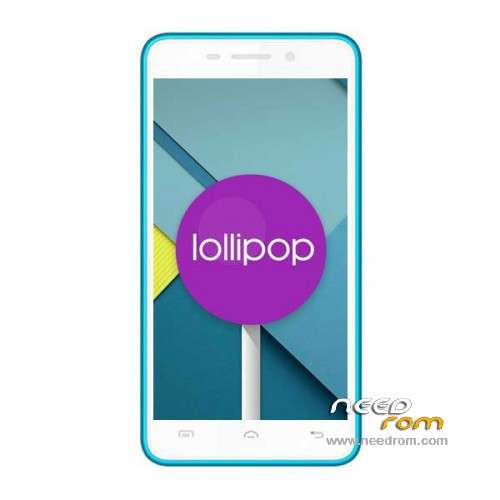
ROM Mobile DOOGEE LE0 DG280 – ROM Android 5.0
ONLY MT6582
Official ROM DOOGEE LE0 DG280 Beta Version : DOOGEE-LEO_DG280-KL-Android5.0-R01-2015.10.31 – g156f-dg-a30-fwvga-wg-w850w1900w2100-l-64g8g-kl – LRX21M
This ROM is given for country : Croatia
——————————————————————————————————————————————————————–
Official ROM DOOGEE LE0 DG280 Beta Version : DOOGEE-LEO_DG280-Android5.0-R06 – g156f-dg-a30-fwvga-wg-w850w1900w2100-l-64g8g – LRX21M
ATTENTION This ROM is a BETA
Gapps include – No Rooted
Language support: Multilang
Install ROM:
- Unpack FlashTools, and Click on Flash_tool.exe
- Select a the MT6582_Android_scatter.txt in ROM
- Wait file to be added into Flash Tool
- choose Option->USB Model,click USB Model
–> Choose Option->DA DownLoad All->Speed->High Speed, click High Speed
- Turn off your phone
- "Press F9 (hit Download button)" OR " if upgrade ROM Firmware->Upgrade "
- and connect your phone into the computer via USB data cable.
- The process will start and a red progress bar will appear after color purple, yellow.
- And green circles display
- Finish !
- You can now safely disconnect your phone and turn it on.
※Please make a backup of your device before installing or updating ROM
I have just installed this OS on my phone.
Really happy with a lot of the features now built into Android 5, specially the awesome lockscreen with proper camera and notifications… features I had to resort to Rooting to be able to have.
PROBLEMS:
1_ I have lost access to the phone via Windows MTKDroidTools/FlashTools. Seems this needs other drivers to be able to be recognized?? Other apps and windows app detect it fine. So have lost a MAJOR backup/restore tool set!!
2_ Both SIMs slots have blank IMEI… thus I can't access mobile networks. And I do not have root access (point 1), to restore my IMEI values!
Anyone else come across these two show stoppers? Anyone have a proven and working solution?
Love the OS, but unable two use with these two problems.
Resolved Problem #2 posted above. Using Enginiering Mode: *#*#8612#*#* to access and write the values.
Now, everything seems to be working… and might not need to have Problem #1 resolved (to install CWM/TWRP, Titanium Backup, etc).
When I plug in the phone to the computer, it goes crazy, windows gives me the sound that something just plugged in, then plugged out, plugged in, plugged out and so on, so I can't actually do anything.
Suggestions?
Rear camera not working, when I go to camera app only front camera is working!!!
you've got an camera app?
what rom did you flashed? it was the croatia one?
bin
That's the only ROM working for my doogee dg280. Have someone managed to play with EBR files so that internal storage has max possible data (6GB possible, and then internal SD will have some 100mb free)? There are EBRTweak or EBREditor apps but flashing newly created EBR files works only once (with successfull memory align), but after restart system is locked in doogees start screen. Any solution to this?
Also if someone has working custom recovery for Lollipop so please share a link to it…
Thanks
I managed to fix it, details: http://forum.xda-developers.co.....e3#post65410728
I know it´s in beta stage but, after i flashed the rom there's no camera app.
it's normal?
Nevermind i've flashed the croatia rom and camera works fine,even records an all
Does this work on a stock phone or must it have something done to the bootloader or CWM or something first? I got the same problem as j35.