
- Title: ECOO E04 Aurora
- Listed: April, 2015
- Last modified: 04/02/2015 6:46 am
- Version: ColorOS 2.0 Beta
You must be logged for ROM download.
16832 total views, 2 today
3 Total favorites
CUSTOM
 Member Info
DESCRIPTION
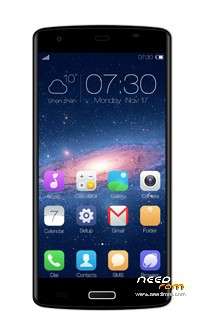
ECOO E04 Aurora (for 2GB or 3GB version)
ColorOS 2.0 Beta (Android KitKat 4.4.4)
Put it on a SDcard and flash it via the recovery
ROM details
ColorOS2.0-ECOO_E04_2GB_3GB_ BETA_20150328
Model: Ecoo E04 Aurora smartphone
Image: ColorOS2.0-ECOO_E04_2GB_3GB_ BETA_20150328_s7yler.zip
Image file size: 799 MB
Platform: Mediatek MT6732
Project: oppo6752_14053
Build number: oppo6752_14053-user 4.4.4 KTU84P eng.root.1423802871 dev-keys
The firmware update process is done entirely at your own risk!
※Please make a backup of your device before installing or updating ROM
multilang?
English, Chinise
gapps?
Any further news about this rom?
Does the fingerprint scanner work?
Please give us something before we try it
no fingerprint app , good rom , but i can't connect the phone with my account google ….
OK, thank you for your reply. Did error do you get?
no error , juste do a wipe data factory , no fc good rom , she's multi but not completely , first boot only english and chinese , but after on setup input and language you can choose another one
Can not log into google account for play store….!!
Any idea to solve this?
Plus
system update button doesnt work????
Please help
I like this ROM
I’ve tested this Rom, it has many small bugs like the gestures, led notifications and small lags on certain actions, the Google Play does not workbut I found a solution: uninstall the play store and then, using Rom toolbox pro select Rom manager, click gapps and then search the 4.4.x gapps of your choice, do not flash via Rom toolbox, use custom recovery such twrp instead. Now you have gapps fully functional. I’ll upload the package later if you can’t follow this method.
I install this rom and google play didn't work. I download pa gapps 4.4.4 (mini) i install it via twrp and is running like a charm…
Install GAPPS for kitkat 4.4.x from here: https://mega.co.nz/#!xslkiSBT!.....RGWuSULrmBcoLnM
It will fix the Google Account login.
Thank you
Now it is working perfectly
Appreciate your help
please how did you do it
Well… You need a custom recovery (ie. TWRP).
1.- Download the ZIP from here: https://mega.co.nz/#!xslkiSBT!.....RGWuSULrmBcoLnM. Place it on your microSD or internal memory.
2.-Turn off your phone, boot to recovery by pressing Power + Vol Up… then select Recovery.
3.-Choose "Install" and select the zip from your microSD or internal memory… wait a few seconds… you'll see the congratulations message, click in restart phone and it's ready to use Play Store.
Sorry my English mistakes, I'm not perfect or american xP.