
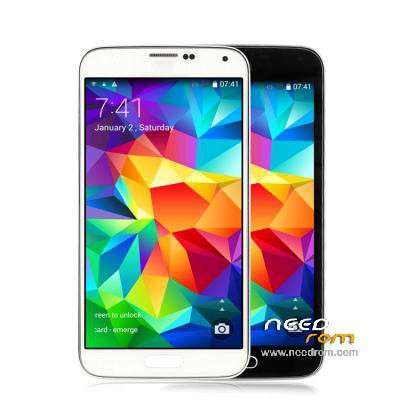
- Title: EFOX Smart E5
- Listed: July, 2014
- Last modified: 07/06/2014 3:04 pm
- Version: 4.4.2 - V1.0 V01 20140605
You must be logged for ROM download.
23228 total views, 1 today
1 Total favorites
 Member Info
DESCRIPTION
ORIGINAL ROM FROM EFOX
ROM Official EFOX SMART E4 Version: SMART-E5_V1.0_V01_20140605
CPU MTK6592 1.7GHz Octa core – 5" 1280×720 IPS – Single SIM – 1 GB RAM + 8GB ROM
Gapps include – No Rooted (after i used Eroot to make it) and in attachment recovery cwm
Language support: Multilang
Install ROM:
- Use FlashTools,
- Select a the MT6592_Android_scatter_emmc.txt in ROM
- Wait file to be added into Flash Tool
- choose Option->USB Model,click USB Model
–> Choose Option->DA DownLoad All->Speed->High Speed, click High Speed
- Turn off your phone remove SIM.
- "Press F9 (hit Download button)" OR " if upgrade ROM Firmware->Upgrade "
- and connect your phone into the computer via USB data cable.
- The process will start and a red progress bar will appear after color purple, yellow.
- And green circles display
- Finish !
- You can now safely disconnect your phone and turn it on.
※Please make a backup of your device before installing or updating ROM
It would be great if someone could make a costum rom, that combines the internal and the external(SD-Card) storage…
and already is rooted
hello, how to root, I do not get it at all, thanks and best regards.
Hola, nadie echa un cable, un saludo.
an information for all owners of smart efox s5, but I wanted to know you will be in trouble call? I explain briefly my problem I wanted to know if this is a normal thing or do I think that my model and failure in practice the signal sim card and then goes back, another problem if I choose to just put the phone 3g connection not aggangia more the signal, and then I will speak on call after some minutes no longer feel 'the other person and the call comes off it happens to you? asp answers thanks
For those who have problems with intelligent dual SIM cover someone could climb back up the NVRAM that is done with the option Mtk_Droid_Tool replace IMEI, would be helpful for those who have no phone service. After replacing those it does not work you have to change the imeis for those who come in the label under the battery, which are the original phone, forgive my English but I'm Spanish and I have gone through google translator thanks.
Legge la sim ma non trova il segnale. Come fare?