
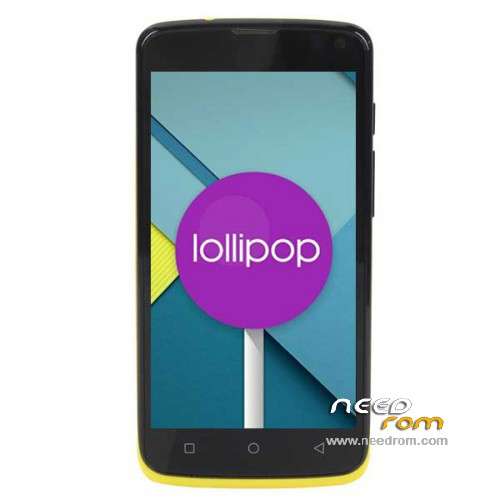
- Title: Elephone G2 5.0
- Listed: March, 2015
- Last modified: 05/07/2015 7:33 am
- Version: ROM Android 5.0
You must be logged for ROM download.
24432 total views, 1 today
2 Total favorites
 Member Info
DESCRIPTION
ROM Phone Elephone G2 - ROM Android 5.0
ONLY MT6732
Update Official ROM Elephone G2 Beta version: Elephone_G2_20150424 – K03Q_MTS_M1C1L1T1S1B1_W_1212_0025_V1_EN – LRX21M
Gapps include
—————————————————————————————————————————————————–
Update Official ROM Elephone G2 Beta version: Elephone_G2_20150401 – K03Q_M1C1L1T1S1B1_W_0401_0222_V1_EN – LRX21M
Gapps include
—————————————————————————————————————————————————–
Official ROM Elephone G2 Beta version: K03QT.P1.L0.MP6.V3.8.R150307.01.user – LRX21M
Gapps not include – No Rooted
Language support: en_US,es_ES,zh_CN,zh_TW,ru_RU,pt_BR,fr_FR,de_DE,tr_TR,it_IT,in_ID,ms_MY,vi_VN,ar_EG,th_TH,
pt_PT,nl_NL,el_GR,hu_HU,tl_PH,ro_RO,cs_CZ,iw_IL,my_MM,km_KH,ko_KR,pl_PL,es_US,bg_BG,
hr_HR,lv_LV,lt_LT,sk_SK,uk_UA,de_AT,da_DK,fi_FI,nb_NO,sv_SE,en_GB,fa_IR
Install ROM:
- Unpack FlashTools, and Click on Flash_tool.exe
- Select a the MT6752_Android_scatter.txt in ROM
- Wait file to be added into Flash Tool
- choose Option->USB Model,click USB Model
–> Choose Option->DA DownLoad All->Speed->High Speed, click High Speed
- Turn off your phone, remove the battery.
- "Press F9 (hit Download button)" OR " if upgrade ROM Firmware->Upgrade "
- and connect your phone into the computer via USB data cable.
- The process will start and a red progress bar will appear after color purple, yellow.
- And green circles display
- Finish !
- You can now safely disconnect your phone and turn it on.
※Please make a backup of your device before installing or updating ROM
I's many bugs!!!!
Hangout crashes, Youtube crashes, cant change launcher,Telegram crashes, cant update google services, apps have no access to the phones internet connection and so on, extreme buggy!!!
Also with GPS there are only Amercian Satelites, no Glonass, no baidu, lot of Google apps dont even come up in the market when you try searching for them.
After OTA update from 14.04 you can finally change your launcher, the rest remains the same.
last OTA update 20150424 solve the problems with whatsapp, telegrams and other apps
Audio sound speacker not work, volume is at max, but is mute: hardware or software problem?
pls. help me
I'm not sure that I install driver
Is the MT6577 USB VCOM Mans drivers work?
Very Thank you
I finally installed lollipop , recovery ,Supersur and Gapps to arm 64 but can not get work Titamium backup or can move applications to the SD card.
I hope we will can move apps on sd card soon, because 8gb internal storage is really too small with lollipop :/
!!!!After 4 times Works Great
Thanks