
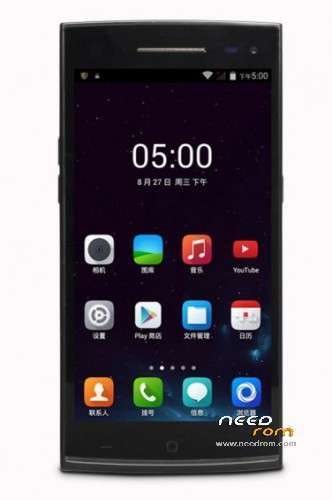
- Title: Elephone G6
- Listed: November, 2014
- Last modified: 11/06/2014 3:54 am
- Version: 4.4.2 ROOT
You must be logged for ROM download.
26122 total views, 2 today
10 Total favorites
 Member Info
DESCRIPTION
Elephone G6 Stock ROM, pre-rooted.
Hardware : MT6592
Model : Elephone G6
Build number : elephone_g6_20141017-17
Build date UTC : 20141016-102315
Android v : 4.4.2
Baseband v: MOLY.WR8.W1315.MD.WG.MP.V35.P7, 2014/09/11 11:36
Kernel v : 3.4.67 (root@android) (gcc version 4.7 (GCC) ) #1 SMP Thu Oct 16 18:18:21 CST 2014
Uboot build v : —– should be root shell
LCD Driver IC : 0-W501470AAA
If you flash this on a wrong phone you do it at your own risk!
I take no responsibilty for anything!
Untick preloader i SP Flash Tool before you flash, I recommend not to flash the preloader.
More techvideos on https://www.youtube.com/s7yler
More techinfo on http://s7yler.blogspot.com
Install ROM :
- Unpack FlashTools, and Click on Flash_tool.exe
- Select a the Scatter.txt in ROM
- Wait file to be added into Flash Tool
- Turn off your phone
- "Press F9 (hit Download button)"
- and connect your phone into the computer via USB data cable.
- The process will start and a red progress bar will appear after color purple, yellow.
- And green circles display
- Finish !
- You can now safely disconnect your phone and turn it on.
※Please make a backup of your device before installing or updating ROM
Hello Could you tell me which drivers are good for pc with phone elephone g6? what version of flash tools goes better?
Hi, I was successfull with that software: https://copy.com/ZDAQsgYuFUP24.....7ow
The proper drivers are in the "MTKUsbAll_0.8.2"
To flash the ROM, use the tool located in folder "Flashtool"
If you want to, use the "MtkDroidTools" to update the recovery to ClockWorkMod recovery, AFTER flashing the ROM
And just a note: I'm not the author of the above, all credit goes to the makers of these excelent tools. I have just collected those handy instruments for my personal use.
si ya tengo la rom, que pasos debo seguir podrian ayudarme por favor ( pregunta no se puede instalar desde la sd ????
Sorry here the screen
HI…. Plz help me.. how much time it will take to complete the process. Actually i am trying the above method. but after clicking the download button the download buttons is disabled and stop butoon enabled , thats it. the screen remains like that only.
press d volume up and down f ur phone.. and wait for ur phone to get detected by ur pc.. it takes some minutes around 5 that's it.
NO HAY COJONES A INSTALAR NADA. ¿SE puede saber por qué no ponéis todos los archivos en la descarga? Jamás en la vida he conseguido poner una rom en un teléfono en la que no estuvieran todos los archivos en el scatter.txt.
O subimos las cosas bien o nos estamos quietos. Que los demás no estamos para perder el tiempo.
can u give me the link. where can i download it?
Thanks a lot…!
It really worked…