
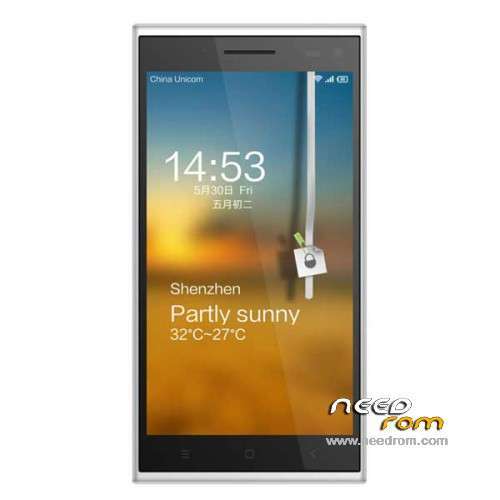
- Title: Elephone P2000
- Listed: July, 2014
- Last modified: 07/30/2014 2:28 pm
- Version: 4.4.2 with ROOT
You must be logged for ROM download.
25237 total views, N/A today
1 Total favorites
 Member Info
DESCRIPTION
- Stock ROM v4.4.2
- Comes pre-rooted (Manually update vROOT app to latest version after install)
- With Gapps / Play Store
- This is a 'Readback' ROM made with SP Flash Tool
Hardware : MT6592
Model : Elephone-P2000
Build number : P2000_20140712
Build date UTC : 20140712-110830
Android v : 4.4.2
Baseband v: MOLY.WR8.W1315.MD.WG.MP.V35.P5, 2014/07/03 18:23
Kernel v : 3.4.67 (root@android) (gcc version 4.7 (GCC) ) #1 SMP Sat Jul 12 11:56:16 CST 2014
Backup by s7yler
Check more tech videos/guides & reviews on: https://www.youtube.com/s7yler
Elephone P2000 discussion thread
http://forum.xda-developers.com/android/general/elephone-p2000-nfc-mtk6592-1-7ghz-t2826632
How to install? - check also this GUIDE here for more help:
http://forum.xda-developers.com/showthread.php?t=2730031
You flash it on your own risk! – flash with Spflashtool
Dont flash it on a wrong phone! your risk to brick it!
Never needlessly Download preloader and DSP_BL blocks! It is always dangerous! On some models of phones you will have a brick even if you download these blocks read from phone which you own! Always remove from them marks in SPFT! ALWAYS have a working backup of your original ROM before you flash a new unknown ROM.
- Unpack FlashTools, and Click on Flash_tool.exe
- Select a the MT6582_Android_scatter_emmc.txt in ROM
- Wait file to be added into Flash Tool
- choose Option->USB Model,click USB Model
–> Choose Option->DA DownLoad All->Speed->High Speed, click High Speed
- Turn off your phone
- "Press F9 (hit Download button)" OR " if upgrade ROM Firmware->Upgrade "
- and connect your phone into the computer via USB data cable.
- The process will start and a red progress bar will appear after color purple, yellow.
- And green circles display
- Finish !
- You can now safely disconnect your phone and turn it on.
※Please make a backup of your device before installing or updating ROM
Hello, is it possible to install this rom in another Chinese phone with similar features as the DG550 is Doogee?
(Mtk 6592 1.7 , 1gb, 16 gb rom, 13Mpx / 5mpx, etc…)
Rom 4.2 from DG550: http://www.doogee.cc/en/gb/xia.....zai.asp?Page=3
Thanks
No idea, but I would not recommend it. Installing a wrong ROM will never be a good thing. The hardware, drivers etc. may be all different.
Very fast battery discharge when wifi in use. May be possible to optimize firmware?