
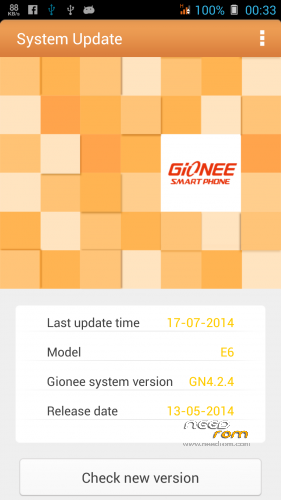
- Title: ELIFE E6 Indian Firmware Stock With latest OTA Update included
- Listed: July, 2014
- Last modified: 07/20/2014 2:33 pm
- Version: 4.2.1
You must be logged for ROM download.
19494 total views, 2 today
1 Total favorites
 Member Info
DESCRIPTION
This rom also work in Other Rebranded version of elife e6 like Walton Primo x2/ Allview x1/ Qmobile z4 etc. 
Install ROM:
- Unpack FlashTools, and Click on Flash_tool.exe
- Select a the MT6589_Android_scatter_emmc.txt in ROM
- Wait file to be added into Flash Tool
- choose Option->USB Model,click USB Model
–> Choose Option->DA DownLoad All->Speed->High Speed, click High Speed
- Turn off your phone, remove the battery.
- "Press F9 (hit Download button)" OR " if upgrade ROM Firmware->Upgrade "
- and connect your phone into the computer via USB data cable.
- The process will start and a red progress bar will appear after color purple, yellow.
- And green circles display
- Finish !
1.You will need stock recovery to flash Ota update.
2.Copy 04cb0cd9a4951156a8ddf3e8ada0aa97.zip to local storage
2. after upgrading firmware goto setting>about>option>choose from local and select the ota update file 04cb0cd9a4951156a8ddf3e8ada0aa97.zip
※Please make a backup of your device before installing or updating ROM
bản này hỗ trợ đa ngôn ngữ không ? hay phải cài morelocal 2
Thanks a lot… I was searching for this for a long time.. Works perfectly on indian e6
Which version of SP Tool you have used? For me SPDATA.IMG is not selected. I am using sp tool version. 3.1316
Where can I find the stock recovery ??
aftr u hav flushed the main firmware packed . u will hav stock recovery
thanhquangst Cài morelocal 2 nhé.
bro there is no flash tools
use any sp flash tools
Hi,
I have used SP Flash tool, 3.1316 and 3.1324, while selecting scatter file SPDATA.IMG is not being selected, check mark is not there. Whether I should flash firmware without SPDATA.IMG or should try other SP Flash Tool versions.
You have mentioned about removing batter but E6 is having non-removable battery. Kindly guide.
can any one pls tell me which version of sp flash tools to be used n if any one has the correct version pls upload
can i use it in my walton primoX2…?
HOW TO WORK INDIAN FRIMWARE…..PLZ HELP ME
dont worry… download this frimware Walton Primo X2 extract file end Select sp tool Select gionee E6 fimware end working….
GIonne E6 has non removable battery. Kindly help how to use sp flash in this case