
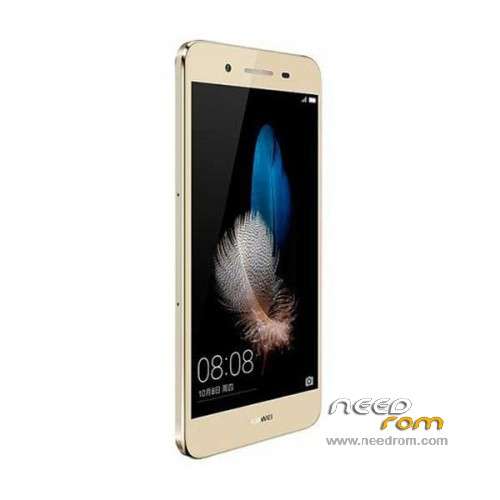
- Title: Enjoy 5S TAG-AL00
- Listed: December, 2015
- Last modified: 09/14/2016 5:03 pm
- Version: ROM Android 5.1
You must be logged for ROM download.
27545 total views, 3 today
13 Total favorites
 Member Info
DESCRIPTION
ROM Mobile Enjoy 5S TAG-AL00 – ROM Android 5.1
ONLY MT6753
Update Official ROM HUAWEI Enjoy 5S TAG-AL00 version: TAG-AL00 C00B157 – Emotion UI 3.1 – Netcom
—————————————————————————————————————————————————————————
Official ROM HUAWEI Enjoy 5S TAG-AL00 version: TAG-AL00 C00B156 – Emotion UI 3.1 – Netcom
Gapps not include – No Rooted
Language support: Multilang
ROM install :
Step one: Prepare an SD card, it is recommended to use Sandisk, Kingstone, or Kingmax, size is recommended that more than 1G.
Step Two: Formatting SD card (optional).
The step three: copy a large package path UPDATA.APP to the SD card dload UPDATA.APP.
Step four: Check the root directory of the SD card you dload UPDATA.APP.
Step 5: SD card into the phone is switched on in the main screen, press the Menu key, the system updates -> SD card upgrade -> confirm -> upgrade, backup data, select the backup data; upgrade.
Step Six: The upgrade process progress bar shows after the finish of the pending progress bar, the phone automatically restart.
or
Step one: Prepare an SD card, it is recommended to use Sandisk, Kingstone, or Kingmax, size is recommended that more than 1G.
Step Two: Formatting SD card (optional).
The step three: copy a large package path UPDATA.APP to the SD card dload UPDATA.APP.
Step four: Check the root directory of the SD card you dload UPDATA.APP.
Step Four: cell phone turned off, insert the SD card, while pressing the volume up button + volume down key switch button, the phone automatically enters the upgrade mode, and then begin the upgrade in Figure
Step Five: After the progress bar to go full fixed, the phone will automatically restart If you do not manually remove the battery.
※Please make a backup of your device before installing or updating ROM
hello rom of huawei enjoy 5s TAG-AL00 support franch language ??????
I bought this phone in China, and everythings blocked, the huawei appstore is worse than useless. If I install this Rom does it mean I can then get google play etc to work?
friend the same problem this rom can't support google application so we hope to found some one who can give us the custom rom
@mohamedouabbas . Ahh you have the same problem as me. There is a guide for flashing a rom and gapps for the phone TIT-AL00 over on xda-forums. I have asked them there whether the same rom could be used for this phone, probably not…but I'm trying everything. I have got a few apps to work by installing the .apk files, like google maps, photos and chrome. Facebook also. But whe
hello dandym1
you know chinese phone no support google application but other application apk you can download . the best solution is to get custom rom but here no one want to help us this forum and administration so bad they don't care for members
Hi all
THe instructions says "copy the UPDATA.APP to the S card however this file does not seem to exists in the attached zip file for download
Any ideas?
TIA
freedom Palestine
israël go to the hell
support for russian language?
sorry, i try it
stock firmwarre… no russian
Huawei Enjoy 5S Dual SIM TAG-AL00 multi languge b128 support multi language
now is Enjoy 5S TAG-AL00 – Update B130 to B155
hi can help me support app store B155
Bought this phone for my wife. The is a wonderful phone with excellent Battery Life. Only problems, not rooted and no google play store or google services.
Can someone create a new ROM with these?
If you want to install Google than there is an app that will help you download the right Google apps for your Android phone.
You can find it here: https://apkpure.com/gapps-down.....om.androidgapps
P.S. If you know China like I do than most of their phones don't have Google installed on them becuase China blocks Google in China.