
- Title: EPIC ROM – MIUI for Paris
- Listed: September, 2017
- Last modified: 09/11/2017 1:18 am
- Version: [ROM][6.0][MT6753][Ulefone Paris]**EPIC ROM-UNOFFICIAL**
You must be logged for ROM download.
13101 total views, 2 today
4 Total favorites


 Member Info
DESCRIPTION
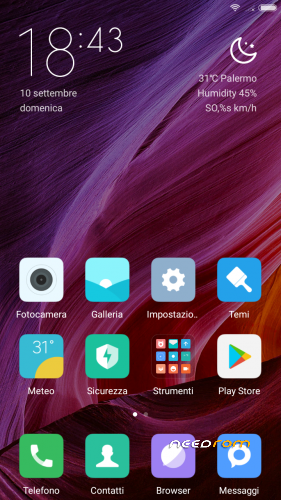
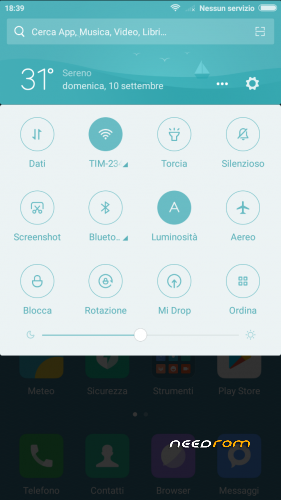
Epic ROM is a Custom ROM based on MIUI, but with some mods and improvements. The focus of this ROM is to improve MIUI official stock experience on devices by implementing many mods
Based on 7.3.23 build (Xiaomi.eu build)
Multilanguage
Gapps Pico pre-installed (Google Play Store and Google Services… you can choose what Google app's are you going to install later)
Removed unnecessary programs from Xiomi, such as: Compass, Mi remote
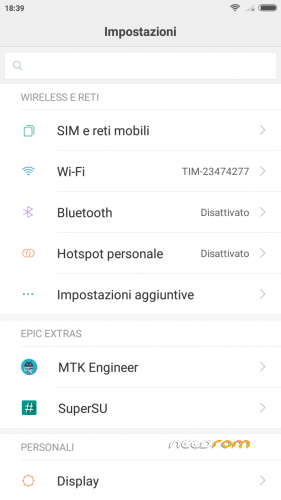
MTK Engineer Added on Settings
Music App Improved
Icons on Settings
Root SuperSU
Init.d support
Busybox pre-installed
Kernel tweaks (very little changes on boot.img)
MIUI Launcher improvements
Camera MODs (better image quality)
All Chinese app's and Google app's (bloatware) removed
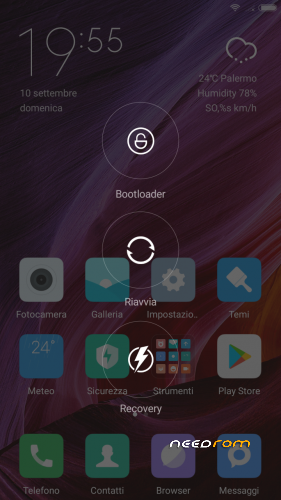
Advanced Reboot Menú (PowerMenu improved)
Supports Xposed but Xposed is not pre-installed (I am not going to pre-install Xposed on this ROM to prevent System Issues, but I bring you the posibility of installing it, thanks to init.d, root, and busybox… use Xposed at your own risk).
Few New Icons Added
Some Nice Wallpapers added
Setings > About Phone > Epic ROM Pic Changed [Screenshot Below]
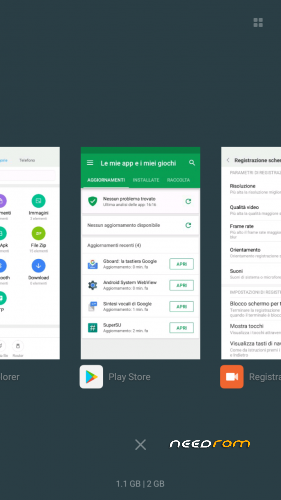
RAM Improved
More Languages Updated
Epic Bootanimation
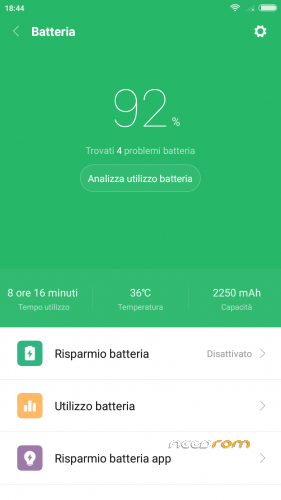
Increased Battery Performance
Better Battery and Performance/RAM management thanks to few more code lines from Epic Team & Xiaomi Eu
- Flash it through NEW recovery mod "TWRP" version 3.1.1-0. You can find it https://goo.gl/CAo17x
- If you come from Android 6 official firmware, flash the TWRP recovery through SP Flashtool;
- Download the ROM from the specified link;
- Copy ROM on the MicroSD card (or OTG).
- Enter into recovery.
- Go to "wipe" and sequentially carried wipe the following: "Date Format" (write "yes"), "factory reset" and then scrolling down to "Wipe Advanced", select "Dalvik/ART cache", "system", "cache", "data" and "internal memory", then swipe to confirm!!
- Go back and go to "Install", navigate the menus until you find your ROM previously saved and flash it;
- Wait ~ 10 minutes;
- Once finished, the TWRP can ask you to install the TWRP APP in system. Please uncheck the flags to decline AND NOT SWIPE.
- Restart, and wait whitout touch anything. The smartphone will reboot itself 2 times. DON'T TOUCH IT!! After this, the first boot takes ~ 15 minutes.
- At first boot, we can get a notification of IMEI errors. Please, don't scare you, it's all right! Configure all normally and reboot. All will back normal after reboot.
- XDA Community
- Xiaomi (and Xiaomi official developers for bring to us this amazing OS)
- Google
- Xiaomi Eu Team
- MultiROM Team
- Epic Team Members:
- All MIUI DEVICE TEAM
- Cuvetto
- caobe (Beta-tester)
- SteelK (Beta-tester)
- 4PDA Users
Please, do not create other llnk to file, if you want to spread it to other sites, go ahead, but remember to respect my work, give me the right credits and used the same link I posted myself. Also please contribute to the project, commenting, using and reporting anything about the ROM, so that everyone can enjoy them in an increasingly better, on our Ulefone Paris and give me the opportunity to improve it !!
※Please make a backup of your device before installing or updating ROM
hello,
i have ported MIUI 9.2.2.0 GLOBAL STABLE
everything is working,smoothness
and twrp 3.2.1-0
aljo2207, we can work together if you want!! Write me a MP if you want!!
It works perfectly, I recommend it to others too!


is this rom for Paris x ?
thanks Cuvetto this epic rom MIUI works perfectly (i point out that to access the themes i registered at MI directly from google). your work reminds mi of that of the late professor Cantaro for Linux. i salute you by writing,i vrote in italian using the traslator.