
- Title: Feiteng H9500
- Listed: January, 2014
- Last modified: 01/04/2014 5:46 am
- Version: MIUI V5
You must be logged for ROM download.
20507 total views, 3 today
CUSTOM






 Member Info
DESCRIPTION
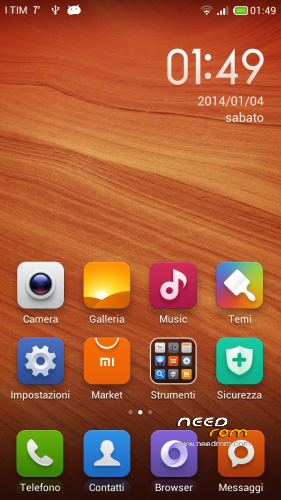
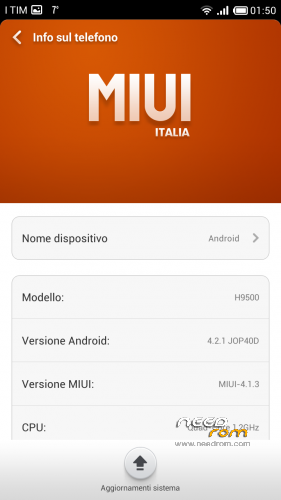
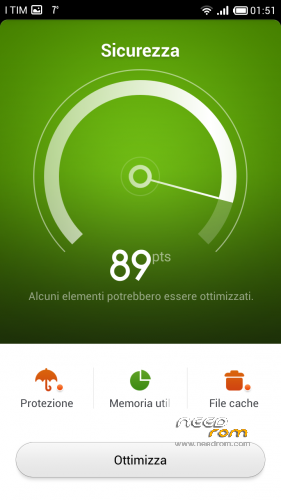
Porting MIUI V5 4.1.3 on Feiteng H9500. CWM file format.
Languages (other than English and Chinese): Italian, French, German, Spanish, Russian, Polish, Arabic, Turkish, Czech, Slovak, Ukrainian
Here the version change-log: http://en.miui.com/thread-12819-1-1.html
Addition 3G SIM switch and access to engineering mode in settings
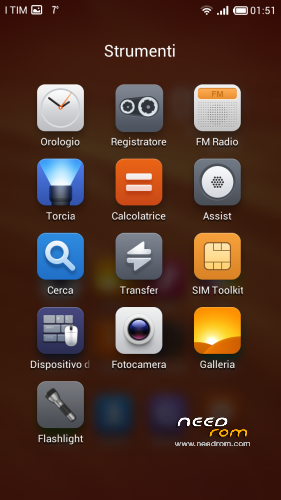
Addition stock camera app
If you appreciate my work offer me a coffee break (make a little donation)
※Please make a backup of your device before installing or updating ROM
There is no link :S
Right-mouseclick and save as…
Installed. Works as a charm. This is how android have to look and work.
Proximity sensor not working, and the calibration in engineer menu stopped. Only for me this problem?
me too!!
Hello friend, it´s posible can you ported this (https://www.needrom.com/mobile.....age-2/#comments) rom for our H9500+?
This?
https://disk.yandex.com/public.....HCUkbROUnJZo%3D
<p>
<span class="hps" style="color: rgb(34, 34, 34); font-family: arial, sans-serif; font-size: 24px; line-height: normal; background-color: rgb(245, 245, 245); ">alarm clock</span><span style="color: rgb(34, 34, 34); font-family: arial, sans-serif; font-size: 24px; line-height: normal; background-color: rgb(245, 245, 245); "> </span><span class="hps" style="color: rgb(34, 34, 34); font-family: arial, sans-serif; font-size: 24px; line-height: normal; background-color: rgb(245, 245, 245); ">restarts</span><span style="color: rgb(34, 34, 34); font-family: arial, sans-serif; font-size: 24px; line-height: normal; background-color: rgb(245, 245, 245); "> </span><span class="hps" style="color: rgb(34, 34, 34); font-family: arial, sans-serif; font-size: 24px; line-height: normal; background-color: rgb(245, 245, 245); ">my</span><span style="color: rgb(34, 34, 34); font-family: arial, sans-serif; font-size: 24px; line-height: normal; background-color: rgb(245, 245, 245); "> </span><span class="hps" style="color: rgb(34, 34, 34); font-family: arial, sans-serif; font-size: 24px; line-height: normal; background-color: rgb(245, 245, 245); ">phone please help</span>
</p>
<p>
<iframe allowfullscreen="" frameborder="0" height="250" src="https://www.youtube.com/embed/o4FAwc9V954" width="500"></iframe>
</p>
Do i need to format/erase something prior to installing this build? My phone contains stockrom. CWM is already installed and the phone is rooted. This will be my first update on my device.
Yes. It is not update, it reinstall your old ROM. And you must wipe the data and cashe before update
You need to backup your stock ROM with MTKDroidTools and SP Flash Tools.
Hi,
I just wanted to report that I am still having issues installing this rom on my GT-H9500+. I have downloaded the rom many times through various means and am positive it is rooted. After installing the rom it gives me an android bootscreen, but then gives me vertical red lines over the screen and does not pass beyond that. (Even after 5-10 min)
Not sure what to do about this?
Thanks
Added note, does this rom have to be installed through the CWM Mod Manager, or can this also be done manually through CWM recovery? I have been doing this manually through CWM Recovery so far.
This Rom works on Feiteng/HTM H9500 S4?
MTK6589,1GB RAM, HD IPS screen….
I tried older Miui port, but it did not.
After the boot screen was streaked and always restarts.
After return my backup rom
1. Rename the downloaded ROM to update.zip and put in the memory card.
2. Power button + volume button up to enter the recovery mode.
2. In CWM two wipes (data and cashe) before updates are necessary.
3. Run update.zip.
3. Restart.
The described effect is obtained if you not doing wipes
Previous and current version of ROM on my H9500 (MTK 6589, RAM – 1 Gb, ROM – 4 Gb) work fine.
I followed the steps you mentioned above, tvn. However I get the same results as mentioned by arany0218. Vertical striping and continuous reboots. Now restoring my backup rom.
Version is not stable. Phone often restarts (after the phone call, alarm, etc.). I installed the previous (MIUI V5 3.12.13) ROM