
- Title: Feiteng HTM M1 2G ROM
- Listed: February, 2014
- Last modified: 02/28/2014 3:57 pm
- Version: HTM M1 2G
You must be logged for ROM download.
24628 total views, 4 today
2 Total favorites
OFFICIAL

 Member Info
DESCRIPTION
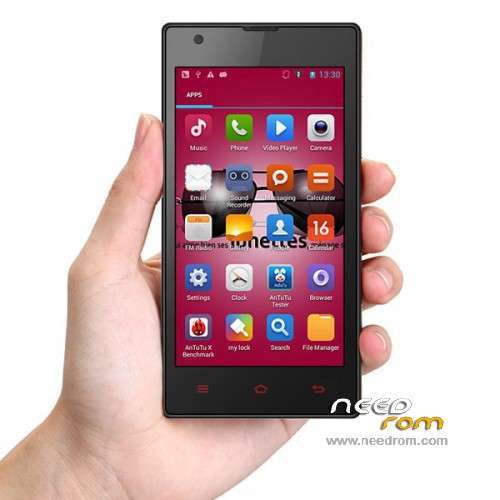
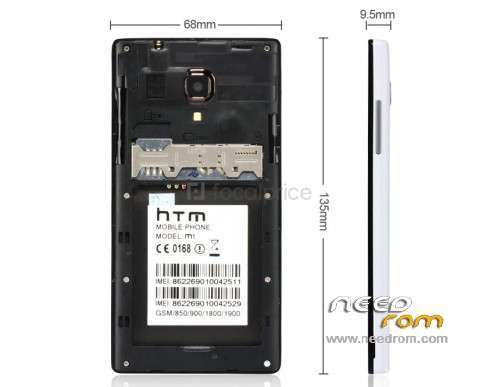
This is ROM for HTM M1 2G GSM Version. All is included with the package. ROM + Driver + Flash Tool.
Install Driver. Next Run Flash Tool . Next choose Scatter File and choose scatter.TXT from rom directory.
Next remove battery from the phone and connect the phone to the USB cable , this step do not connect to PC.
Press F9 or Download from Flash Tool and connect USB cable with the phone to PC.
Wait till all process is done.
Thanks for firmware to my chinese friend.
※Please make a backup of your device before installing or updating ROM
incorrect scatter file format?
Change the folder name from "HTM M1 2G版本不带网址固件" to "HTM M1 2G" and it will work.
And if your phone stucks on logo uncheck "USRDATA" and retry flash
sorry, i forget to tell that you will need to delete all chinese symbols from the folder name.
you you get incorrect scatter format, so maybe you have different model of the phone,
because i already flashed dead HTM M1 with this rom
I also flashed and it worked after I untick on Userdata and btw why I couldnt do format nand with this rom ?
Everything works fine only in wifi it has some bug I think but its fixable . Thanks mate for shaing rom here. I fixed my HTM M1 with your rom Once again thanks
Actually you didnt need to unclick any options from the flashtool file list
I have flashed my M1 with all options ON including Userdata
but when i select userdata my phone stucks on boot logo ?
btw do you have CWM/TWRP Recovery for this phone ?
I am sorry but itis only via Flash Tool. Are you sure that your model is HTM M1 MT6572 CPU
and it is only GSM. Otherwise this firmware is not compatible with 3G WCDMA version.
yes mine is 2g exactly as your now my phone is working fine thanks for yor help
custom rom for htm m1 2g please link
there is no custom rom. If you need widgets , install Linpus Launcher.APK
alfin me funciono taede komo 2 meses en hacerlo funcionar gracias por la rom
made a recovery check – http://forum.xda-developers.co......php?p=50831477
For htm m1 2g
OK. it is good to have recovery. Just want to add that is to get ROOT acces for HTM M1 !!!!
It is very simple, download FramaRoot APK , search it in Google.
Install it, open it , klick Boromir and after Succes Message reboot the phone.
Now you can find another application installed , it is called SuperSU. Open it.
Check DEFAULT ACSESS is grant always.
Now you can install Mobile Uncle Tools and it will grant Root Acces automatically.