
- Title: Flyme OS 6.1 Stable M5
- Listed: July, 2017
- Last modified: 07/11/2017 4:00 pm
- Version: 6.1.0.0Y
You must be logged for ROM download.
10734 total views, N/A today
3 Total favorites
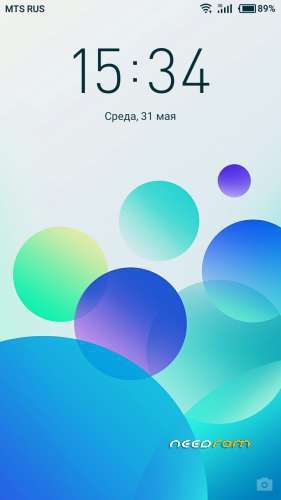
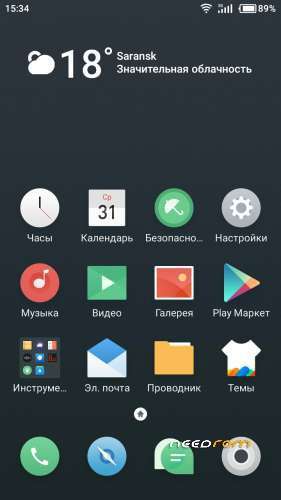
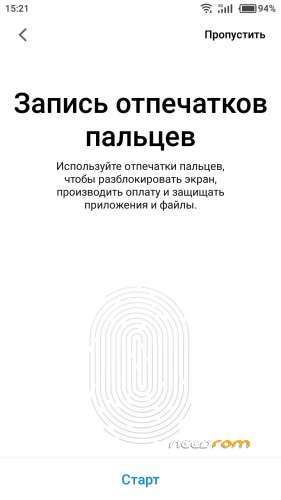
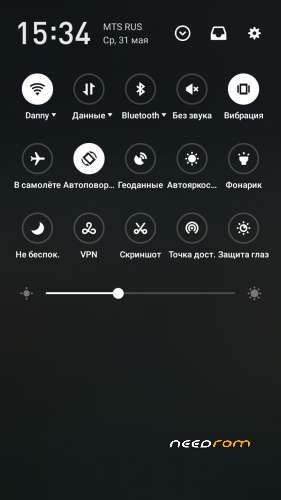
 Member Info
DESCRIPTION
Experience version of the system to brush into this stable version of the system need to clear the data.
· If you encounter problems during the upgrade or use, please feel free to use the "User Help" App for feedback. Among them, MX4 / charm blue note / charm blue 5 users can log Flyme community (bbs.flyme.cn) for feedback.
Flyme Community the Feedback the Path: Model Zone – bug feedback – the post
· Through the Image phone to the push the message to the get the system the update, is the will most the secure and reliable way to upgrade,
we will of the BE through the system replacement function added and type optimized, and the this will of not take up closeup of too much storage space, But will of not a cause data loss of the
of the Entire upgrade process Takes about 20 minutes, please click on the "upgrade " button after waiting patiently, do not press the phone's power button, volume keys, etc. , to avoid system upgrades are disturbed. During the upgrade the phone will automatically restart and may be accompanied by a small amount of fever, is a normal phenomenon without worry.
· System update part of the change description may vary with the version or model, please charm friends forgive me.
The Function adjustment
Each function from the Conditions creation to the floor have spent a great-effort, only to bring more Surprises to the charm is of friends, the this the update, Including video screen 2.0 We do, application avatar Joined:, the shutdown password, to Variety a wallpaper, have come to By explore IT:
• the system
All Android security patch the update to April 5, blocking security Vulnerabilities, SO That the virus nowhere to hide
of the system stability and power performance of a specific optimization, experience every time the "small entry"
the OCD Patients nirvana, support sharing the after sharing screenshots were, the let sharing and the delete one's step in PLACE
the Optimize the a micro-video small video playback the clarity of, the eyes have a good experience to the BE happy in the which
• settings
the video screen features a Comprehensive upgrade, support the screen and sound with the recording, SO That the video interesting more
of the application of avatar Joined: Struck, the work and life: separately, to more Focused
the Path: the Settings – the Accessibility – the Apply avatar Joined:
the Add the primary! ke y touch feedback adjustment switch, fingertips have a good experience
Path: Settings – Sound and Vibration – Primary Key Touch Feedback
Add system font bold switch, or thick or fine, any choice
Path: Settings – Personalization – System font bold
• Find a phone
Set the lock screen Image phone will of automatically turn off the the shutdown password, to Avoid the Image phone is the lost the after the the shutdown is Difficult to the get back
• Desktop
the Optimize the style of the weather plug-in, more Comprehensive weather information, to help you the know the rain and rain
Login TUVdotCOM the Meizu account Image phone the unlock failed The the after the Meizu account to the reset, a top number
• the system the upgrade
the Add network a check the before system upgrade to the ensure consistency of equipment and upgrade-packages,-making the upgrades more reliable
• the File management
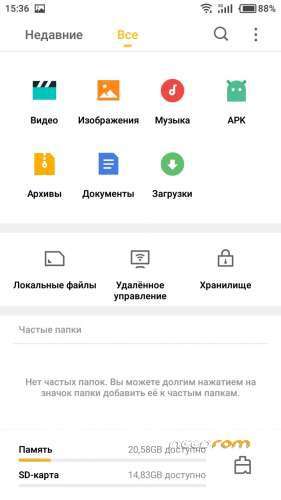
the Add recycle bin directory function, the easy to the find of 15 small files is the lost days, a left hand door
the Path: the File Management – the Setup – the Recycle the Bin function
• Theme landscaping
the Add "to Variety a wallpaper" option switch statement, enjoy inadvert ently of visual a feast
the Path: theme is landscaping – up my – to Variety a wallpaper
Problem Improvement
Thanks to the active A use and feedback of the charm is, the new version has Been fixed, Including But not Limited to the the following Issues, IT is Strongly recommended That all the charm is of friends to upgrade, in order to obtain a better operating experience.
• the System
the To the solve the problem the after setting the lock screen password does not show For the lock screen interface
the Repair the Image phone the restart the after the date of error, the enable automatic torque settings CAN not the BE calibrated Phenomenon
the Repair of insert the headset the after playing music, lock the screen automatically Become Products smaller the after the Phenomenon
the to the solve the problem of setting the ape formatted music to a ringtone the after a ringing tone
• Phone
the to the solve the outside line through the family short number call the machine, Suggesting That the call CAN not call the problem
the Repair from Flyme 5 upgrade to Flyme 6, the Different names of contacts automatically the merge the Phenomenon
• wireless network A
the to the solve the problem the after the start of the note Note network A without notice
• the Notification and the status bar
the Repair the notice of the bar in the glass effect Shows abnormal Phenomenon
for When there a new notification is message, there is no content display in the notification bar
Repair the notification bar only shows the icon, no content can not erase the phenomenon
Repair the notification column in the third row of fast switch and the bottom of the management panel overlap phenomenon
When there is no task in the download management, the notification bar shows the problem waiting to be connected and CAN not the BE Erased
• Image phone the Guardian
the to the solve the power-down mode to the point does not automatically shut down the problem
Fix the settings to the keep the background Used the running the after the application is to still Killed
the Repair the limit power saving mode to the open the THIRD, party application Appears flashing Phenomenon
the to the solve the the open high-performance mode Into the rabbit the after the running, return statement to view the problem Into a a balanced model
• Camera
the Repair the specific scene, the beauty beauty mode is the lost
the to the solve the "priority to the save to the the SD card "option, long press the shutter shot the no response to the problem
• Gallery
the to the solve the problem of editing the picture card in the Communities white screen interface
the Repair the open the any fold er in the picture the after the viewing the details of the Phenomenon of by flashback
the Resolve editing this photos and of adjust the effects of vignette the after the Preservation of pictures and adjustments do not the match the problem
• Calendar Viewing
the Repair the Phenomenon of Occasional by flashback
the Repair "show For the-in calendar" the Meizu account overlap in the Phenomenon
• music
the Repair off the equalizer, Press enter to the view even the when the state WAS the open
the Repair the music lock screen a wallpaper is Communities white, the interface font blurred moving Phenomenon
the Repair the whole track song Shows the Phenomenon of IRRELEVANT folders
• the video
Fix cached is video failed the
Fix the video playback process the click on the fast forward file corruption Phenomenon
• notes
Fix the Saved That picture does not display of properly
※Please make a backup of your device before installing or updating ROM